Flash64 V1.06.27.2026 Latest Version (F64 Ultra Suite) – UFS/eMMC Programmer
Flash64 V1.06.27.2026 (F64 Ultra Suite) is a next-generation UFS/eMMC programmer designed for high-speed, professional-level mobile device repair and data storage operations. With support for EXT4 and F2FS formatting, IMEI detection improvements, and the latest Android TV chips (Amlogic, MStar, LG Web OS), Flash64 stands out as a must-have tool for technicians dealing with advanced memory operations.
From reprogramming corrupted eMMC/UFS chips to formatting partitions and handling locked devices, Flash64 delivers a fast, secure, and reliable solution in a compact, hardware-activated suite.
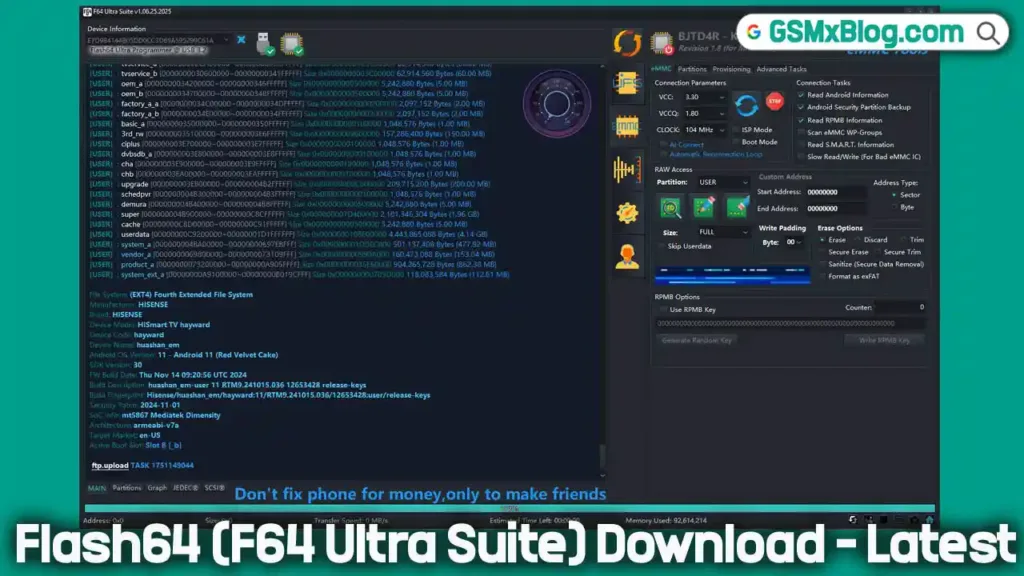
Key Features of Flash64 Ultra Suite
1. Auto LBA Skip for UFS
- Automatically bypasses write-protected sectors.
- Smooth operations even on devices with secure block issues.
2. UFS Secure Write Protection Removal (WP Remove)
Use cautiously — this feature may erase all data on some devices.
3. Supercharged Read/Write Speeds
- UFS (v1.0 – 4.1): Up to 420 MB/s via HS-Gear
- eMMC (v4.1 – 5.1): Up to 200 MB/s on HS200
- Nano Memory Cards: Up to 90 MB/s
- MicroSD (UHS-I): Up to 104 MB/s
Supported Interfaces & Connectivity
🛠️ Diagnostic Interfaces:
- RFFE, JTAG, SPI, I2C, UART
- Ideal for deep-level chip troubleshooting.
🔌 Connectivity Options:
- Dual USB 3.2 Gen 1 + USB 2.0
- Wireless: BLE 5.0 + WiFi 4
- NFC-Based Warranty Tracking
- 1.69-inch IPS TFT LCD for live progress monitoring
- Customizable RGB Lighting
Supported Flash File Formats
| Format Type | Supported Files |
|---|---|
| Binary/Image | .bin, .img, .raw |
| Samsung | .tar.md5, .tar |
| Qualcomm | .xml |
| MediaTek | .scatter, .xml |
| Spreadtrum/Unisoc | .pac |
| OnePlus | .ops |
| ASUS | .raw |
| Motorola | Flash + Service .xml |
| Huawei | Update .app |
| Sony | .xml, .ftf, .sin |
| LG | .kdz |
Unpacking + Checksum Verification Support
Flash64 can also unpack and verify checksum integrity for various archive packages:
payload.bin(Android)OFP(OPPO)OPS(OnePlus)PAC(Unisoc)RAW(ASUS)FTF/SIN(Sony)KDZ(LG)
Latest MTK Scatter File Support
Flash64 now supports latest MTK XML-based Scatter Files with regional provisioning, compatible with the newest 5G devices from OPPO, Vivo, and Realme.
How to Download & Use Flash64 V1.06.27.2026
📥 Download Details
- Tool Name: F64_V1.06.27.2026.zip
- Version: V1.06.27.2026
- File Size: 309 MB
- Password: 123456
🔧 Installation Steps
- Download the archive using the link above.
- Extract using 7-Zip or WinRAR.
- Run the
F64_Ultra.exefile (if portable). - Connect the hardware box to your PC.
- Link the mobile device using ISP Pinout to eMMC/UFS.
- Start using features like flashing, formatting, or data recovery.
📌 Note: Flash64 requires a hardware box connection. It will not function without it.
How to Use Flash64 for UFS/eMMC Programming
Step 1: Connect the Device
- Use ISP pinout for eMMC/UFS connections.
- Ensure proper voltage settings (1.8V/3.3V).
Step 2: Read/Write Partitions
- Select eMMC/UFS chip.
- Choose Read/Write/Format options.
Step 3: Backup Before Modifying
- Always dump full firmware before making changes.
Step 4: Flash Firmware
- Load supported firmware format (e.g.,
.bin,.img,.ops). - Click “Flash” and wait for completion.
Flash64 V1.06.27.2026 – What’s New?
🚀 New Features
- Added Direct File Manager for EROFS and EXT4 partitions
- Added direct partition mount support
- Added IMG and BIN file loading with sparse image support
- Added file and folder search function
- Added Back, Forward, and Up navigation options
- Added drag-and-drop file extraction
- Added double-click support for opening XML, TXT, PNG, and other supported files
- Added file and folder rename option
- Added file replacement and editing support
- Added drag-and-drop file injection
- Added Owner ID, Group ID, and RWX permission editing
📂 EXT4 Improvements
- Added recursive file and folder deletion support
📦 EROFS Improvements
- Added EROFS Unpacker
- Supports both sparse and raw binary files
🔧 MTK Features
- Added MTK Preloader Information Reader
- Displays SoC platform details
- Displays preloader compilation date
- Displays boot storage compatibility information
🍃 HarmonyOS Features
- Added Hua Verified Boot (HVB) support
- Allows HarmonyOS partition hash verification
🛠 Bug Fixes
- Fixed Mi flash_all.bat loading issue
🧹 Cleanup
- Removed D3 debug logs
- Removed DE debug logs
📍 New ISP Pinouts
Samsung
- Samsung Galaxy A57 5G (SM-A576B)
- Samsung Galaxy S20 FE (SM-G780F)
- Samsung Galaxy S22 Ultra (SM-S908U/W/O/D/E)
- Samsung Galaxy S25 FE (SM-S731U/B/BE/N/W)
- Samsung Galaxy A24 (SM-A245M)
OPPO
- OPPO A54 (CPH2239)
vivo
- VIVO X200 Pro (PD2405F)
⚠️ Important Notes
- Do not use the Direct File Manager on AVB-protected partitions unless you know how to disable dm-verity.
- On EROFS partitions, renaming a file is treated as file deletion by the operating system.
Why Choose Flash64 Ultra Suite?
✅ Supports a broad range of brands & chip types
✅ Offers professional-grade tools for chip-level programming
✅ Enhanced with wireless connectivity and smart diagnostics
✅ Ideal for repair centers, forensics, and data recovery labs
✅ Comes with future-proof updates and real-time tech support
Conclusion
Flash64 V1.06.27.2026 Ultra Suite is the ultimate solution for technicians working with UFS/eMMC/NM/microSD storage devices. With blazing-fast speeds, expanded file format support, and a rich array of diagnostic tools, it’s a top-tier platform that transforms mobile device servicing.
⚠️ Don’t wait! Download the latest version now and make sure your Flash64 box is up-to-date to avoid server disconnection.
Have questions? Drop them in the comments below! 🚀
Related Tools You May Like
- Prime Tool X 7.0.4 (Latest Version)
- MDM Fix Tool V1.0.8.3 (Latest Version)
- Carlcare IMEI Write Tool v7.20250106