Download 360 Tool v1.2.0 – MDM Bypass, KG Unlock & FRP Removal for Android 2026
Mobile technicians working with Samsung, Tecno, Infinix, itel, ZTE, Nokia, and Alcatel devices know how time-consuming MDM bypass and KG lock removal can be — especially on 2024–2025 security patches where older methods simply stop working. 360 Tool v1.2.0 is a professional Windows-based Android repair platform developed by the TOJO360 team that directly targets these challenges. With dedicated support for Samsung KG Active/Broken/Error states, Tecno/Infinix/itel MDM bypass on both MTK and SPD chipsets, Smart Super Patcher (SSP), network unlock code generation, and Fix Relock — all in one organized interface — it covers a real cross-brand repair workflow for modern devices.
This guide covers the complete feature breakdown, download table, installation steps, usage walkthrough, credit system explanation, system requirements, and FAQs — everything you need before downloading.
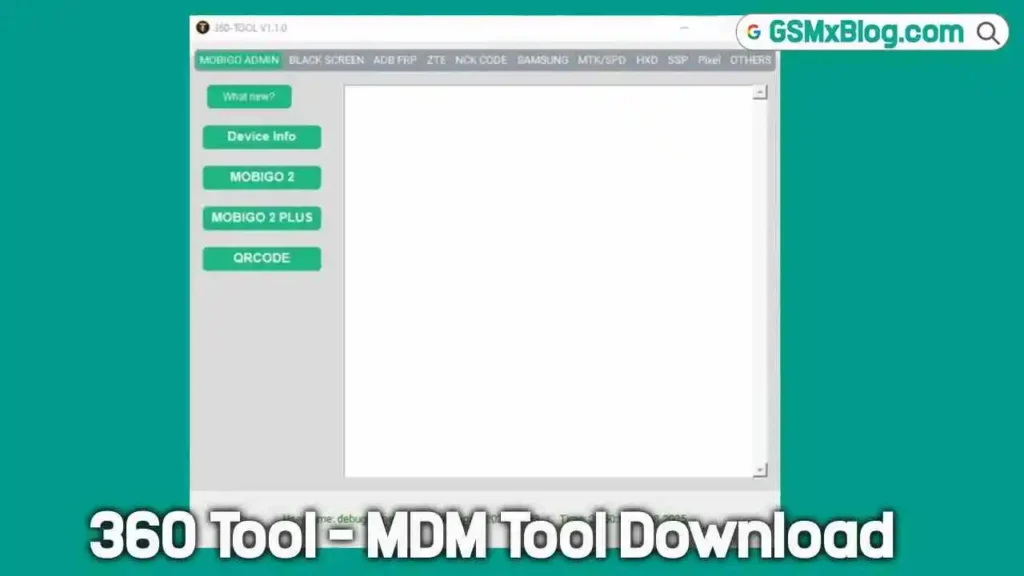
What Is 360 Tool?
360 Tool is a credit-based professional Android unlock and repair platform developed and maintained by the TOJO360 team. It focuses specifically on MDM bypass, FRP removal, KG lock solutions, network unlock, and SSP-based super partition patching across a range of brands including Samsung, Tecno, Infinix, itel, ZTE, Mobigo, Alcatel, Pixel, and Nokia.
The platform is built around practical, up-to-date solutions for the latest security patches. The Samsung KG bypass covers Active, Broken, and Error states — three scenarios that most generic Samsung tools handle inconsistently. The SSP (Smart Super Patcher) is a standout feature that automatically reads and patches super.img or .bin files without requiring model selection, making it one of the faster partition patching solutions available for daily repair.
360 Tool operates on a credit system with credits available through a network of authorized worldwide distributors and resellers. Account registration is available directly through the official website
Key Features of 360 Tool v1.2.0
🔒 Samsung KG Bypass 2025
- Full support for Samsung devices in all KG lock states — Active, Broken, and Error
- Updated bypass methods covering 2024–2025 Samsung security patches
- No factory reset required on select models
- Samsung A06 U1 to U3 — bypass without factory reset option support
- Samsung MDM bypass with Fix Relock safeguard
🛡️ MDM Bypass – Tecno / Infinix / Itel
- SPD (Spreadtrum) chipset MDM bypass — no relock, 2024–2025 security
- MTK (MediaTek) chipset MDM bypass — SEC 6/2024 MDM bypass with no relock
- Supports the latest Tecno, Infinix, and itel models with current security patches
⚡ SSP – Smart Super Patcher
- Intelligent auto-patching system that reads and patches your super.img or .bin file automatically
- No model selection required — just load the file and SSP processes it
- Fast, reliable, and covers a wide range of Android partition structures
- Designed for advanced ROM and repair workflows where super partition modification is needed
🌐 FRP Removal
- FRP unlock across supported brands
- Supports ADB, WebUSB, and direct connection methods
- Compatible with modern Android security layers
- Works alongside KG bypass for complete Samsung lock clearing
📶 Network Unlock Code
- Instant network unlock code generation using device IMEI
- No root required, no USB cable required for code-based unlocking
- Supports multiple brands via IMEI-based server calculation
🔧 Fix Relock
- Implements safeguards to prevent devices from reverting to a locked state after bypass
- Critical for MDM bypass jobs where relock on reboot is a recurring issue
- Saves time on post-bypass re-servicing
📱 Samsung MDM Solutions
- 2025 Samsung MDM bypass covering latest security
- KG Active, KG Broken, and KG Error state support
- Samsung MDM Reset via Download Mode
- PayJoy Removal support on select models
📱 ZTE Support
- ZTE A34, A35, and A75 MDM bypass solutions
- Dedicated ZTE unlock path within the tool
📱 Nokia Support
- Nokia MDM bypass with new security patch coverage
📡 Additional Supported Brands
- Mobigo, Alcatel, Pixel — unlock and MDM bypass support
- Multi-brand coverage from a single Windows application
Download 360 Tool v1.2.0
- File Name: 360-tool-v1.2.0.zip
- Version: v1.2.0
- File Size: 180.24MB
- Platform: Windows PC
- Activation: Credit-Based Account System
- Developer: TOJO360 Team
How to Install 360 Tool v1.2.0
- Download the 360-tool-v1.2.0.zip file using the official link above.
- Extract the ZIP file to any folder on your Windows PC using WinRAR or 7-Zip.
- Open the extracted folder and locate the setup or launcher executable.
- Right-click the EXE file and select Run as Administrator.
- Follow any on-screen setup prompts to complete installation.
- Once installed, launch the tool from the installation directory.
- Register a new account at frp.tojo360.com/360 or log in with existing credentials.
- Purchase credits through any authorized worldwide reseller.
- Connect your target device via USB and select the appropriate service. ✅
Note: Make sure the correct USB driver for your device chipset is installed before connecting. Download MTK USB Driver for MediaTek devices or Qualcomm USB Driver as needed.
How to Use 360 Tool v1.2.0
▶️ Samsung KG Bypass (Active / Broken / Error)
- Open 360 Tool and log in with your account.
- Navigate to the Samsung section.
- Boot your Samsung device and connect via USB.
- Select the appropriate KG state — Active, Broken, or Error.
- Click the KG Bypass operation and confirm credit deduction.
- Wait for completion, then reboot the device. ✅
▶️ Samsung A06 U1 to U3 – No Factory Reset
- Go to the Samsung tab and locate the A06 U1–U3 function.
- Connect the Samsung A06 via USB.
- Select “No Factory Reset” option where available.
- Run the operation and wait for the result. ✅
▶️ Tecno / Infinix / Itel MDM Bypass (MTK)
- Navigate to the Tecno/Infinix/itel MTK section.
- Connect the device via USB in the required mode.
- Select MDM Bypass for your chipset variant.
- Confirm and run — the Fix Relock safeguard activates automatically. ✅
▶️ Tecno / Infinix / Itel MDM Bypass (SPD)
- Go to the SPD section for Tecno/Infinix/itel devices.
- Connect device in the required Diag or normal mode.
- Select MDM Bypass – No Relock.
- Let the operation complete and reboot. ✅
▶️ SSP – Smart Super Patcher
- Go to the SSP section in the tool.
- Click Load File and select your super.img or super.bin file.
- SSP automatically reads the partition structure — no model selection needed.
- Click Patch and wait for the process to complete.
- Flash the patched file back to the device using your preferred flash tool. ✅
▶️ Network Unlock via IMEI
- Go to the Network Unlock section.
- Enter your device IMEI number.
- Select the brand and carrier/network.
- Click Generate Code — no USB cable or root needed.
- Credits are deducted and the unlock code is returned instantly. ✅
▶️ FRP Removal
- Navigate to the FRP Unlock section.
- Choose your connection method — ADB, WebUSB, or Direct.
- Connect the device and follow the on-screen prompt.
- Click Remove FRP and wait for the result. ✅
Understanding the Credit System
360 Tool operates on a straightforward credit-based model:
- ✅ Free: Tool download, account registration, interface access
- ⚠️ Requires Credits: All device operations — MDM bypass, KG bypass, FRP removal, SSP patching, network unlock
- 💳 Where to Buy Credits: Through authorized worldwide distributors
💡 Recommendation: Contact your nearest authorized reseller to compare credit pricing and packages before purchasing. Several regional resellers are listed on the official website for Africa, Asia, the Middle East, Europe, and the Americas.
System Requirements
| Component | Requirement |
|---|---|
| OS | Windows 7 / 8 / 10 / 11 (32-bit & 64-bit) |
| Processor | Intel / AMD Dual-Core or faster |
| RAM | 2 GB minimum (4 GB recommended) |
| Storage | 200 MB free space |
| USB Port | USB 2.0 or USB 3.0 |
| Internet | Required for login and credit-based operations |
⚠️ Warning
Before performing any MDM bypass, KG removal, or FRP operation, always confirm the device model and chipset variant first. Operations on the wrong model or chipset can result in bootloops or soft bricks. Fix Relock is a safeguard but not a guarantee — verify the operation is completed successfully before returning a device to a customer. Always back up any available user data before starting any bypass or repair operation. This tool is intended for trained mobile technicians servicing devices with proper authorization.
Important Notes
🛡️ Antivirus Note: Tool launchers for credit-based GSM platforms are commonly flagged as false positives by antivirus software. Use on a dedicated repair PC and handle with standard caution.
📌 Credit: Full development credit goes to the TOJO360 Team. This article is published for informational and educational purposes only.
💳 Credit System: The tool download and account registration are free. All bypass and unlock operations consume credits available through authorized resellers worldwide.
⚠️ For Professional Use: 360 Tool is designed for trained mobile technicians. Use only on devices you own or have authorization to service.
Frequently Asked Questions (FAQs)
❓ What is 360 Tool used for? 360 Tool is a professional Android repair platform focused on MDM bypass, Samsung KG lock removal (Active/Broken/Error), FRP bypass, Smart Super Patcher (SSP), network unlock code generation, and Fix Relock — covering Samsung, Tecno, Infinix, itel, ZTE, Nokia, Alcatel, Pixel, and Mobigo devices.
❓ Is 360 Tool free to use? The tool installer is freely downloadable from the official website. Account registration is also free. However, all device operations require credits purchased through authorized resellers.
❓ What Samsung KG states does 360 Tool support? 360 Tool supports all three Samsung KG lock states — KG Active, KG Broken, and KG Error — with updated 2025 bypass methods.
❓ What is SSP (Smart Super Patcher)? SSP is an intelligent auto-patching feature that reads and patches super.img or super.bin files automatically without requiring model selection. It is designed for advanced Android partition repair and ROM flashing workflows.
❓ Does Fix Relock prevent devices from re-locking after bypass? Yes. Fix Relock implements safeguards to stop a device from reverting to its locked state after MDM or KG bypass — a common problem on Samsung and Tecno devices after reboot.
❓ Does 360 Tool support the latest Tecno and Infinix security patches? Yes. 360 Tool v1.2.0 supports MTK SEC 6/2024 MDM bypass and SPD 2024–2025 MDM bypass with no relock for supported Tecno, Infinix, and itel models.
Conclusion
360 Tool v1.2.0 delivers a focused, practical solution for the repair scenarios that matter most in 2025–2026 — Samsung KG bypass across all lock states, Tecno/Infinix/itel MDM removal on both MTK and SPD chipsets, intelligent super partition patching via SSP, FRP removal, and network unlock code generation, all under one roof on Windows PC. The Fix Relock safeguard adds an important layer of reliability that separates it from generic bypass tools.
For mobile technicians regularly handling Samsung MDM jobs, African market devices like Tecno and Infinix, or super partition flashing workflows, download 360 Tool v1.2.0 from the official link above and contact your nearest authorized reseller to get started with credits. 🚀
Have you used 360 Tool on your repair bench? Drop your experience in the comments below — your feedback helps the wider GSM repair community.
Related Posts
- RDPower Plus Tool (Latest Version)
- Venom Auth Tool Free Version
- Download UFS Checker Pro Tool Free
- MH Unlocker Pro Tool V6.9 (Latest Version)