Android Multi Tool v1.3.5.8 (AMT Tool) Latest Version
If you repair Android phones professionally, you already know the frustration of switching between five different tools for five different jobs. One phone needs FRP bypass, another needs firmware flashing, and the next one has a corrupted screen lock. Android Multi Tool (AMT Tool) eliminates that problem entirely by bringing every essential repair function into one powerful Windows application.
Android Multi Tool v1.3.5.8 is the latest release in 2026, developed by Goutam Great. It is the most stable and feature-complete version yet — with expanded brand support, improved server stability, and important bug fixes over the previous v1.3.5.4. Whether you are a professional technician or an advanced Android user, this guide covers everything you need to get started.
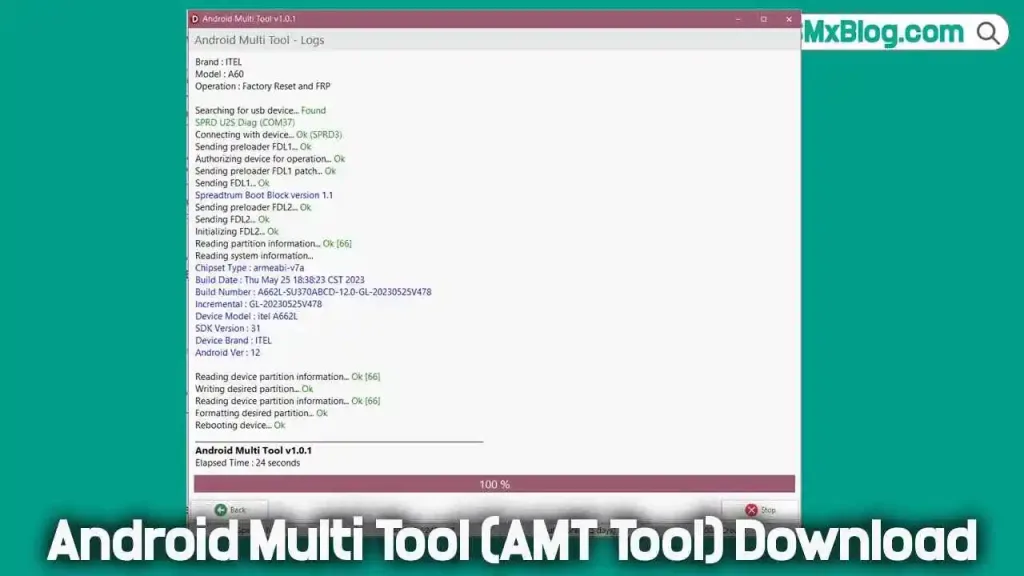
What Is Android Multi Tool (AMT Tool)?
Android Multi Tool, known widely as AMT Tool, is a premium Windows-based Android repair platform trusted by GSM technicians worldwide. Unlike basic one-click tools, AMT communicates with devices through multiple low-level connection modes — ADB, Fastboot, EDL, BROM, Download Mode, and Test Point — giving it the ability to handle both everyday repairs and deep chipset-level operations from a single interface.
The tool supports MediaTek, Qualcomm Snapdragon, Unisoc (SPD), and Samsung Exynos chipsets with dedicated modules for each platform. It runs on a credit-based system for server-side operations, which funds regular updates, active support, and new device additions continuously throughout the year.
Key Features of Android Multi Tool v1.3.5.8
- FRP Bypass – Remove Google lock on Samsung, Xiaomi, Vivo, Oppo, Realme, Motorola, and more.
- Firmware Flashing – Flash stock firmware for MTK, Qualcomm, and Samsung devices.
- Screen Lock Removal – Remove PIN, Pattern, Password, and Fingerprint locks.
- IMEI Repair – Read, backup, and repair IMEI on supported devices.
- Bootloader Management – Unlock/relock bootloader with Anti-Relock support.
- MTK & Qualcomm Auth Bypass – Server-based authorization without extra dongles.
- RPMB Read/Write – Advanced eMMC/UFS storage repair functions.
- Mode Switching – Reboot into Fastboot, EDL, BROM, Recovery, Download, and Diag modes.
Download Android Multi Tool v1.3.5.8
| Detail | Info |
|---|---|
| Tool Name | Android Multi Tool (AMT Tool) |
| Version | v1.3.5.8 (Latest 2026) |
| Developer | Goutam Great |
| File Name | AMT_Tool_Latest_Setup.zip |
| File Size | 50 MB |
| Supported OS | Windows 7 / 8 / 10 / 11 (32-bit & 64-bit) |
| Supported Chipsets | MediaTek, Qualcomm, Unisoc (SPD), Exynos |
| License | Paid (Credit-Based) |
🔐 License: Paid — Purchase credit from an official reseller at androidmultitool.com
How to Use AMT Tool v1.3.5.8
- Identify Device – Check your phone brand, model, and chipset.
- Install USB Driver – Install the correct driver for device detection.
- Select Operation – Choose your brand and required function (FRP, Flash, Reset, IMEI, etc.).
- Enter Correct Mode – Enable ADB, EDL, BROM, or Download Mode as needed.
- Connect & Start – Connect via USB, click Start, and wait for completion.
- Reboot & Verify – Restart the device and confirm the process was successful.
Requirements Before You Start
- Windows PC (Windows 7/8/10/11, 32-bit or 64-bit)
- Registered AMT account with login credentials
- Active credit balance or subscription
- Correct USB drivers (MTK, Qualcomm, Samsung, Oppo)
- Original or high-quality USB data cable
- Minimum 30% device battery
- Stable internet connection for authorization
Supported Connection Modes
| Mode | Used For |
|---|---|
| ADB Mode | FRP reset, app management, device info reading |
| Fastboot Mode | Bootloader unlock, partition flashing |
| EDL Mode (9008) | Deep Qualcomm flashing and recovery |
| BROM / Preloader | MediaTek deep flash and bricked phone recovery |
| Download Mode | Samsung firmware flashing |
| Test Point | MTK models where standard modes are inaccessible |
| Diag Mode | IMEI repair and advanced diagnostics |
Supported Brands
AMT Tool v1.3.5.8 has verified support for the following brands: Samsung, Xiaomi, Redmi, POCO, Vivo, Oppo, Realme, OnePlus, Motorola, Infinix, Tecno, Itel, Nokia, Nothing (CMF Phone 1/2 Pro, Phone 1/2/3), Huawei, Honor, and Lenovo — covering both budget and flagship devices across all major chipset platforms.
For the complete supported models list, visit the official page at androidmultitool.com/supported_models
Important Warnings
- ⚠️ Back up your data before flashing or factory reset.
- ⚠️ Use the correct firmware to avoid device bricking.
- ⚠️ Check Lost Mode status on Tecno/Infinix devices before using credits.
- ✅ Avoid cracked versions — outdated tools may damage Android 14/15 devices.
Conclusion
AMT Tool v1.3.5.8 is a powerful all-in-one Android repair solution for GSM technicians. It supports FRP bypass, flashing, IMEI repair, bootloader management, and more across MTK, Qualcomm, Unisoc, and Exynos devices.
Version 1.3.5.8 improves stability, speed, and overall performance, making repair work faster and more reliable. With regular updates and wide device support, it remains a trusted choice for mobile technicians in 2026.


I need Android Multi Tool v1.3.5.0 Tool