Spd Research Tool (All Version) Download – Latest 2026
Welcome to our complete guide on SPD Research Tool latest version download. This tool is widely used by mobile technicians and developers to flash and upgrade firmware on Spreadtrum / Unisoc powered Android devices.
If your device is stuck on logo, needs firmware upgrade, or requires flashing, the SPD Research Tool is one of the most reliable solutions.
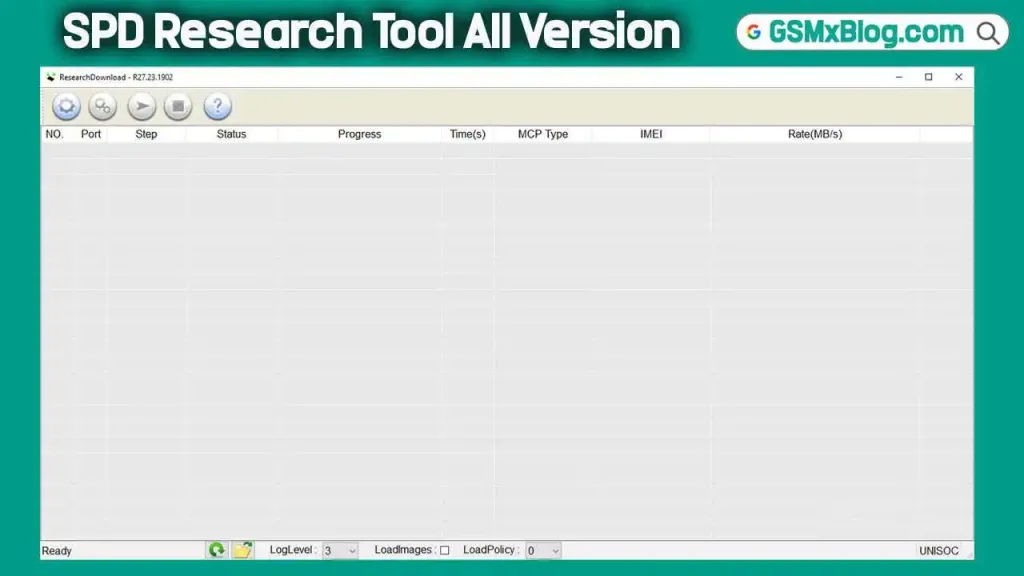
What is SPD Research Tool?
SPD Research Tool is a flashing software designed for Spreadtrum (Unisoc) chipset devices. It allows users to install stock firmware (.pac files) on smartphones and tablets.
The tool is commonly used for:
- Flashing stock ROM
- Fixing bootloop devices
- Unbricking dead phones
- Upgrading device firmware
- Repairing software issues
It is mainly used by mobile repair technicians and advanced Android users.
Why Use SPD Research Tool?
The SPD Research Tool provides several advantages for flashing Spreadtrum devices.
Key Benefits:
- ✔ Easy and simple interface
- ✔ Fast flashing process
- ✔ Supports many Spreadtrum / Unisoc devices
- ✔ Stable and reliable performance
- ✔ Supports PAC firmware files
Features of the SPD Research Tool
The latest version of the tool comes with improved performance and better compatibility.
- Enhanced Compatibility – Supports more Spreadtrum / Unisoc devices.
- Faster Flashing – Improved flashing speed for quicker firmware installation.
- User-Friendly Interface – Easy navigation with a cleaner and better layout.
- Bug Fixes – Fixed previous errors and improved overall stability.
- Better Driver Support – Improved connection and compatibility with USB drivers.
SPD Research Tool All Version Download
Below are some popular versions of the SPD Research Tool.
| Version | Download | Download |
|---|---|---|
| SPD Research Tool R27.24.2301 (Latest) | Google Drive | Mega |
| SPD Research Tool R25.20.3901 | Google Drive | AFH |
| SPD Research Tool R23.19.3301 | Google Drive | AFH |
| SPD Research Tool R23.0.0001 | Google Drive | AFH |
How to Install SPD Research Tool
Follow these steps to install the tool on your Windows computer.
- Download the SPD Research Tool zip file.
- Extract the file using WinRAR or 7-Zip.
- Open the extracted folder.
- Run ResearchDownload.exe.
- Install required Spreadtrum USB Drivers.
- The tool is now ready to use.
How to Use SPD Research Tool (Flashing Guide)
Follow this simple flashing process.
- Step 1: Open ResearchDownload.exe.
- Step 2: Click on the Load Packet (⚙ icon).
- Step 3: Select your .PAC firmware file.
- Step 4: Click the Start Downloading button.
- Step 5: Power off the phone and connect it with a USB cable.
- Step 6: The flashing process will start automatically.
- Step 7: Wait until the process shows Passed.
- Step 8: Disconnect the device and power it on.
Common Issues and Fixes
Sometimes users may face problems while flashing. Here are some common issues and solutions.
| Problem | Solution |
|---|---|
| Device not detected | Install Spreadtrum USB Drivers |
| Flashing stuck at 0% | Use another USB port or cable |
| PAC file error | Download correct firmware |
| Tool crashes | Reinstall the tool or run as administrator |
| Device disconnects | Disable driver signature enforcement |
System Requirements
To run the SPD Research Tool smoothly, your system should meet the following requirements:
- Windows 7 / 8 / 10 / 11
- Minimum 2GB RAM
- USB cable
- Spreadtrum USB Drivers
- PAC firmware file
Conclusion
The SPD Research Tool is an essential flashing software for Spreadtrum / Unisoc devices. It helps technicians and advanced users easily flash stock ROM, repair software issues, and upgrade firmware.
Download the latest SPD Research Tool version to enjoy better compatibility, faster flashing, and improved stability.
Follow the steps in this guide to safely install and use the tool without errors.