NCK Online MTK Preloader Tool v0.3.3 – MediaTek FRP, IMEI & Flash Tool 2026
MediaTek repair work demands a tool that goes deeper than the basics — one that handles FRP bypass, IMEI repair, firmware flashing, NVRam backup, bootloader unlock, and preloader-level access all from a single clean interface. NCK Online MTK Preloader Tool v0.3.3 is exactly that. Built by the NCK developer team specifically for MediaTek Android smartphones and tablets, this updated 2025 release brings faster performance, Honor MTK device support, Generate Keys in BROM mode, Meta Mode info reading, and a solid set of general, IMEI, and security operations that cover the real daily needs of a mobile technician on Windows PC.
This guide covers the complete feature breakdown, what’s new in v0.3.3, download table, installation steps, usage walkthrough, system requirements, and FAQs.
What Is NCK Online MTK Preloader Tool?
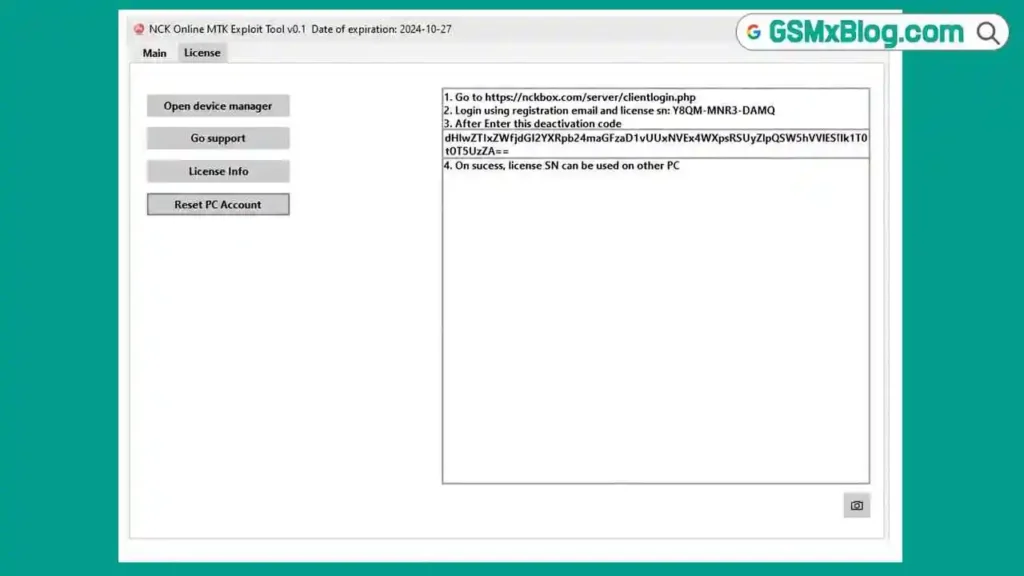
NCK Online MTK Preloader Tool is a Windows-based professional utility developed by the NCK team for repairing, flashing, and unlocking MediaTek-powered Android devices. It works at the preloader level — giving it access to deep chipset functions that standard ADB-based tools simply cannot reach — including direct IMEI repair, NVRam backup and restore, bootloader lock/unlock, firmware read and write, and BROM mode key generation.
The tool covers three main operation categories: General Operations (device info, FRP bypass, pattern/password reset, privacy reset), IMEI Operations (IMEI repair, NVRam format, bootloader unlock, firmware flash, FastBoot unlock, FRP and data erase, unlock code reading), and Security & Data (NVRam backup/restore, OPPO safe format and firmware extract, user data format, EMMC clean, demo fix APK install, HTC CID set, Huawei preloader analysis and bootloader code entry).
It operates on a credit-based activation system with accounts available through the official NCK reseller network. Full interface access opens after login with an activated account.
Key Features of NCK Online MTK Preloader Tool v0.3.3
🔧 General Operations
- Read Info — pull complete device information including model, IMEI, chipset, and build data
- FRP & Usercode Reset — remove Google FRP and user code locks on MTK devices
- Custom Auth, Loader and Preloader — load custom authentication files, DA loaders, and preloader binaries for advanced device access
- Reset Privacy — clear privacy-related data and settings
- Read & Reset Pattern / Password — read and clear screen lock patterns and passwords directly from the device
📶 IMEI Operations
- Repair / Format IMEI & NVRam — restore null or corrupt IMEI values and reformat NVRam partitions on MediaTek devices
- Lock & Unlock Bootloader — manage bootloader state for custom ROM and repair workflows
- Read & Write Firmware — read existing firmware from the device or write new firmware directly
- FastBoot Flashing Unlock — enable FastBoot-level flash access for supported models
- Erase FRP & User Data — wipe FRP partition and user data independently or together
- Read Unlock Codes — generate and read SIM network unlock codes from the device
🔒 Security & Data
- Backup & Restore NVRam — create a full NVRam backup before operations and restore it afterward — critical for safe IMEI repair
- OPPO Safe Format — format OPPO devices safely without damaging critical partitions
- Format User Data / Reset Phone — full user data wipe and factory reset support
- Clean EMMC — low-level EMMC storage cleaning for bricked or heavily corrupted devices
- Install Demo Fix APK — push and install demo mode fix APKs directly from the tool
- HTC CID Set — set HTC CID values for carrier-specific unlock and ROM flashing workflows
- Extract OPPO Firmware — extract and decompress OPPO firmware packages for inspection or flashing
- Analyze Preloader & Enter Bootloader Codes for Huawei — analyze Huawei preloader files and input bootloader unlock codes for supported models
What’s New in v0.3.3
✅ Added
- Added Bypass BROM Security for connecting in Meta Mode.
- Supports the same BROM security bypass used for Flash Mode.
- Added Backup and Restore NVRAM in Meta Mode for supported devices.
- Added Read Flash Slot Information.
- Added EROFS filesystem detection.
- The tool now automatically detects the filesystem and reads device information.
🚀 Improvements
- Improved Read Info in Meta Mode for supported phones.
- Rewritten Security Backup function. If available, build.prop and the software log are now saved together with the backup.
- Rewritten Wipe function to reduce the risk of device bricking.
- Fixed the Change Flash Slot function, which previously caused errors on some devices.
- Enhanced Read Info to display the filesystem type of dynamic partitions.
Download NCK Online MTK Preloader Tool v0.3.3
- File Name: NCK_Tool_Pro_v0.3.3.rar
- Version: v0.3.3
- File Size: 42 MB
- Developer: NCK Team
How to Install NCK Online MTK Preloader Tool v0.3.3
- Download the NCK_Tool_Pro_v0.3.3.rar file using any mirror link above.
- Extract the RAR file using WinRAR or 7-Zip with the password: Bypassfrpfiles.com
- Open the extracted folder and locate the tool executable.
- Right-click the EXE and select Run as Administrator.
- On the login screen, click Register to create a new NCK account.
- Contact an authorized NCK reseller to purchase activation credits for your account.
- Log in using your activated account ID and password.
- The tool will open with full function access after a successful login. ✅
Note: Make sure the MTK USB Driver is installed on your Windows PC before connecting any MediaTek device for repair.
How to Use NCK Online MTK Preloader Tool v0.3.3
▶️ Erase FRP – MediaTek Device
- Open the tool and log in with your activated account.
- Go to the MTK SOC tab or select your device’s brand tab.
- Select Remove FRP from the available operations.
- Follow the log screen instructions to connect the phone in the required mode (usually power off, then connect via USB).
- Wait for the operation to complete and reboot the device. ✅
▶️ Flash Firmware – MTK Device
- Go to the Firmware tab in the tool.
- Select Firmware Flashing.
- Browse and load the firmware file for your device model.
- Power off the device completely.
- Connect the phone to PC via USB — the tool will detect it in Preloader Mode automatically.
- Wait for the flash process to complete. ✅
▶️ Format / Factory Reset – MTK Device
- Select MTK and your device brand from the relevant tabs.
- Click Format / Factory Reset.
- Follow the on-screen instructions to connect the phone.
- The tool will complete the format and reboot the device. ✅
▶️ IMEI Repair – MTK Device
- Navigate to the IMEI Operations section.
- Select Repair / Format IMEI & NVRam.
- First click Backup NVRam to save a copy before making changes.
- Connect the device in the required mode.
- Enter the correct IMEI values when prompted.
- Click Repair IMEI and wait for completion.
- Reboot the device and verify the IMEI in dialer (*#06#). ✅
▶️ Bootloader Unlock / Lock
- Go to the IMEI Operations section.
- Select Lock Bootloader or Unlock Bootloader as needed.
- Connect the device in Fastboot mode.
- Confirm the operation and wait for completion. ✅
▶️ Backup & Restore NVRam
- Navigate to the Security & Data section.
- Click Backup NVRam — select a save location on your PC.
- The tool reads and saves the complete NVRam partition.
- To restore, click Restore NVRam and load the previously saved file.
- Connect the device as prompted and confirm. ✅
▶️ Honor MTK – FRP Reset in Preloader Mode (New in v0.3.3)
- Go to the Honor tab or the relevant brand section.
- Select the Preloader Mode operation.
- Power off the Honor MTK device and connect via USB.
- Select Reset / Erase FRP and confirm.
- Wait for completion and reboot. ✅
▶️ Generate Keys in BROM Mode (New in v0.3.3)
- Navigate to the BROM Mode section.
- Boot the device into BROM mode (short test point or use dead battery method where applicable).
- Connect via USB — the tool detects BROM automatically.
- Click Generate Keys and wait for the key generation process. ✅
System Requirements
| Component | Requirement |
|---|---|
| OS | Windows 7 / 8 / 10 / 11 (32-bit & 64-bit) |
| Processor | Intel / AMD Dual-Core or faster |
| RAM | 2 GB minimum (4 GB recommended) |
| Storage | 200 MB free space |
| USB Port | USB 2.0 or USB 3.0 |
| Internet | Required for login and credit-based operations |
⚠️ Warning
Before performing any IMEI repair, NVRam format, or EMMC clean operation, always back up NVRam first using the built-in backup function. These are low-level operations — incorrect execution or wrong model selection can result in a permanently bricked device. Always verify the device chipset and model before selecting any operation. Do not disconnect the USB cable during any active flash or repair process. This tool is designed for trained mobile technicians only.
Important Notes
🛡️ Antivirus Note: Credit-based tool loaders are commonly flagged as false positives by Windows antivirus software. Use on a dedicated repair PC and exercise standard caution during installation.
📌 Credit: Full development credit goes to the NCK Team for creating and maintaining NCK Online MTK Preloader Tool.
💳 Credit System: Tool download is free. All device operations require credits purchased through authorized NCK resellers. Contact your nearest reseller to activate your account.
Frequently Asked Questions (FAQs)
❓ What is NCK Online MTK Preloader Tool used for? It is a professional Windows-based tool for MediaTek Android repair covering FRP bypass, IMEI repair, NVRam backup/restore, firmware read/write, bootloader unlock, factory reset, pattern/password removal, EMMC clean, and more — all at the preloader and BROM chipset level.
❓ Does NCK Online MTK Preloader Tool support all MTK devices? It supports a wide range of MediaTek Android smartphones and tablets including Samsung, Honor, OPPO, HTC, Huawei, and many other brands running MTK chipsets. The v0.3.3 update adds Honor MTK models specifically.
❓ Is the tool free to use? The installer is free to download. However, all device operations require credits purchased through authorized NCK resellers. Account registration is also free.
❓ What is BROM Mode and why is Generate Keys useful? BROM (Boot ROM) mode is the lowest-level MTK boot state, reached before the preloader loads. Generating keys in BROM mode enables advanced repair operations on heavily locked or bricked MediaTek devices that cannot boot normally.
❓ What is Meta Mode used for in v0.3.3? Meta Mode is a MediaTek diagnostic mode. The v0.3.3 update adds the ability to read device information and perform factory resets directly in Meta Mode — useful for devices where Preloader Mode access is restricted.
❓ Why must I back up NVRam before IMEI repair? NVRam contains critical device identifiers including IMEI, Wi-Fi MAC, Bluetooth MAC, and calibration data. If IMEI repair goes wrong without a backup, these values are permanently lost and the device may lose network and connectivity functions entirely.
❓ What USB driver do I need? Install the MTK USB Driver for all MediaTek-based device connections. Without it, the tool cannot establish Preloader or BROM mode communication.
❓ Can I use this tool on Windows 11? Yes. NCK Online MTK Preloader Tool supports Windows 7, 8, 10, and 11 in both 32-bit and 64-bit configurations.
Conclusion
NCK Online MTK Preloader Tool v0.3.3 delivers a comprehensive and well-organized MediaTek repair solution covering everything from FRP bypass and firmware flashing to deep IMEI repair, NVRam backup, BROM key generation, and Honor MTK support — all updated for 2025 chipsets and security patches. For technicians who work with MediaTek devices daily, the preloader-level access alone makes it one of the more capable Android repair tools currently available on Windows PC.
If your repair bench regularly handles MTK-powered phones across multiple brands, download NCK Online MTK Preloader Tool v0.3.3 using the links above and contact an authorized NCK reseller to activate your account. The NVRam backup function and BROM key generation are particularly worth exploring for challenging dead or locked device cases. 🚀
Tested it on a specific MTK model? Share the chipset and result in the comments — your feedback helps the wider mobile technician community.
Related Posts
- E-GSM Tool v4.2.1 (Latest Version)
- MH Unlocker Pro Tool V6.9 (Latest Version)
- 360 Tool v1.2.0 (Latest Version)