ColokTool Pro 2026.05.05 (Latest Version) Free Download
If you work in Android phone servicing, you already know how important it is to keep reliable repair software on your service PC. Whether you need to remove FRP, unlock bootloaders, flash firmware, repair partitions, or recover dead devices, having one complete tool can save both time and effort. That is exactly where ColokTool Pro becomes useful.
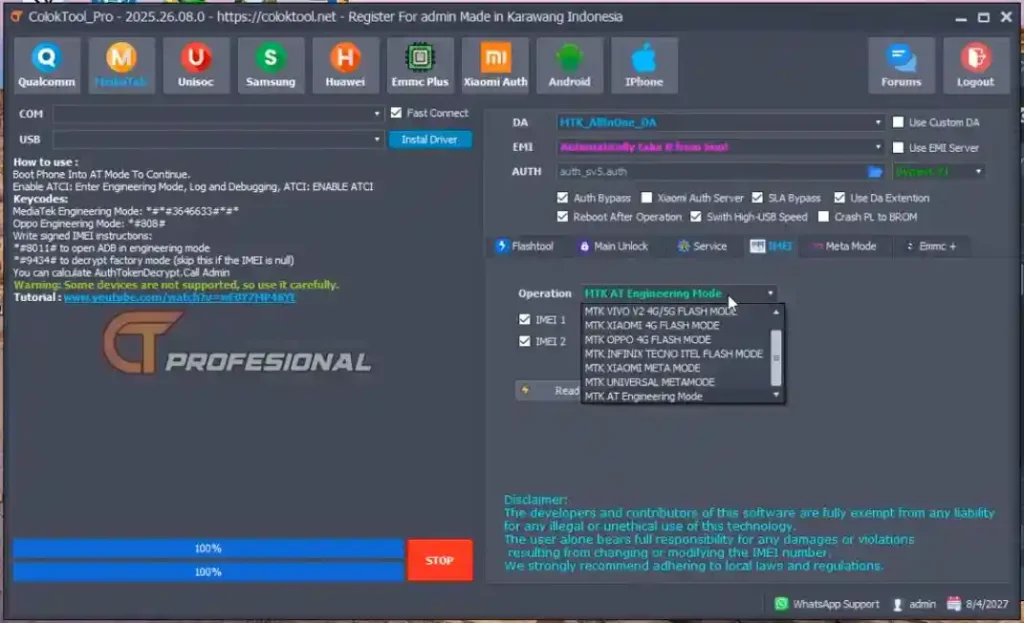
ColokTool Pro 2026.05.05 Latest Version Free Download is one of the newest all-in-one Android repair solutions designed for mobile technicians, GSM repair shops, and advanced users. This tool combines powerful repair modules with wide device compatibility, making it suitable for daily servicing jobs including FRP bypass, firmware flashing, screen lock removal, and advanced chipset-level repair.
Unlike many limited GSM tools, ColokTool Pro supports multiple communication modes such as ADB, Fastboot, EDL, BROM, Meta Mode, and Download Mode. This allows technicians to work on different brands and chipsets from one interface, whether the device is booting normally or completely dead. All technical details, features, supported models, and installation steps below are based only on the reference data provided.
What Is ColokTool Pro?
ColokTool Pro is a professional Android repair and flashing software made for mobile servicing. It helps users perform software repair tasks such as:
- FRP bypass
- Factory reset
- Screen lock removal
- Firmware flashing
- Bootloader unlock
- Partition repair
- Device information reading
- Security backup and restore
- Emergency recovery
The software is built for both beginners and professional mobile technicians who need one GSM tool for multiple repair operations across many Android brands.
Key Features of ColokTool Pro
FRP Bypass & Security Functions
ColokTool Pro includes advanced FRP bypass modules for many Android brands. It can erase FRP partitions, bypass setup wizard locks, remove screen locks, and handle various security operations.
Supported security operations include:
- Erase FRP Lock
- Remove Pattern Lock
- Remove PIN Lock
- Remove Password Lock
- Disable Mi Account
- Disable Samsung KG Lock
- Disable VaultKeeper
Flash Tool & Firmware Management
This Android repair software includes powerful flashing capabilities for multiple firmware formats.
Supported flash formats:
- Scatter
- XML
- OFP
- PAC
- KDZ
- APP
- Payload
- TAR
Additional firmware tools include:
- Firmware Downloader
- Firmware Extractor
- Payload Dumper
- Firmware Integrity Check
- MD5 Verification
- SHA Verification
Qualcomm Advanced Repair
Qualcomm-based devices are fully supported through EDL mode.
Functions include:
- Read Firehose Info
- Read GPT via EDL
- Factory Reset via EDL
- Read QCN Backup
- Write QCN Backup
- Repair Network Baseband
MediaTek Service Functions
For MTK devices, technicians can perform advanced BROM operations.
Supported functions:
- Read BROM Info
- Read EMI Info
- Read Boot1
- Read Boot2
- Write Boot1
- Write Boot2
- Generate Scatter File
- Bypass SLA Auth
- Bypass DAA Auth
Samsung Advanced Service
Samsung repair features include:
- FRP via Download Mode
- KG Lock Removal
- Knox Guard Disable
- VaultKeeper Disable
- PIT File Read / Write
- Flash AP / BL / CP / CSC
Partition & Storage Management
ColokTool Pro supports advanced storage repair operations.
Features include:
- Read GPT Table
- Write GPT Table
- Backup Partition Table
- Restore Partition Table
- Read Full Flash
- Write Full Flash
- Clone Device Storage
ColokTool Pro Download Links
- File Name: COLOKTOOL_5May2026.zip
- Version: V2026.05.05
- File Size: 56 MB
- UnZip Password: softwarecrackguru
How to Download & Install ColokTool Pro
- Step 1: Download the ColokTool ZIP or RAR package.
- Step 2: Extract all files to your Desktop or C Drive.
- Step 3: Run the main setup file as Administrator.
- Step 4: Complete the installation.
- Step 5 Open the second archive: COLOKTOOL_NEW_RUN_FIRST.zip Extract it.
- Step 6: Run the included patcher as Administrator.
- Step 7: Click START PATCH.
- Step 8: Wait until the system services start successfully.
ColokTool Pro Supported Chipsets & Brands
ColokTool Pro supports major Android chipsets:
- MediaTek
- Qualcomm
- Samsung
- Unisoc / SPD
- HiSilicon Kirin
Supported brands include:
- Samsung
- Xiaomi
- Redmi
- Poco
- Oppo
- Vivo
- Realme
- Huawei
- Honor
- Motorola
- Nokia
- OnePlus
- Infinix
- Tecno
- Itel
- Sony
- Lenovo
- ZTE
- LG
- Asus
- Alcatel
- Cubot
- Coolpad
- Meizu
The supported model database includes hundreds of devices across flagship phones, budget phones, tablets, and foldables.
What’s New in ColokTool Pro 2026.05.05?
The latest version introduces several important improvements for mobile repair professionals:
Added New Device Security Support
- Added MDM Unlock / Bypass for Nokia devices
- Added MDM Unlock / Bypass for Infinix, Tecno, and Itel devices
- Added MDM / KG Unlock / Bypass for Samsung devices
Bug Fixes
- Fixed Flash Scatter MTK_V5 Download Only issue
- Fixed Qualcomm chip version reading
- Fixed firmware version detection
- Fixed Meta Read / Write / EFS operations
Performance Improvements
- Improved Qualcomm loader operations
- Improved Universal Meta Mode support
Important Warnings
Before using ColokTool Pro:
- Temporarily disable Windows Defender
- Always run as Administrator
- Backup security partitions before flashing
- Never disconnect the USB cable during firmware writing
- Use original USB drivers
Conclusion
ColokTool Pro 2026.05.05 Latest Version Free Download is a powerful Android repair, FRP bypass, and flash tool built for serious mobile technicians. With support for MTK, Qualcomm, Samsung, SPD, and Kirin devices, plus hundreds of supported models and advanced repair functions, it offers an all-in-one servicing platform for modern GSM repair work.
If you regularly work with Android repair, firmware flashing, security bypass, or chipset-level recovery, ColokTool Pro deserves a place on your service PC.