Download Sony Flash Tool V0.9.25.0 (Latest Version) for Windows, Mac & Linux
If your Sony Xperia phone is stuck on the logo, stuck in a boot loop, or soft-bricked after a failed update, Sony Flash Tool V0.9.25.0 is the GSM tool built to fix exactly that. This flash tool installs official Sony firmware, unlocks the bootloader, and restores Xperia devices back to working condition, all through a simple graphical interface.
This guide covers the full feature set, the complete flashing steps, and the download details for Sony Flash Tool V0.9.25.0.
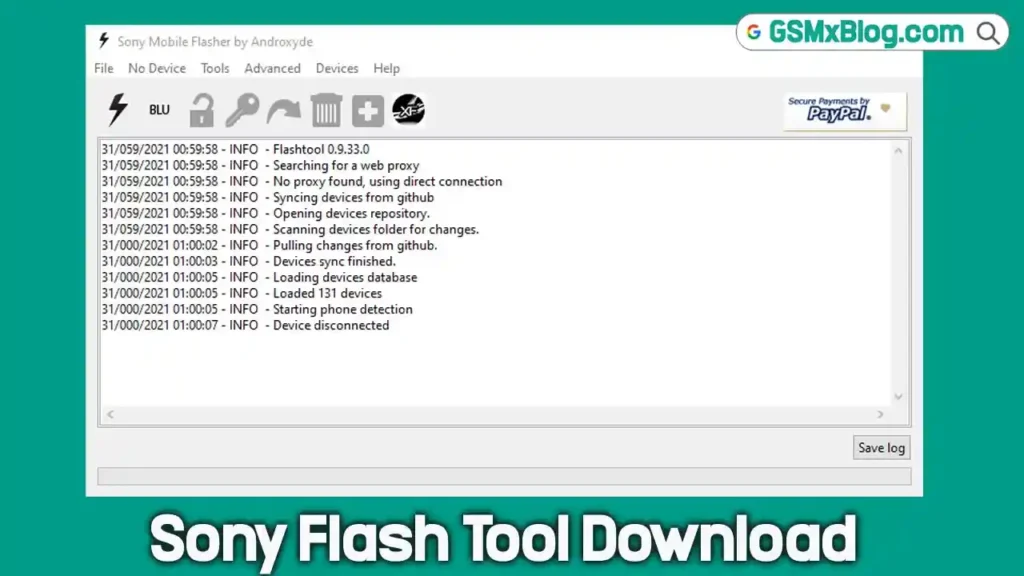
What Is Sony Flash Tool V0.9.25.0?
Sony Flash Tool V0.9.25.0 is a desktop application used for flashing firmware on Sony Xperia phones and tablets. It handles stock firmware installation, recovery flashing, bootloader unlocking, and rooting, making it a reliable option for fixing boot loops and unbricking devices after a failed firmware update. The interface is straightforward, with clickable buttons for each function, so even less experienced users can follow along without much trouble.
Key Features of Sony Flash Tool V0.9.25.0
💾 Flash Stock Firmware
The tool lets you flash stock firmware on Xperia Android smartphones and tablets, which is the main fix for boot loops, software crashes, and devices that won’t get past the logo screen.
🔓 Bootloader Unlock
Sony Flash Tool can unlock the bootloader on supported Xperia devices. Unlocking the bootloader first is usually the step that needs to happen before flashing custom firmware or performing deeper repair work.
📋 Progress Log Display
The dashboard shows a detailed progress log during each operation, so you can see exactly what the tool is doing and how the process is going, which makes troubleshooting much easier if something doesn’t go as expected.
🖥️ Cross-Platform Support
This isn’t a Windows-only flash tool — it also runs on Mac and Linux, so technicians and everyday users can pick whichever version matches their computer’s operating system.
🌱 Root Sony Xperia Phones
Rooting an Xperia device with this tool involves flashing the SuperSU file, enabling USB debugging, and connecting the phone to the PC running the tool.
🎨 Customization Options
The tool includes a customization folder where you can install additional apps and tweak the device setup according to your preference.
🔌 Connectivity Status
Sony Flash Tool shows a clear connection status so you know whether your device is properly detected. It checks the drivers and displays the ADB and Fastboot connection state on screen.
🔧 Install Recovery
Beyond firmware flashing, the tool can install custom recovery, custom kernels, and busybox on supported Xperia smartphones and tablets.
Sony Flash Tool V0.9.25.0 (Latest Version) Download
- File Version: V0.9.25.0
- File Size: 80 MB
- File Password: None
- Platform: Windows, Mac, Linux
| Version | Platform | Download Mirrors |
|---|---|---|
| v0.9.36.0 | 🪟 Windows | |
| v0.9.36.0 | 🐧 Linux | |
| v0.9.36.0 | 🍎 Mac |
How to Flash Sony Xperia Firmware Using Flash Tool V0.9.25.0
- Download and install the latest version of Sony Flash Tool on your Windows, Mac, or Linux computer.
- Open the FlashTool installation folder, go to the Drivers directory, and run Flashtool-drivers.exe.
- Install the Flashmode Drivers, Fastboot Drivers, and any drivers specific to your exact Xperia model.
- Download the correct firmware file that matches your device model.
- Move the firmware file into the Firmwares folder inside the FlashTool directory.
- Launch FlashTool on your computer.
- Click the lightning bolt icon and choose Flashmode.
- Select the firmware version and device variant that matches your Xperia phone.
- Review the flashing options and configure the settings you need.
- Click Flash to begin preparing the firmware.
- Power off your Xperia device completely and connect it in the required flash mode.
- Wait for the flashing process to finish — do not disconnect the device while it’s running.
- Once flashing completes, disconnect the device and power it back on.
- Let the phone complete its first boot and finish the Android setup process.
Why Sony Flash Tool Is Useful for Android Repair
This flash tool covers most of what a mobile technician needs for Sony Xperia repair work in one package — firmware flashing, bootloader unlock, recovery installation, and rooting. Since it also runs on Mac and Linux and not just Windows PC, it gives more flexibility to users who don’t have a dedicated Windows machine for repair work.
⚠️ Warning
Always confirm the firmware file matches your exact Xperia model and variant before flashing. Do not disconnect your device while the flashing process is running, since interrupting it can leave the phone in a worse state. Test on a non-critical device first if you’re unsure about the process.
Important Notes
🔌 USB Driver: Install the Flashmode and Fastboot drivers from the FlashTool Drivers folder before connecting your Xperia device. 📁 Firmware Placement: The firmware file must be placed in the Firmwares folder inside the FlashTool directory before it will appear as a selectable option. 🔋 Power Off First: Always power off the Xperia device completely before connecting it in flash mode.
Frequently Asked Questions (FAQs)
❓ Is Sony Flash Tool V0.9.25.0 free to download? Yes, the tool is available as a free download with no file password required.
❓ Which operating systems does this tool support? It supports Windows, Mac, and Linux, so you can download the version that matches your computer.
❓ Can this tool fix a Sony phone stuck on the logo? Yes, flashing the correct stock firmware through this tool is the standard fix for boot loops and devices stuck on the logo screen.
❓ Do I need to unlock the bootloader before flashing? For custom firmware or deeper modifications, unlocking the bootloader first is recommended. Standard stock firmware flashing can often be done without it.
❓ What should I do if my device isn’t detected? Check that the Flashmode and Fastboot drivers are installed correctly, then check the connectivity status on the dashboard to confirm the ADB and Fastboot connection.
Conclusion
Sony Flash Tool V0.9.25.0 remains one of the most practical options for Xperia firmware flashing, bootloader unlocking, and fixing boot loop issues across Windows, Mac, and Linux. Its graphical interface and clear progress log make it manageable even for users who haven’t used a flash tool before. If your Sony Xperia device needs a firmware fix or unbrick, download Sony Flash Tool V0.9.25.0 and follow the steps above.