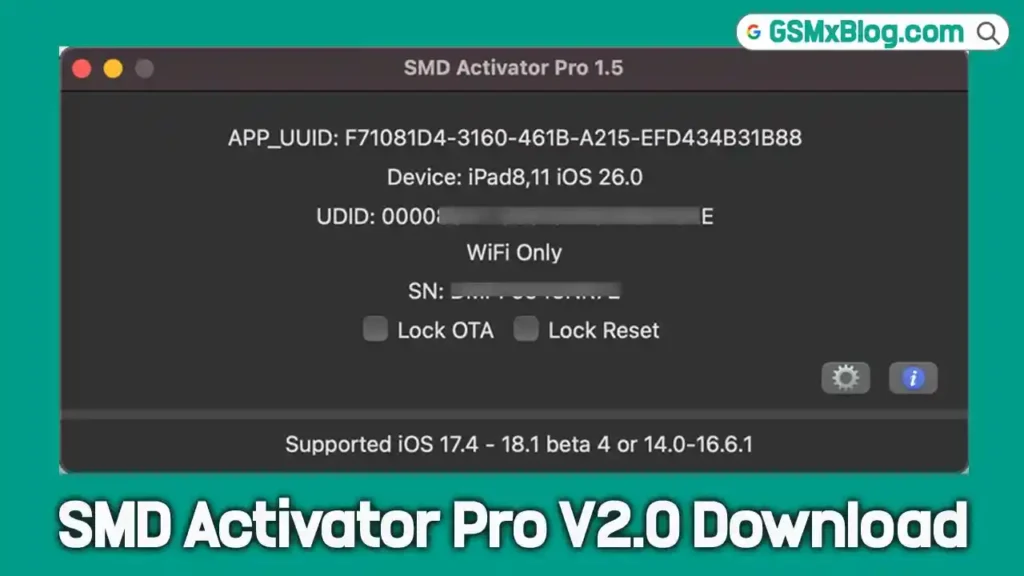
SMD Activator Pro V2.0 – Full iCloud Bypass for A12+ Devices (iOS 18.6 to 26.0.1)
If you work with locked iPhones and iPads on a daily basis, you already know how challenging modern iCloud activation can be — especially on newer Apple chipsets. SMD Activator Pro V2.0 is a Mac-based professional tool designed to handle exactly that. It supports A12 and newer devices and covers iOS and iPadOS versions from 18.6 all the way up to 26.0.1, making it one of the most up-to-date iCloud bypass solutions available right now.
This guide covers everything you need to know — features, supported devices, system requirements, step-by-step usage, advantages, limitations, FAQs, and the download link.
⚠️ Legal Notice: This tool is intended solely for authorized repair technicians and lawful device owners. Using it on stolen or unauthorized devices is strictly prohibited. By downloading and using SMD Activator Pro, you confirm you are the legal owner or have explicit written authorization from the device owner.
What Is SMD Activator Pro V2.0?
SMD Activator Pro V2.0 is the second major release of the SMD Activator tool series. It is built specifically for macOS and targets modern Apple devices running on A12 and newer chipsets — covering models from the iPhone XS series all the way up to the iPhone 15 lineup and corresponding iPad generations.
The tool handles iCloud activation bypass using a combination of an integrated API and cloud database. Unlike older bypass solutions that were limited to legacy Apple hardware, SMD Activator Pro is designed to keep pace with Apple’s latest firmware releases.
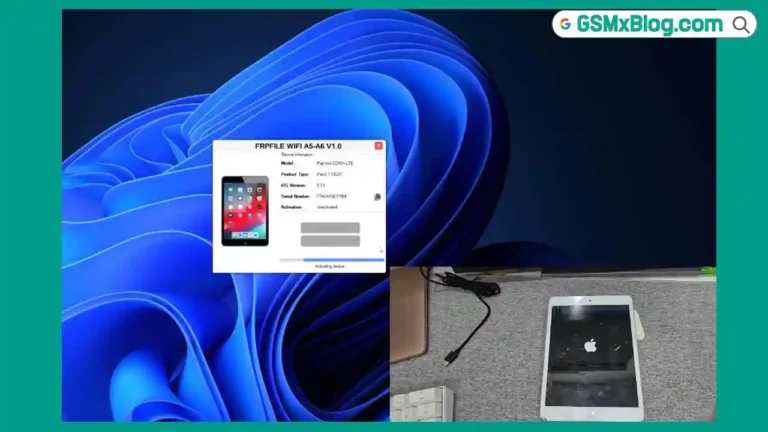
If you’re also working with older A5 and A6 Apple devices, check out the FRPFILE A5-A6 Activator guide on GSMxBlog — it handles those legacy chipsets without requiring any Arduino hardware.
What’s New in SMD Activator Pro V2.0
The V2.0 update brings significant improvements over the original release. Here’s what changed:
- Full A12+ bypass support — works on the latest iPhone and iPad models
- A12+ No-Signal Bypass — complete activation without requiring cellular network access
- Redesigned Mac Tool interface — cleaner layout, faster processing
- iOS/iPadOS 18.6 to 26.0.1 support — keeps up with Apple’s current firmware range
- Language and Region configuration — easily adjust settings after activation
- Reboot stability — device remains stable after the bypass completes
- Apple Pay and App Store access — available on compatible models post-activation
- Skip Setup option — lets you skip unnecessary post-bypass steps
- OTA and Reset lock — prevents the device from updating or resetting, which could re-lock it
SMD Activator Pro V2.0 Key Features
- Works on A12 and newer chipsets — iPhone XS, XR, 11, 12, 13, 14, and 15 series, plus compatible iPads
- Offers both signal and no-signal bypass modes
- Uses an integrated API and cloud database for smooth activation verification
- Fast activation thanks to optimized macOS processing
- Full access to App Store, Apple Pay, and push notifications on supported devices
- Lightweight installer at approximately 70MB — easy to install and set up
- Simple, beginner-friendly interface — straightforward for both new and experienced technicians
SMD Activator Pro V2.0 Supported Devices
SMD Activator Pro V2.0 supports all A12 and newer Apple devices, including:
| Device | Chipset |
|---|---|
| iPhone XS / XS Max | A12 |
| iPhone XR | A12 |
| iPhone 11 Series | A13 |
| iPhone 12 Series | A14 |
| iPhone 13 Series | A15 |
| iPhone 14 Series | A15 / A16 |
| iPhone 15 Series | A16 / A17 |
| Compatible A12+ iPads | A12 and newer |
iOS/iPadOS Support Range: 18.6 up to 26.0.1
SMD Activator Pro V2.0 System Requirements
Before you start, make sure the following conditions are ready:
- ✅ A Mac computer (Intel or Apple Silicon) — this tool runs on macOS only
- ✅ Stable internet connection throughout the entire activation process
- ✅ Target device placed in Hello Mode (fully restored via iTunes or Finder)
- ✅ Genuine Apple USB cable connected between the device and Mac
- ✅ Wi-Fi enabled on the target device — must remain active during activation
- ✅ Your serial number ready — you will need to enter it when prompted
Download SMD Activator Pro V2.0
- Tool Name: SMD Activator Pro
- Version: V2.0 (Latest)
- Platform: macOS (Intel & Apple Silicon)
- File Size: 182 MB
- iOS Support: 18.6 – 26.0.1
Download SMD Activator Pro V2.0
How to Use SMD Activator Pro V2.0 — Step by Step
▶️ Full Activation Guide
- Download and install SMD Activator Pro V2.0 on your Mac computer.
- Fully restore the target iPhone or iPad using iTunes (or Finder on newer macOS versions) — this puts the device in Hello Mode.
- Power on the device — it will boot into the initial setup screen.
- Enable Wi-Fi on the device and keep it connected throughout the process.
- Connect the device to your Mac using a genuine Apple USB cable.
- Open SMD Activator Pro on your Mac.
- Check the device compatibility inside the tool before proceeding.
- Enter the device serial number when the tool prompts you.
- Click Start Activation and wait for the process to complete.
- ✅ Once finished, the device will move past the activation screen and can be set up normally.
✅ Tip: After activation is complete, use the built-in OTA Lock feature to prevent iOS from automatically updating. Updating without the proper bypass in place may re-lock the device.
FAQs
Q1: Which devices does SMD Activator Pro V2.0 support? All iPhones and iPads running on A12 and newer chipsets, covering iOS and iPadOS versions from 18.6 up to 26.0.1.
Q2: Does this tool work on Windows? No. SMD Activator Pro is developed exclusively for macOS. A Mac computer is required.
Q3: Can I bypass without a SIM card or cellular signal? Yes. The No-Signal Mode allows you to complete the bypass without any cellular network connection.
Q4: Is Wi-Fi required during activation? Yes. The target device must stay connected to Wi-Fi throughout the entire activation process. A dropped connection will cause the process to fail.
Q5: Will Apple Pay work after the bypass? Yes — version 2.0 includes Apple Pay, App Store access, and push notifications on supported models.
Q6: Should I update iOS after the bypass? No. Use the built-in OTA Lock feature immediately after activation to block automatic updates. Updating can re-lock the device and undo the bypass.
Q7: Is this tool safe to use? Yes, as long as you download from the official source only. Avoid third-party or modified distributions — always use the official version.
Q8: How do I register my serial number? Contact the SMD team directly through their official Telegram support channel to register your serial number before activation.
Related Posts
- FRPFILE A5-A6 Activator – Full iCloud Activation Without Arduino (Latest Version)
- Download Ghost Auth Tool v3.3.0 (Latest Version) Free 2026
- Download BMT PRO Android Edition V3.8 Free 2026
- Download PulsarUnlock v1.8.1.4 (Latest Version) Free 2026
- Download Flash Tools – GSMxBlog
Conclusion
SMD Activator Pro V2.0 is a solid, professional-grade iCloud bypass tool for anyone working with modern iPhones and iPads. It handles A12 and newer chipsets, supports iOS and iPadOS up to 26.0.1, and delivers useful post-activation features like Apple Pay access, App Store functionality, and OTA locking — things that matter for real-world daily use.
The Mac-only requirement and the serial number registration step mean it is not a casual tool — it is built for technicians who need a reliable, up-to-date solution. If you use it on official sources with genuine Apple cables and keep OTA locked after activation, it performs exactly as described.
Working with older A5/A6 Apple hardware? Head over to the FRPFILE A5-A6 Activator article on GSMxBlog — it covers those legacy devices without any Arduino hardware requirement.
Have you used SMD Activator Pro V2.0? Drop your experience and device model in the comments below!