Download Unlock Tool V2026.07.07.0 (Latest Version) Setup File 2026
Are you struggling with FRP locks, forgotten pattern passwords, or IMEI issues on your Android device? Unlock Tool V2026.07.07.0 is here to save the day. Whether you’re a technician or a DIY enthusiast, this powerful software lets you flash firmware, repair IMEI, remove FRP, and unlock screens across 1,000+ smartphone models from top brands like Samsung, Xiaomi, Huawei, Vivo, OPPO, and more.
In this detailed guide, we’ll show you how to download, install, and activate UnlockTool, explore all its powerful functions, and fix your Android phone with minimal hassle—even if you’re not a tech expert.
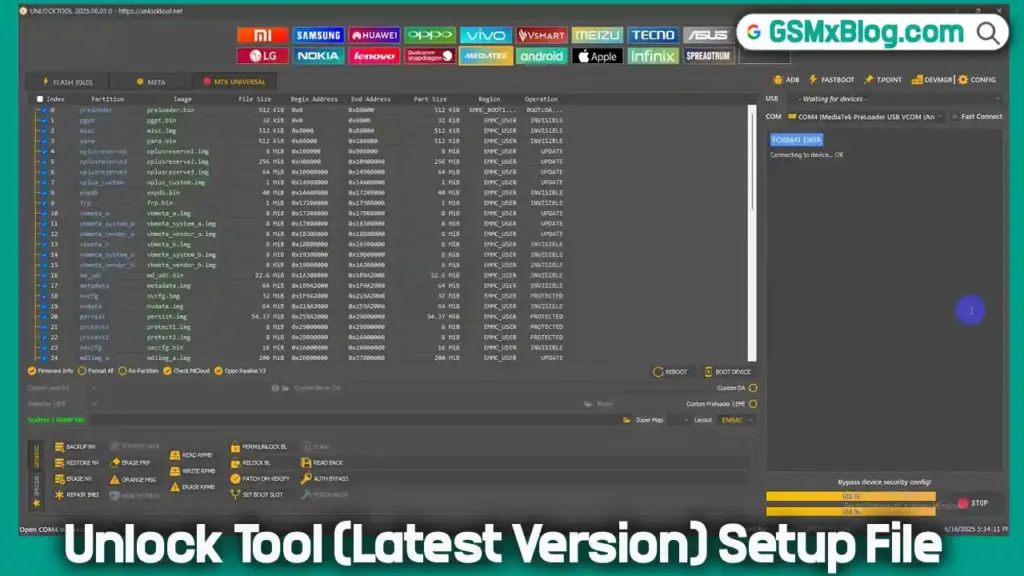
What is Unlock Tool?
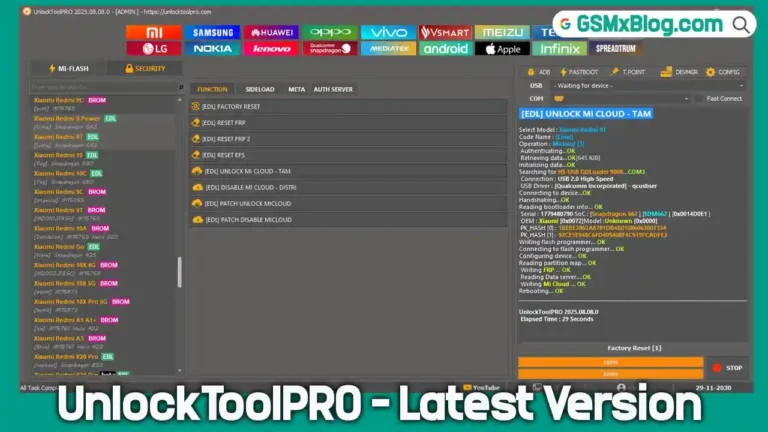
UnlockTool is a multi-brand Android service software that supports various chipsets like MTK, Qualcomm, and SPD, allowing it to handle a wide variety of mobile repairs with just a few clicks. It eliminates the need for separate software tools for each brand or chipset.
Whether you’re trying to bypass FRP, unlock bootloaders, write firmware, or repair network-related data like IMEI, Wi-Fi MAC, or Bluetooth address—UnlockTool covers it all.
Key Features of Unlock Tool V2026.07.07.0
Here are the major functions that make this tool one of the best Android repair utilities:
🔓 Unlock & Reset
- FRP Remove (all major chipsets)
- Screen Lock (PIN/Pattern/Password) removal
- Bootloader Unlock
- Factory Reset / Format Device
- Xiaomi & Huawei ID Removal
🔧 Flashing & Backups
- Flash firmware (Read/Write Flash)
- Read Info / Read Dump / Write Dump
- Partition Manager
- Root device
🛠 IMEI & Network Repair
- IMEI Repair (MTK, Qualcomm)
- Repair Bluetooth Address
- Repair Wi-Fi MAC
- Repair Serial Number (S/N)
- Write Certificate
- Wipe EFS
- Repair Vendor/Country Code
📡 Extra Functions
- Demo Remove (Samsung)
- QCN Read/Write
- FRP Reset via UART (eMMC / UFS / Download Mode)
- Read Bootloader Code
- OPPO ID Remove
Download Unlock Tool V2026.07.07.0 (Latest Version)
- File Name: UnlockTool-2026-07-04-0
- Version: V2026.07.07.0
- File Size: 210MB
- Author: unlocktool.net
How to Install and Use Unlock Tool
Follow these simple steps to set up and run UnlockTool:
✅ Installation Steps:
- Download the setup file from the above links.
- Right-click on the
.exefile and choose “Run as Administrator.” - On first launch, click “Register” or “Login.”
- You’ll be redirected to https://unlocktool.net.
- Create an account and complete the Captcha verification.
- Purchase activation credit from an official reseller.
- Login using your registered email and password.
🎉 Once logged in, you can now access all features of the tool!
Activation & Login Guide
- Open UnlockTool
- Click Register/Login
- Go to https://unlocktool.net and register
- Buy credits from an official UnlockTool reseller
- Login using your registered email ID and password
- Start using the tool’s features
How to Use UnlockTool
1. Remove FRP Lock
- Open the tool > Select your device brand > Go to FRP tab
- Click Execute and follow the on-screen instructions
- Connect your phone in the mode it asks (Fastboot/EDL/USB Debug)
2. Flash Firmware
- Go to the Flash tab > Choose chipset & firmware file
- Click Start Flash and follow the instructions
3. Factory Reset / Format
- Navigate to Device tab > Choose Factory Reset
- Power off your device > Connect as instructed
4. IMEI Repair
- Open the IMEI tab > Select “Repair IMEI”
- Follow the steps shown > Connect device
Supported Brands & Models
UnlockTool works with 1,000+ Android models, including:
- ✅ Samsung (Galaxy S, A, Note, J Series)
- ✅ Xiaomi/Redmi/Poco (All MTK & Qualcomm devices)
- ✅ Huawei/Honor (FRP & Bootloader Unlock)
- ✅ Oppo/Realme/Vivo (Pattern & FRP Removal)
- ✅ Tecno/Infinix/Itel (IMEI & FRP Fix)
- ✅ LG, Nokia, ZTE, Lenovo (Bootloader Unlock)
UnlockTool Supported Models Complete List
UnlockTool 2026.07.07.0 – Released Update
Release Date: July 7, 2026
🚀 Samsung Exynos Download Mode Support
New Features
- Enable ADB via Download Mode
- Reset FRP via ADB Mode
Supported Exynos Chipsets
- Exynos 1280
- Exynos 1330
- Exynos 1380
- Exynos 1480
- Exynos 1580
- Exynos 2100
- Exynos 2200
- Exynos 2400
- Exynos 2500
- Exynos 7570
- Exynos 7870
- Exynos 7880
- Exynos 7884
- Exynos 7885
- Exynos 7904
- Exynos 850
- Exynos 8890
- Exynos 8895
- Exynos 9610
- Exynos 9611
- Exynos 980
- Exynos 9810
- Exynos 9820
- Exynos 9825
- Exynos 990
🔧 Samsung Qualcomm Loader Updated for New BIT Security
Supported Functions
- Erase FRP
- Factory Reset
- Readback
- Flash Backup
Supported Samsung Models
- Samsung Galaxy A05s (SM-A057F) — BIT-E
- Samsung Galaxy A05s (SM-A057G) — BIT-B
- Samsung Galaxy F14 4G (SM-E145F) — BIT-C
- Samsung Galaxy Z Flip5 (SM-F731B) — BIT-7
- Samsung Galaxy Z Fold5 (SM-F946B) — BIT-7
- Samsung Galaxy S21 FE 5G (SM-G990U) — BIT-N
- Samsung Galaxy S21 FE 5G (SM-G990B) — BIT-K
- Samsung Galaxy S23 Ultra (SM-S918B) — BIT-A
- Samsung Galaxy S24 (SM-S921U) — BIT-6
- Samsung Galaxy S24 Ultra (SM-S928B) — BIT-6
- Samsung Galaxy Tab Active4 Pro (SM-T630) — BIT-B
Why Choose Unlock Tool?
- ✅ No need for multiple tools—everything in one place
- ✅ Regular updates with added brand/model support
- ✅ Works with MTK, Qualcomm, and SPD chipsets
- ✅ Fast, reliable, and safe to use
- ✅ Huge device database
Conclusion
UnlockTool V2026.07.07.0 is a must-have tool for mobile technicians and advanced users. With its ability to remove FRP, unlock bootloaders, repair IMEI, and flash firmware, it simplifies complex repairs without requiring deep technical knowledge.
Have you tried UnlockTool before? Share your experience in the comments! 🚀
Related Tools You May Like
- Android Multi Tool (AMT Tool) Latest
- TSM Tool Pro (Latest Version)
- Carlcare IMEI Write Tool v7.20250106