Download Cheetah Tool Pro v2026.06.13.182.0 (Latest Version) Setup File
If you’re looking for a reliable and powerful tool to flash, unlock, or repair your Android device, Cheetah Tool Pro is the ultimate solution. This Windows-based application is designed to help users install stock firmware, reset screen locks, repair IMEI, bypass FRP, and perform various advanced operations on Android devices. In this blog post, we’ll provide a detailed guide on downloading, installing, and using the latest version of Cheetah Tool Pro (v2026.06.13.182.0).
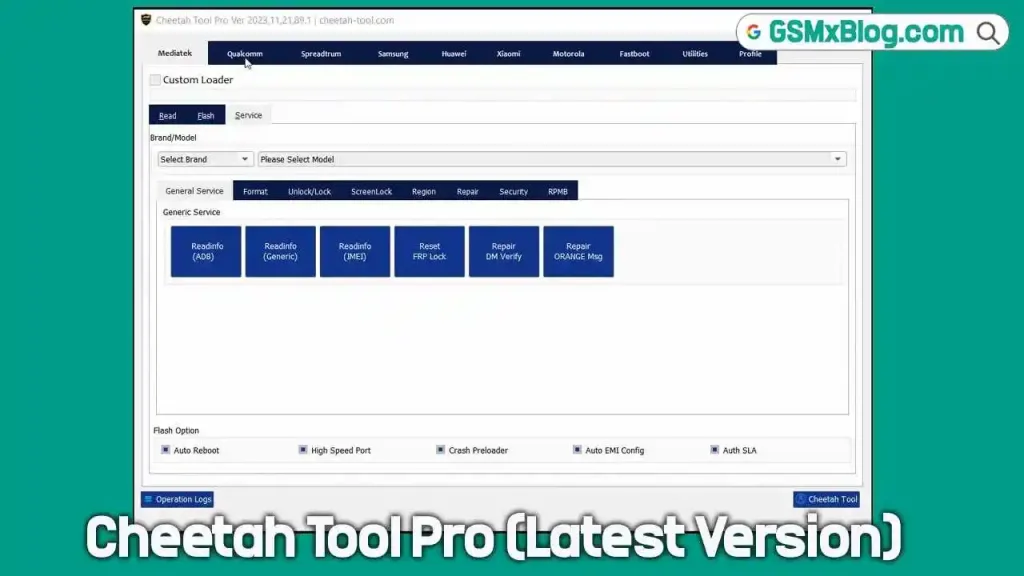
What is Cheetah Tool Pro?
Cheetah Tool Pro is a versatile and user-friendly Windows application that allows users to flash stock firmware (ROM), unlock bootloaders, reset FRP locks, repair IMEI, and perform other advanced operations on Android devices. It supports Android brands, including Samsung, OnePlus, Oppo, Asus, and ZTE. Whether you’re a professional technician or a tech enthusiast, Cheetah Tool Pro simplifies complex tasks with its intuitive interface and powerful features.
Key Features of Cheetah Tool Pro
- Flash Stock Firmware: Easily install official ROMs on your Android device.
- Unlock Bootloader: Unlock or relock the Bootloader for advanced customization.
- Reset FRP Lock: Bypass Google FRP (Factory Reset Protection) on locked devices.
- Repair IMEI: Fix IMEI-related issues to restore network connectivity.
- Backup and Restore Security: Safeguard your device’s security data.
- Wipe Data: Completely erase user data for a fresh start.
- Bypass MI Account: Unlock Xiaomi devices without MI account credentials.
- Read and Write EMMC: Access and modify device storage data.
- Repair Network: Fix network-related issues on supported devices.
- Support for Latest Devices: Compatible with the newest Samsung, OnePlus, Oppo, Asus, and ZTE models.
Download Cheetah Tool Pro v2026.06.13.182.0
- File Name: setup_cheetah_tool_pro_v2026.06.13.182.0.exe
- Version: v2026.06.13.182.0
- Release Date: June 13 2026
- File Size: 38 MB
- Platform: Windows (32-bit or 64-bit)
How to Use Cheetah Tool Pro
Once you’ve installed Cheetah Tool Pro, follow these steps to start using it:
- Install USB Drivers: Download and install the necessary USB drivers for your Android device.
- Launch the Tool: Open Cheetah Tool Pro and log in using your username and password.
- Connect Your Device: Put your Android device into EDL (Emergency Download) mode and connect it to your computer via USB.
- Select Device Information: Choose your device’s chipset, model, and name from the tool’s interface.
- Perform Desired Operation: Select the option you want to use (e.g., flash firmware, reset FRP, repair IMEI).
- Wait for Completion: The tool will automatically complete the process. Do not disconnect your device until the operation is finished.
Cheetah Tool Pro — Update v2026.06.13.182.0
🔥 New Features
Samsung Exynos
✅ Added Reset FRP (ADB) After Enable ADB Method
If the standard Enable ADB Exynos operation fails to remove FRP, users can now use the new Reset FRP (ADB) button as an alternative solution.
⚠️ Important Notes
- Do NOT reboot the device after the Enable ADB process.
- If the operation ends with an error but ADB becomes enabled, immediately use Reset FRP (ADB).
- Rebooting the device may disable ADB access and require repeating the procedure.
Qualcomm (OPPO / OnePlus)
✅ Added Support for New Qualcomm Devices
OPPO
- Oppo A6x 4G (CPH2819)
- Oppo R9s Plus (CPH1611)
OnePlus
- OnePlus Nord CE4 Lite (CPH2621)
- OnePlus Nord N200 5G (DE2117)
🔐 New Security Loaders Added
- CPH2339
- CPH2471
- CPH2579
- CPH2385
- CPH2553
- RMP2102
- RMP2103
- RMX2020
- RMX2180
- RMX3171
- RMX3195
- RMX3430
- RMX3710
- RMX3910
- RMX3941
⚠️ Security Loader Requirements
These security versions are supported only via Test Point mode.
Requirements
- Device must be connected in BROM Mode
- Test Point connection is required
Not Supported
- Normal USB connection
- Preloader mode
Ensure the device is properly forced into BROM Mode using Test Point before performing any operation.
⚠️ Model Selection Required
Starting from recent versions, device model selection is mandatory before performing any operation.
Benefits
- Better device detection
- Improved security handling
- Higher success rates
- Enhanced compatibility with protected devices
🛠 Improvements & Fixes
- Fixed multiple reported issues
- Improved overall software stability
- Added new security handling methods
- Optimized USB communication and device detection
- Enhanced compatibility with newer firmware versions
- Improved operation success rate on secured devices
- General performance and reliability improvements
Important Notes
- License Requirement: To use Cheetah Tool Pro, purchase credits from the official website. To buy a license, Visit Cheetah Pro License.
- Backup Your Data: Always back up your device’s data before performing any operations.
- Use Genuine Software: Download Cheetah Tool Pro only from trusted sources to avoid malware or fake versions.
Conclusion
Cheetah Tool Pro v2026.06.13.182.0 is a powerful and reliable tool for flashing, unlocking, and repairing Android devices. Its extensive features and wide compatibility make it an essential tool for anyone working with Android devices. Download the latest version today and unlock the full potential of your Android device!
Stay tuned to our blog for more tutorials and updates on Cheetah Tool Pro. If you have any questions, feel free to leave a comment below!