Download Phoenix Service Tool V10.0.0.4 (Latest Version) Installer
Phoenix Service Tool V10.0.0.4 is the updated build of the flashing and repair software that Nokia technicians have relied on for years to service handsets on Windows PC. This release keeps the same core toolkit intact — firmware flashing, product code changes, dead phone recovery, and security code resets — packaged in a refreshed build under version V10.0.0.4. If you’re a mobile technician who works on Nokia devices regularly, this is the version worth having installed.
This article covers what Phoenix Service Tool V10.0.0.4 does, where to get the free download, and how to set it up on your system.
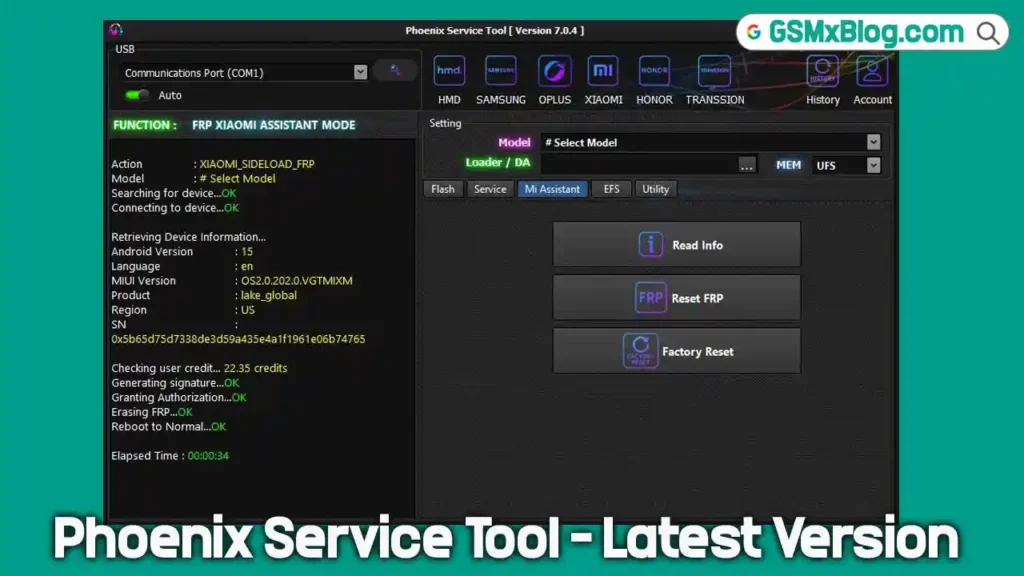
What Is Phoenix Service Tool?
Phoenix Service Tool is a Windows-based flash tool built specifically for Nokia devices. It handles firmware installation, dead phone flashing, product code switching, and general Android repair-style maintenance tasks — all from one program instead of juggling multiple utilities. Repair shops that handle Nokia volume keep it as a permanent part of their toolkit.
Key Features of Phoenix Service Tool V10.0.0.4
🔹 Firmware Flashing & Updates
Flash official stock firmware onto a Nokia device to fix boot loops, clear software corruption, or move between firmware builds. It’s still the main reason this flash tool stays installed on most repair benches.
🔹 Dead Phone Recovery
The tool includes an emergency loader mode built to bring completely unresponsive or bricked Nokia phones back to life, even when the handset has no working OS to boot into.
🔹 Product Code Changing
Switch a device’s Product Code (PC) to unlock region-specific firmware or operator variants — useful for imported units that need to match a different market’s software.
🔹 Security Code Reset
Clear a forgotten lock code without wiping the user’s stored data in the process.
🔹 Phone Software Repair
Covers everyday software issues — app crashes, failed updates, boot failures — by reflashing or repairing the firmware already on the device.
🔹 Backup & Restore
Back up a device before flashing and restore it afterward, so nothing gets lost if a flash doesn’t go as planned.
🔹 Multi-Language Interface
The interface supports English, Hindi, Arabic, Spanish, Indonesian, and other languages, making it usable across repair markets outside English-speaking regions.
Download Phoenix Service Tool V10.0.0.4 – Latest Updete
- File Name: Phoenix_Service_Tool_V10.0.0.4.zip
- File Size: 78 MB
- Version: V10.0.0.4 (Latest)
- Platform: Windows (32-bit and 64-bit)
How to Install Phoenix Service Tool V10.0.0.4
- Download the setup file from any of the links above.
- Run PhoenixToolV10.0.4.exe and follow the on-screen installer.
- Install the required USB drivers when prompted, so the tool can detect a connected Nokia phone.
- Launch the program once installation finishes.
How to Use Phoenix Service Tool for Flashing
- Connect the Nokia device to your Windows PC with a working USB cable.
- Power off the phone before connecting, since dead phone mode expects this.
- Open the Flashing section inside the tool.
- Select the firmware file that matches your exact device model.
- Start the flash and let it run without disconnecting the phone or closing the tool.
- Wait for the completion message before unplugging the device.
Why Technicians Still Use Phoenix Service Tool
Even with newer flash tools on the market, Phoenix Service Tool holds its place because it’s built around Nokia devices specifically, rather than trying to cover every brand at once. For a mobile technician who handles Nokia repairs often, that focus means fewer compatibility surprises and a more predictable flashing process — a big part of why it remains a standard GSM tool on repair PCs.
Phoenix Service Tool V10.0.0.4 — What’s new
- Fixed MI Assistant FRP bugs on Lake ,Moon Devices
- Fixed minor issues and optimized overall performance
Conclusion
Phoenix Service Tool V10.0.0.4 brings the same dependable firmware flashing, dead phone recovery, and Android repair features forward in an updated build. Grab the free download from the direct link, Google Drive, or Mega mirror above, and you’re ready to flash, repair, or recover Nokia devices from your Windows PC.