Download Sigma Plus v1.01.10 (Latest Version) Setup File
Sigma Plus v1.01.10 is the newest release of the trusted Sigma software suite—one of the most reliable, all-in-one Android servicing tools for professionals and enthusiasts. Whether you’re dealing with Qualcomm, MediaTek (MTK), HiSilicon, Broadcom, or Unisoc devices, this tool delivers a powerful set of features: FRP removal, IMEI repair, bootloader unlocking, Huawei ID bypass, firmware flashing, and more.
This update supercharges Qualcomm support, adding dozens of Samsung, ASUS, TCL, ZTE, and RedMagic devices with improved loader support, BIT updates, and smoother EDL servicing. Let’s dive into what makes Sigma Plus v1.01.10 stand out and why you should download it today.
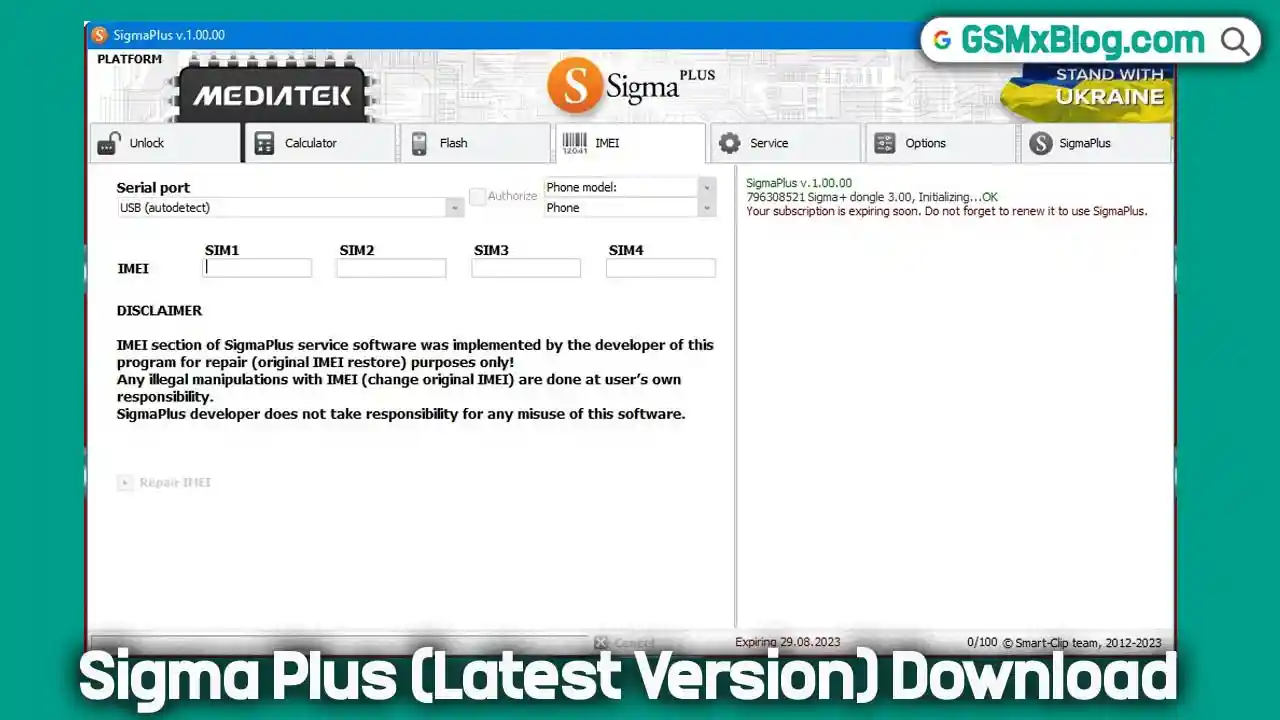
Key Features of Sigma Plus Tool
- FRP & Account Lock Removal
Provides fast and efficient removal of Samsung FRP, Huawei ID, and Xiaomi Mi Cloud locks using simplified procedures. - IMEI Repair & Restoration
Supports IMEI repair on a broad range of devices powered by MediaTek (MTK), Qualcomm, and HiSilicon chipsets. - Firmware Flashing & Backup Solutions
Enables high-speed firmware flashing and allows users to create full system backups for thousands of supported devices. - One-Click Device Unlocking
Offers direct handset unlocking and offline unlock code calculation without consuming server credits. - Extensive Device & Service Database
Comes with built-in support for more than 14,000 device models and 50+ repair and unlocking services from the start.
Download Sigma Plus v1.01.10 Latest Version
- File Name: sigmaplus-software-setup-v1.01.10.zip
- Version: v1.01.10
- Size: 84 MB
How to & Install Sigma Plus v1.01.10
- Download the Sigma Plus Tool package and extract it to a folder on your PC.
- Right-click the tool setup file and select Run as Administrator.
- Complete the installation process by following the on-screen instructions.
- Once installation finishes, close the setup window.
- Launch the Sigma Plus Tool and create a new user account inside the software.
- Purchase an official activation from an authorized Sigma Plus reseller. Activation plans are available for 3 months and 1 year.
- After activation is completed, restart the tool to apply the license.
- When the tool opens successfully, select the required service or operation.
- Install the appropriate USB drivers for your device if they are not already installed.
- Connect your phone to the computer as instructed by the tool interface.
- Monitor the log panel to confirm proper device detection.
- Start the selected operation and wait until the process finishes successfully.
What’s New in Sigma Plus v1.01.10
🔹 Version Info
- Release: Sigma Plus v1.01.10
- Update Focus: Expanded MTK & Qualcomm Support
⚙️ MTK Tab Updates
- ✅ Improved compatibility with latest MediaTek (MTK) devices
- ➕ Added support for MT6877 chipset
🔧 QCOM Tab Updates
🔓 FRP Remove Support Added (Samsung Devices)
📱 Galaxy A Series
- Samsung Galaxy A02s (SM-A025U / U1) – BIT 6
- Samsung Galaxy A05s (SM-A057M) – BIT B
- Samsung Galaxy A8 Star (SM-G885F) – BIT 5
- Samsung Galaxy A21s (SM-X210) – BIT 8
- Samsung Galaxy A23 (SM-A235F / M) – BIT C / D
- Samsung Galaxy A23 5G (SM-A236E / 0) – BIT C / B
📱 Galaxy C / F / M Series
- Samsung Galaxy C55 5G (SM-C5560) – BIT 4
- Samsung Galaxy F14 4G (SM-E145F) – BIT 9
- Samsung Galaxy F23 (SM-E236B) – BIT C
- Samsung Galaxy M23 5G (SM-M236B) – BIT C
- Samsung Galaxy M44 5G (SM-M446K) – BIT 6
📱 Galaxy S Series
- Samsung Galaxy S20 FE (SM-G780G) – BIT H
- Samsung Galaxy S20 FE 5G (G781B/N/V/W) – BIT I / D / L
- Samsung Galaxy S21 (SM-G991U) – BIT I
- Samsung Galaxy S21 5G (SM-G991U / G9910) – BIT I / E
- Samsung Galaxy S21 FE (SM-G990U2) – BIT I
- Samsung Galaxy S21 Ultra (SM-G998U / G9980) – BIT I / F
- Samsung Galaxy S21+ (SM-G996U) – BIT I
📱 Galaxy Tab Series
- Samsung Galaxy Tab A9+ 5G (SM-X216C / N) – BIT 9
- Samsung Galaxy Tab Active4 Pro 5G (SM-T636B / T638U) – BIT 9
- Samsung Galaxy Tab S6 Lite (SM-P619) – BIT A
- Samsung Galaxy Tab S7 FE (SM-T738U) – BIT C
- Samsung Galaxy Tab S7 FE LTE (SM-T735) – BIT 9
- Samsung Galaxy Tab S7+ 5G (SM-T978U) – BIT 9
📱 Rugged / XCover
- Samsung Galaxy XCover6 Pro (SM-G736U) – BIT C
📱 Galaxy Z Series
- Samsung Galaxy Z Flip (SM-F7000) – BIT B
- Samsung Galaxy Z Flip3 5G (SM-F711B / N / U) – BIT G / C / F
- Samsung Galaxy Z Fold2 5G (SM-F9160) – BIT 8
- Samsung Galaxy Z Fold3 5G (SM-F926B / N / U) – BIT F / B / E
- Samsung Galaxy Z Fold4 5G (SM-W9023) – BIT 8
Sigma Plus Activation – How to Activate the Tool
Before using Sigma Plus v1.01.10, users must complete the Sigma Plus activation process. Activation unlocks powerful features like FRP bypass, IMEI repair, Huawei ID removal, Qualcomm EDL loader access, and full firmware flashing support.
Activation Steps:
- Connect your Sigma Plus Box or Dongle to your PC.
- Launch the tool and follow the guided activation process.
- Login with an existing SigmaKey / Smart-Clip2 account or register a new one.
- Once activated, your license grants full access to the supported features and device brands.
Sigma Plus Activation Price
Here’s the official pricing for Sigma Plus access plans:
| Product | Access Duration | Price (USD) |
|---|---|---|
| Sigma Plus Box / Dongle | 6 Months | $49 |
| Sigma Plus Box / Dongle | 1 Year | $69 |
🔗 Official Activation Page:
👉 Sigma Plus Activation Details – Official Website
💡 Always activate your tool via the official Sigma website or trusted authorized resellers to ensure license validity and avoid counterfeit tools.
Conclusion
Sigma Plus v1.01.10 is a must-have for technicians and mobile repair professionals, offering expanded device support, improved EDL loaders, and critical bug fixes. Whether you’re unlocking FRP, repairing IMEI, or flashing firmware, this update ensures better compatibility and efficiency.
Download now and experience the latest enhancements in mobile servicing! 🚀
🔹 Need Help? Drop a comment below!