Download Sigma Plus v1.01.14 (Latest Version) Setup File
Sigma Plus v1.01.14 is the newest release of the trusted Sigma software suite—one of the most reliable, all-in-one Android servicing tools for professionals and enthusiasts. Whether you’re dealing with Qualcomm, MediaTek (MTK), HiSilicon, Broadcom, or Unisoc devices, this tool delivers a powerful set of features: FRP removal, IMEI repair, bootloader unlocking, Huawei ID bypass, firmware flashing, and more.
This update supercharges Qualcomm support, adding dozens of Samsung, ASUS, TCL, ZTE, and RedMagic devices with improved loader support, BIT updates, and smoother EDL servicing. Let’s dive into what makes Sigma Plus v1.01.14 stand out and why you should download it today.
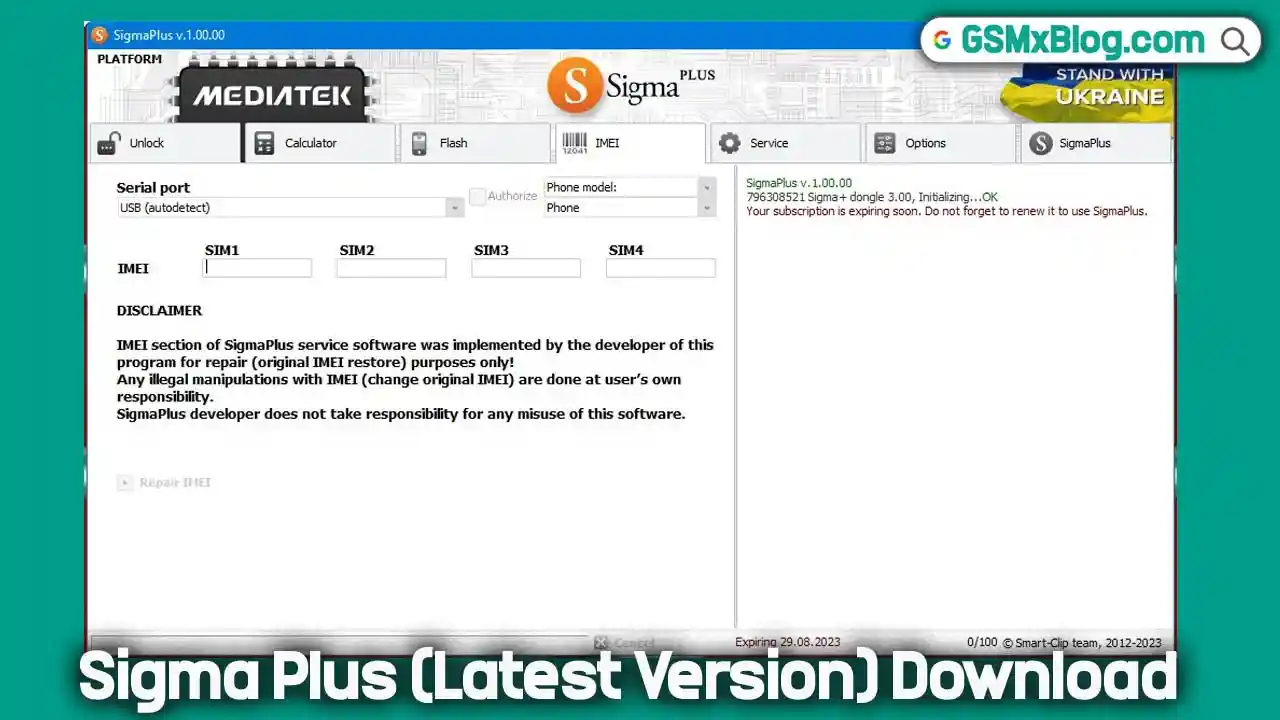
Key Features of Sigma Plus Tool
- FRP & Account Lock Removal
Provides fast and efficient removal of Samsung FRP, Huawei ID, and Xiaomi Mi Cloud locks using simplified procedures. - IMEI Repair & Restoration
Supports IMEI repair on a broad range of devices powered by MediaTek (MTK), Qualcomm, and HiSilicon chipsets. - Firmware Flashing & Backup Solutions
Enables high-speed firmware flashing and allows users to create full system backups for thousands of supported devices. - One-Click Device Unlocking
Offers direct handset unlocking and offline unlock code calculation without consuming server credits. - Extensive Device & Service Database
Comes with built-in support for more than 14,000 device models and 50+ repair and unlocking services from the start.
Download Sigma Plus v1.01.14 Latest Version
- File Name: sigmaplus-software-setup-v1.01.14.zip
- Version: v1.01.14
- Size: 118 MB
- Platform: Windows (32-bit or 64-bit)
How to & Install Sigma Plus v1.01.14
- Download the Sigma Plus Tool package and extract it to a folder on your PC.
- Right-click the tool setup file and select Run as Administrator.
- Complete the installation process by following the on-screen instructions.
- Once installation finishes, close the setup window.
- Launch the Sigma Plus Tool and create a new user account inside the software.
- Purchase an official activation from an authorized Sigma Plus reseller. Activation plans are available for 3 months and 1 year.
- After activation is completed, restart the tool to apply the license.
- When the tool opens successfully, select the required service or operation.
- Install the appropriate USB drivers for your device if they are not already installed.
- Connect your phone to the computer as instructed by the tool interface.
- Monitor the log panel to confirm proper device detection.
- Start the selected operation and wait until the process finishes successfully.
What’s New in Sigma Plus v1.01.14
📱 Samsung Exynos
FRP Remove
- Added FRP Remove support for Samsung Exynos devices.
- Supports Android 15 and Android 16.
- Supports security patches up to Q1 2026, with some devices also supporting May 2026 security patches.
- No Test Point required.
- No phone disassembly required.
Supported Exynos Processors
- Exynos 7570
- Exynos 7870
- Exynos 7884
- Exynos 7885
- Exynos 7904
- Exynos 850
- Exynos 8890
- Exynos 8895
- Exynos 9610
- Exynos 9611
- Exynos 980
- Exynos 9810
- Exynos 9820
- Exynos 9825
- Exynos 990
- Exynos 1280
- Exynos 1330
- Exynos 1380
- Exynos 1480
- Exynos 1580
- Exynos 2100
- Exynos 2200
- Exynos 2400
- Exynos 2500
🛠 New Service Functions
- Added Enable ADB.
- Added Switch to Download Mode.
- Added Repair from Download Mode.
✅ Compatibility
- Supports the latest Samsung Galaxy A Series devices.
- Supports the latest Samsung Galaxy S Series devices.
- Supports Samsung Galaxy Tab models.
📌 Notes
- Works on Android 15 and Android 16.
- Supports security patches up to April 2026.
- Some devices are also compatible with May 2026 security patches.
- If the process fails, try using a different firmware version.
Sigma Plus Activation – How to Activate the Tool
Before using Sigma Plus v1.01.14, users must complete the Sigma Plus activation process. Activation unlocks powerful features like FRP bypass, IMEI repair, Huawei ID removal, Qualcomm EDL loader access, and full firmware flashing support.
Activation Steps:
- Connect your Sigma Plus Box or Dongle to your PC.
- Launch the tool and follow the guided activation process.
- Login with an existing SigmaKey / Smart-Clip2 account or register a new one.
- Once activated, your license grants full access to the supported features and device brands.
Sigma Plus Activation Price
Here’s the official pricing for Sigma Plus access plans:
| Product | Access Duration | Price (USD) |
|---|---|---|
| Sigma Plus Box / Dongle | 6 Months | $49 |
| Sigma Plus Box / Dongle | 1 Year | $69 |
🔗 Official Activation Page:
👉 Sigma Plus Activation Details – Official Website
💡 Always activate your tool via the official Sigma website or trusted authorized resellers to ensure license validity and avoid counterfeit tools.
Conclusion
Sigma Plus v1.01.14 is a must-have for technicians and mobile repair professionals, offering expanded device support, improved EDL loaders, and critical bug fixes. Whether you’re unlocking FRP, repairing IMEI, or flashing firmware, this update ensures better compatibility and efficiency.
Download now and experience the latest enhancements in mobile servicing! 🚀
🔹 Need Help? Drop a comment below!
🔗 Related Tools You Might Like
- ✅ Download UAT Pro V190.01 – FRP, Flash, Unlock Tool
- ✅ Z3X SamsTool v1.9 – Samsung Exynos/MTK Unlock
- ✅ Phoenix Service Tool v6.5.1 – Nokia Flashing/Unlock