MDM Fix Tool v1.1.0.1 (Latest Version) Download – KG & MDM Unlock Solution
Mobile Device Management (MDM) locks can be frustrating, especially when dealing with second-hand devices, corporate phones, or forgotten admin restrictions. Fortunately, the MDM Fix Tool v1.1.0.1 offers a powerful solution to bypass KG lock, remove IT admin controls, and unlock MDM restrictions on Android devices.
This latest update introduces Xiaomi free auth models, Samsung KG unlock via EDL mode, and support for Android 15 & 16. Whether you’re a technician or an end-user, this guide covers everything you need to know about downloading, installing, and using the MDM Fix Tool effectively.
What is MDM Fix Tool v1.1.0.1?
The MDM Fix Tool is a Windows-based utility developed by Ufixer to help users bypass MDM, KG locks, and IT admin restrictions on Android devices. The latest version (v1.1.0.1) introduces new features, including:
✅ KG Unlock for Android 16 (ADB & EDL Mode)
✅ Samsung KG Unlock via EDL (2026 Patch Support)
✅ IT Admin Removal (Android 16 Supported)
✅ Xiaomi MDM Unlock (QR Method)
✅ Google Pixel SIM Unlock (All Android Versions)
✅ Factory Reset & FRP Bypass
Key Features of MDM Fix Tool v1.1.0.1
Here’s a detailed look at the powerful features integrated into the latest version:
🔓 KG Unlock Support
- World’s first KG unlock support for Android 15 via ADB
- KG unlock via EDL Mode (MTK, Exynos, SPD)
- Compatible with KG status: Broken, Error, Prenormal, Active
- EDL Mode Serial No. Editing (First in the industry)
- Flashing support for KG-locked devices
🛡️ MDM & IT Admin Policy Removal
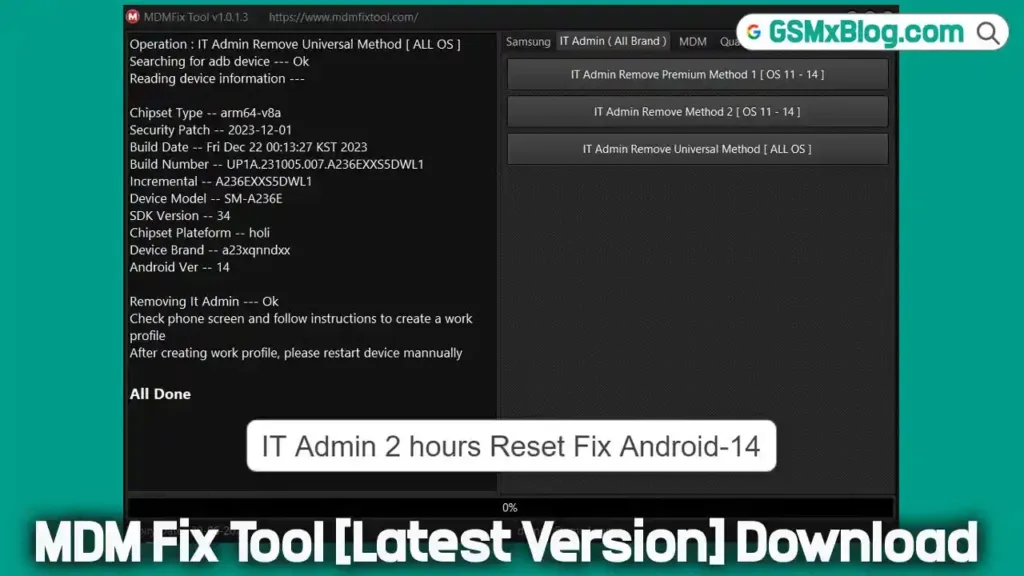
- Remove IT Admin in just 2 hours (supports Android 15)
- Unlock MDM on Tecno, Itel, and Infinix
- Disable OTA updates on MDM-protected devices
- Xiaomi MDM QR Method added
- Fixed “Can’t Download PIT” error
📱 Universal Android Device Support
- Samsung KG Unlock (2026 patch)
- Xiaomi Factory Reset, FRP, Mi Account Reset
- Samsung, Vivo, Oppo, Realme, OnePlus, and Pixel SIM/network unlock
- ADB Test Mode FRP Reset using #0# command
- Enable ADB using QR Code (no credit required)
🛠️ Advanced Tools
- Diag Mode IMEI repair (for SPD)
- Partition manager for Samsung Qualcomm
- Factory Reset/FRP reset in ADB & EDL mode
- Nothing Phone CMF SIM unlock for Indian networks
- Google Pixel SIM/network unlock (up to Android 15)
How to Download & Install MDM Fix Tool v1.1.0.1
- Tool Name: MDMFixTool_v1.1.0.1.exe
- Version: v1.1.0.1
- File Size: 115 MB
- OS Support: Windows 7/8/10/11 (32-bit & 64-bit)
Installation Steps
- Download the tool from the provided links.
- Extract the ZIP file to your desktop.
- Run as Admin MDMFixTool_v1.1.0.1.exe.
- Register & Activate your HWID.
- Start using all features.
MDMFiXTool v1.1.0.1 – What’s New
📱 OPPO / REALME (MTK)
- SIM Unlock (Network Unlock via Protect1 Patch)
📱 Huawei / Honor
- Patch OEMINFO Demo Remove
- Patch OEMINFO Remove PayJoy MDM
📱 Xiaomi (MTK)
- Remove Mi Account + Global Convert (Patch: cust / opcust)
- China to Global Convert Supported
- Mi Account Permanent Remove (No Bootloader Unlock Required)
📱 Xiaomi (Qualcomm)
- Remove Mi Account Anti-Relock (Modem Patch)
- Anti-Relock Fixed with Stable Patch
🛠️ Summary
- Expanded Xiaomi MTK & Qualcomm support
- Improved Mi Account removal methods
- Added network unlock solution for OPPO/Realme
- Enhanced Huawei/Honor OEMINFO patching for MDM removal
How to Fix “Socket Error #10054” in MDM Fix Tool
If you encounter this error, follow these steps:
- Delete the “Data” folder (located where the tool is installed).
- Restart your PC.
- Run the tool again—the error should be resolved.
Conclusion
The MDM Fix Tool v1.1.0.1 is a game-changer for unlocking Android devices, removing MDM restrictions, and bypassing KG locks. With support for Xiaomi, Samsung, Google Pixel, and more, this tool is a must-have for technicians and advanced users.
Related Tools
- Octoplus FRP Tool (Latest Version)
- Download FRT Tool (Flash Repair Tool)
- Android Multi Tool (Latest Version)
FAQs
Is MDM Fix Tool free?
The tool requires activation, but some features (like Xiaomi auth) are free.
Does it work on Android 15?
Yes! It supports IT admin removal on Android 15.
Can I bypass FRP with this tool?
Absolutely! It includes FRP bypass for multiple brands.