Realme 11x 5G RMX3785 Flash File (Firmware) Download Free [Stock ROM + Flashing Guide]
Is your Realme 11x 5G (RMX3785) stuck on the logo, unresponsive, or locked due to FRP (Factory Reset Protection)? Flashing the official stock firmware can resolve these issues and restore your phone to its original state.
In this guide, we’ll provide a free download link for the Realme 11x 5G RMX3785 Flash File, along with a step-by-step tutorial on how to flash it safely. Whether you’re dealing with software corruption, forgotten passwords, or malware issues, this firmware will help you revive your device.
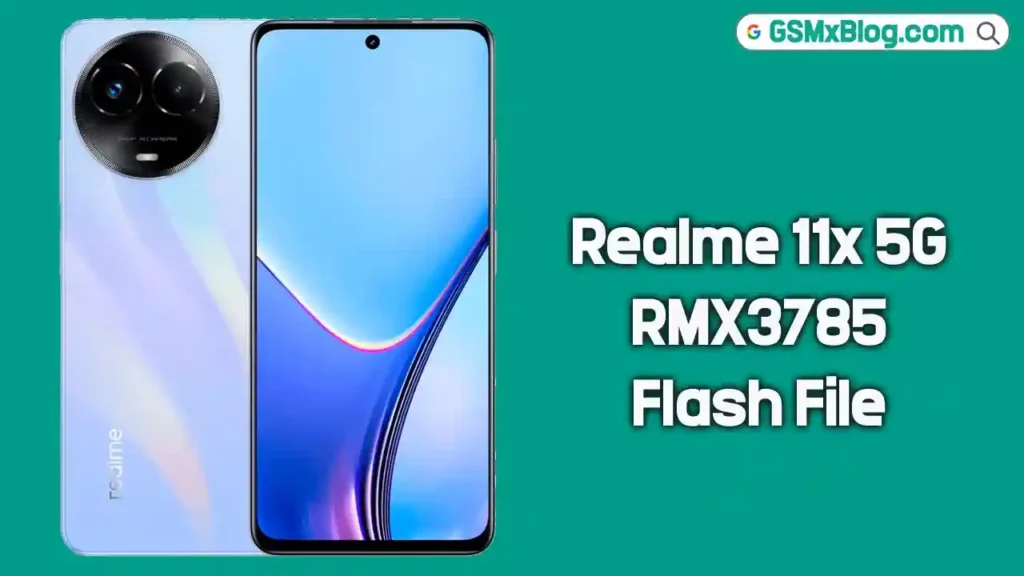
About Realme 11x 5G RMX3785
Before we jump into flashing, let’s look at the Realme 11x 5G’s technical specifications. It is powered by the MediaTek Dimensity 6100+ (6nm) chipset and comes in 4GB and 6GB RAM variants. It features a 6.72-inch IPS LCD display with a 120Hz refresh rate, runs on Realme UI 5.0 based on Android 14, and packs a 5000mAh battery with 33W fast charging. It offers 128GB internal storage with a dedicated microSD card slot — an affordable 5G option, but like any phone, software issues can occur.
Why Flash Realme 11x 5G RMX3785?
Flashing the stock firmware can solve many software-related issues:
- ✅ Fix boot loop (stuck on Realme logo)
- ✅ Remove pattern or password locks
- ✅ Bypass FRP (Factory Reset Protection)
- ✅ Restore device to factory state
- ✅ Solve lagging, crashing, or freezing issues
- ✅ Fix IMEI or network-related software problems
- ✅ Rollback to an older Android version if needed
Important: Always use the correct flash file matching your device version. To verify your model, dial
*#899#in the emergency dialer.
Download Realme 11x 5G RMX3785 Flash File (Firmware)
Here are all the official stock ROM download links for the Realme 11x 5G:
Latest Version (Global) — Android 15
- Model: Realme 11x 5G (RMX3785)
- File Name: RMX3785export_11_15.0.0.110EX0
- Updated: January 17, 2026
- Region: Global
- Android Version: Android 15 (Realme UI 6)
- Chipset: MediaTek Dimensity 6100+
- Type: Stock
- Download Link: ⬇️ Click Here to Download
Version 15.0.0.1010EX01
- Model: Realme 11x 5G (RMX3785)
- File Name: RMX3785export_11_15.0.0.1010EX01
- Updated: October 22, 2025
- Android Version: Android 15 (Realme UI 6)
- Type: Stock Project 23670
- Download Link: ⬇️ Click Here to Download
Version 14.0.0.320EX0 (Android 14 Global)
- Model: Realme 11x 5G (RMX3785)
- File Name: RMX3785export_11_14.0.0.320EX0
- Updated: January 17, 2026
- Region: Global
- Android Version: Android 14 (Realme UI 5)
- Type: Stock
- Download Link: ⬇️ Click Here to Download
Version 14.0.0.112EX01
- Model: Realme 11x 5G (RMX3785)
- File Name: RMX3785export_11_14.0.0.112EX01_2024081219000145.zip
- Updated: September 17, 2025
- Type: Stock
- Download Link: ⬇️ Click Here to Download
Version A.54 (Android 13 Rollback)
- Model: Realme 11x 5G (RMX3785)
- File Name: RMX3785export_11_A.54_2024022007380000.zip
- Updated: September 17, 2025
- Type: Stock
- Download Link: ⬇️ Click Here to Download
Version A.51
- Model: Realme 11x 5G (RMX3785)
- File Name: RMX3785export_11_A.51_2024010314180000.zip
- Updated: September 17, 2025
- Type: Stock
- Download Link: ⬇️ Click Here to Download
Version A.48
- Model: Realme 11x 5G (RMX3785)
- File Name: RMX3785export_11_A.48_2023121120410000.zip
- Updated: September 17, 2025
- Type: Stock
- Download Link: ⬇️ Click Here to Download
Version A.43
- Model: Realme 11x 5G (RMX3785)
- File Name: RMX3785export_11_A.43_2023110723020142.zip
- Updated: September 17, 2025
- Type: Stock
- Download Link: ⬇️ Click Here to Download
Version A.41
- Model: Realme 11x 5G (RMX3785)
- File Name: RMX3785export_11_A.41_2023102410400000.zip
- Updated: September 17, 2025
- Type: Stock
- Download Link: ⬇️ Click Here to Download
Version A.32
- Model: Realme 11x 5G (RMX3785)
- File Name: RMX3785export_11_A.32_2023092321210000.zip
- Updated: September 17, 2025
- Type: Stock
- Download Link: ⬇️ Click Here to Download
Version A.30
- Model: Realme 11x 5G (RMX3785)
- File Name: RMX3785export_11_A.30_2023083023360106.zip
- Updated: September 17, 2025
- Type: Stock
- Download Link: ⬇️ Click Here to Download
Version A.26 (Oldest Available)
- Model: Realme 11x 5G (RMX3785)
- File Name: RMX3785export_11_A.26_2023080602150157.zip
- Updated: September 17, 2025
- Type: Stock
- Download Link: ⬇️ Click Here to Download
Bonus: Google Camera (GCam APK)
- Version: Google Camera V7.4.104
- Type: APK Solution
- Download Link: ⬇️ Click Here to Download
These files have been sourced from official public domains and verified for safety. Ensure your internet connection is stable due to the file’s large size.
Pre-Requisites Before Flashing
Before proceeding, make sure you meet the following requirements:
- ✅ A Windows PC/Laptop (Firmware flashing is not supported on Mac).
- ✅ Original USB Cable (To avoid connection issues).
- ✅ Oplus USB Drivers (Required for device recognition).
- ✅ Oplus Download Tool (Official flashing software).
- ✅ Backup Important Data (Flashing erases all data).
- ✅ At Least 50% Battery (Prevents shutdown during flashing).
How to Install Stock Firmware on Realme 11x 5G RMX3785
Step 1: Download Firmware & Tools
- Download the Realme 11x 5G RMX3785 Flash File from the links above.
- Extract the ZIP file on your PC.
- Install Oplus USB Drivers (Download from Realme’s official site).
- Download and extract the Oplus Download Tool.
Step 2: Flash Firmware Using Oplus Tool
- Open Oplus Download Tool and log in (requires authorized service account credentials).
- Click “Import” and select the extracted firmware folder.
- Power off your Realme 11x 5G.
- Hold Volume Up + Volume Down buttons and connect the phone to the PC via USB.
- The tool will detect the device automatically.
- Click “Start” to begin flashing.
- Wait until the process completes (do not disconnect the phone).
Step 3: Reboot Your Device
Once flashing is done, disconnect the phone and power it on. The first boot may take a few minutes — this is completely normal.
⚠️ Flashing Warning & Disclaimer
- Flashing firmware will erase all user data. Backup your data before proceeding.
- Most newer Realme/Oplus devices require an official service account for EDL auth flashing.
- This guide is for educational purposes only. We are not responsible for any damage or loss caused during the process.
- If you’re unsure, seek help from a professional mobile technician.
Conclusion
Flashing the Realme 11x 5G RMX3785 Flash File (Firmware) is an effective solution for unbricking your device, removing screen locks, or restoring the system to stock. With Android 15 as the latest firmware and a full archive spanning back to the original A.26 launch build, this page covers every version you might need for your Realme 11x 5G.
Related Posts:
- Realme 11 5G Flash File (RMX3780)
- Realme 11 Pro 5G Flash File (RMX3771)
- Realme C71 Flash File (RMX5303)
FAQs
Is flashing safe for my Realme 11x 5G?
Yes, if done correctly using the official firmware. Avoid interrupting the process to prevent bricking.
Will flashing remove FRP lock?
Yes, the stock ROM erases all security locks, including FRP and screen locks.
Can I flash without Oplus Tool?
Bootloader-unlocked devices can use the Fastboot Enhance Tool. For locked devices, the official Oplus Download Tool with a service account is required.
Do I need a service account for EDL flashing?
Yes, most newer Realme/Oplus devices (including the Realme 11x 5G) are protected and require an official EDL auth service account for flashing.
Can I upgrade my Realme 11x 5G to Android 15?
Yes! The latest firmware (15.0.0.110EX0) brings Android 15 with Realme UI 6 to the Realme 11x 5G. Download from the Global link above.
Which firmware version should I download?
Always use the latest Android 15 Global version for best stability and security patches. Use rollback versions only if needed for compatibility reasons.