Infinity-Box CM2 SP3 Setup File v2.45 Download (Latest Version)
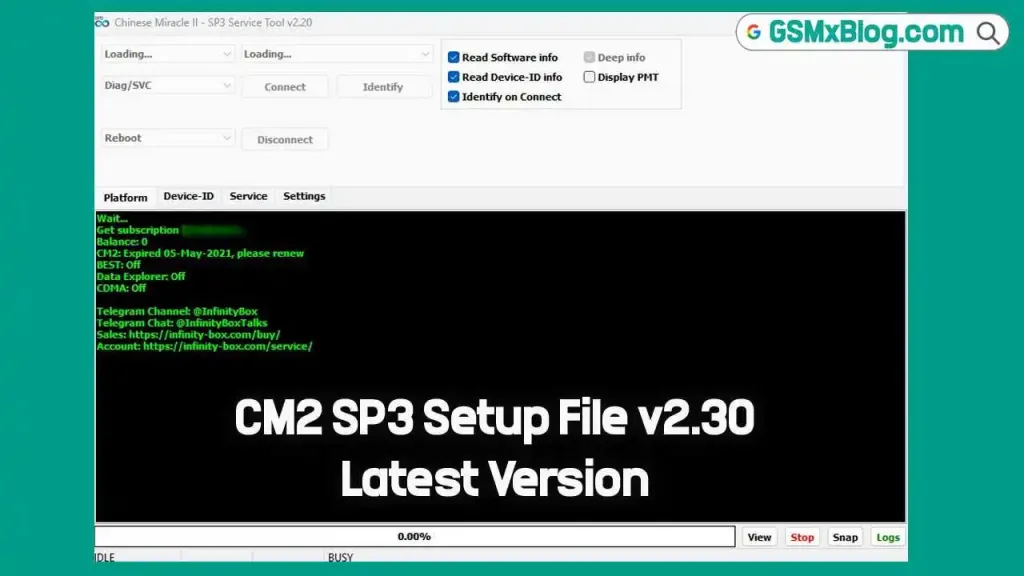
The CM2 SP3 Tool (v2.45) by the Infinity Team is a robust utility designed to manage SpreadTrum (SPD) powered devices. This tool primarily facilitates the flashing of stock ROMs (firmware) on SPD SOC devices, making it indispensable for technicians and advanced users working with devices powered by SpreadTrum and UniSoC chipsets. Additionally, the CM2 SP3 Tool allows users to bypass and remove various device locks, such as FRP, screen, and privacy locks, and even repair invalid IMEI numbers.
Key Features of CM2 SP3 Tool
The CM2 SP3 Tool is packed with features to provide a comprehensive toolkit for device repair and firmware management. Key features include:
- Firmware Flashing: Enables flashing of PAC or XML files to reinstall stock firmware.
- FRP Lock Removal: Bypasses Factory Reset Protection on devices.
- Screen Lock Reset: Clears device screen locks, including pattern, PIN, or password locks.
- Privacy Lock Reset: Removes security layers or privacy locks that restrict access.
- IMEI Repair: Repairs invalid or corrupted IMEI numbers.
This feature set positions the CM2 SP3 Tool as a critical utility for handling device issues and enhancing device operability.
CM2 SP3 Tool v2.45 Download Latest Version
To download the latest version of CM2 SP3 Tool v2.45, use the official links below to ensure you get a legitimate, malware-free version.
- Tool Name: CM2SP3_v2.45.zip
- Developer: Infinity Box
- Version: v2.45 Latest
- File Size: 25MB
- Password: 1111
| Version | Download | Password |
|---|---|---|
| Infinity CM2SP3 v2.42 | Download | 1111 |
| Infinity CM2SP3 v2.39 | Download | 1111 |
| Infinity CM2SP3 v2.38 | Download | 1111 |
| Infinity CM2SP3 v2.34b2s | Download | 1111 |
| Infinity CM2SP3 v2.33c7s | Download | 1111 |
| Infinity CM2SP3 v2.33c5s | Download | 1111 |
| CM2SP3 v2.29a5s | Download | 1111 |
| CM2SP3 v2.28 Final | Download | 1111 |
| CM2SP3 V2.28a3s | Download | 1111 |
| CM2SP3 V2.27b3s | Download | 1111 |
| CM2SP3 V2.27b1s | Download | 1111 |
| CM2SP3 V2.27a8s | Download | 1111 |
| CM2SP3 V2.27a5s | Download | 1111 |
CM2 SP3 Installation Guide
Step-by-Step Installation
- Download the Tool: Obtain the CM2 SP3 Tool and unzip the file.
- Run the Installer: Open the extracted folder and run the installer as Administrator.
- Install SPD/UniSoC USB Drivers: Before launching the tool, make sure to install the provided drivers to ensure your device is recognized.
How to Use CM2 SP3 Tool for Various Functions
The CM2 SP3 Tool provides multiple functionalities for SpreadTrum SOC devices. Here’s how to perform each main task:
Flashing Stock ROM
- Launch the Tool and go to the Flasher tab.
- Select Stock ROM: Choose the PAC or XML flash file specific to your device model.
- Initiate Flash: Click on the Flash button, and connect your device in Flash Mode.
- Wait for Completion: The flashing process will automatically proceed, and you’ll receive a confirmation upon completion.
Remove FRP
- Open CM2 SP3 Tool and navigate to the Service tab.
- Select Format FS: This option resets the FRP lock settings.
- Connect Device in Flash Mode: Ensure the device is in Flash Mode and proceed with the FRP lock removal.
Resetting Screen Lock
- Go to the Service Tab: Under the Service tab, select the Format FS option.
- Screen Lock Removal: The tool will clear any screen lock, including PINs, passwords, and patterns.
- Privacy Lock Removal: To reset the privacy lock, go to the User Data tab and select Reset Privacy Lock.
What’s New in Infinity CM2SP3 v2.45 – Official Update
📱 New Models Supported
- Doogee: Blade 10 Max, Blade 10 Ultra
- Masstel: Tab 82
- Cicada: M60
- Vantop: S30
- Vankyo: S30 (2020)
- G-Tab: T10, T11
- Incar: MXPro
- Positivo: Vaio TL10, T810B
- Kenshi: H19
- Condor: Dream Edition C-754, Nova 70SE
- Odea: A12
- Multilaser: G Max 2 (64GB), G Max 2
- Hisense: HLTE112E
- Vortex: J24
- Oukitel: G1
- Yezz: Max2 Plus
- Invens: K1
- iTel: Kid Pad, A667LP
- Nobby: S500
- Inoi: inoiPad (64GB / 4GB RAM)
- MTT: L506
- Elari: 4G Wink
- Lesia: Young 6
- Teclast: P80h
- Senwa: S40E
- Hurricane: T10
- Walton: Nexg N8
⚙️ Feature Updates
- 🔄 AppTool updated for latest devices
- 🧹 Wipe/Format operations improved for Xiaomi devices
- 🔓 Bootloader unlock process enhanced for multiple devices
- ⌚ UWS6137 chipset support added for smartwatches
🛠️ Fixes & Improvements
- 🐞 General bug fixes
- 🚀 Stability and performance improvements
Conclusion
The CM2 SP3 Tool v2.45 is an invaluable resource for those who need advanced functionality for managing SpreadTrum SOC devices. It simplifies the process of flashing firmware, unlocking FRP and screen locks, and restoring devices to optimal working condition. By following this guide, users can safely and effectively download, install, and use the CM2 SP3 Tool to resolve common device issues and enhance SpreadTrum device performance.
Related Post
FAQs
What devices are compatible with the CM2 SP3 Tool?
The CM2 SP3 Tool is compatible with smartphones and tablets powered by SpreadTrum (SPD) SOCs.
Is CM2 SP3 Tool safe to use?
Yes, provided you download it from trusted sources. Always follow guidelines to avoid complications during flashing or lock resetting.
Do I need internet access to use CM2 SP3?
No, the CM2 SP3 Tool operates offline once installed on your PC.
Can I use CM2 SP3 on macOS?
Currently, the CM2 SP3 Tool is only available for Windows operating systems.