Android Utility Lite v202 (Latest Version) Free – Small, Fast & Powerful Tool
A new lightweight version of Android Utility Lite v202 has officially been released, specially optimized for fast and simple Android servicing tasks. With a compact size of just 18MB, this version removes heavy components to deliver better speed and efficiency. It is ideal for technicians and users who need quick solutions like Disable Auth, MTP browser access, firmware extraction, and Samsung FRP reset. While advanced features are temporarily disabled, this tool remains highly effective for everyday Android repair needs.
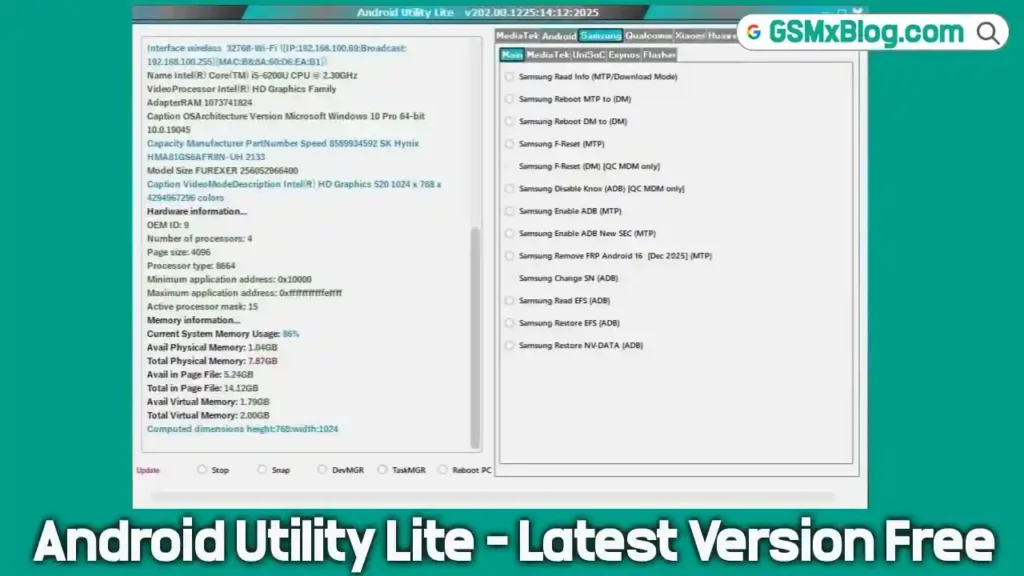
What is Android Utility Lite
Android Utility Lite is a simplified and lightweight edition of the popular Android Utility Tool. This version is designed for quick Android repair and maintenance tasks without installing large files or heavy dependencies.
To achieve a smaller size and faster launch time, advanced modules like META mode and Motorola repair have been temporarily removed. As a result, Android Utility Lite v202 is perfect for technicians who need a portable, no-install, no-license Android tool for daily use.
Key Features of Android Utility Lite (AUL / AUP)
1. MediaTek (MTK) Features
- BootROM Mode operations
- Disable Auth (SLA/DAA)
- Dump Preloader (EMI) for test-point
- Crash Preloader to BootROM
- Reboot to AT, Factory, Fastboot modes
- Read Device Info (BootROM)
- eMMC / UFS Health Check
- Disable / Restore Orange State
- Disable DM-Verity
- Fix OPPO / Realme download error (0x992566)
- VIVO Force & Exit BootROM
- OPPO MT6771 Force BootROM
- FRP Wipe OPPO / Realme (Android 15 supported)
- MTK RAM Size Checker
- Huawei Y9A Force / Exit BootROM
2. Android (General) Functions
ADB Mode
- Read device info
- Reboot to Fastboot, Recovery, EDL, META
- Factory reset (old Android)
- Remove FRP via ADB
- Install APK
- Disable PayJoy
- Vivo Demo Remove
- Xiaomi Enable Diag
Fastboot Mode
- Read Fastboot info
- Flash partitions
- Factory reset
- Fix DM-Verity errors
- Set active slot A/B
- Wipe EFS (BL unlocked)
MTP / AOA
- Launch browser (YouTube, Google Maps, Google Play)
- Open custom URLs via MTP
3. Firmware & Utility Tools
- Extract Samsung, Huawei, OPPO, Realme, LG, Nokia, OnePlus firmware
- MTK PGPT ↔ Scatter conversion
- Parse MTK DA & Preloader
- Ext4 / EROFS Explorer
- Super.img extraction
- Dump eMMC / UFS partitions
4. Samsung Features
- Samsung Read Info (MTP / Download Mode)
- Samsung Factory Reset
- Samsung Disable Knox (ADB – QC only)
- Samsung Enable ADB (MTP)
Download Android Utility Lite v202
Tool Name: Android Utility Lite
Version: v202
File Size: 17.97 MB
Password: mfdl
License: Free (No activation required)
How to Use Android Utility Lite
- Download the
AndroidUtilityLite.rarfile. - Extract the archive using the password mfdl.
- Open the extracted folder and locate AndroidUtilityLite.vmp.exe.
- Right-click and select Run as administrator.
- Connect your Android device to the PC and start using the tool.
The software launches instantly and does not require installation or login.
Conclusion
Android Utility Lite v202 is an excellent choice for users who want a fast, lightweight, and free Android repair tool. With essential MTK, ADB, Fastboot, MTP, and Samsung features packed into an 18MB file, it delivers impressive performance for everyday tasks.
⚠️ Note: This is a temporary lite version. Advanced features like META mode and Motorola repair are disabled to keep the size small.