Download Miracle FRP Tool v2.03 (Latest Version) – Setup File
Are you stuck on the Google account verification screen after resetting your Android phone? You’re not alone. Factory Reset Protection (FRP) is a useful security feature but can be a roadblock if you forget your credentials. That’s where Miracle FRP Tool v2.03 comes in — a lightweight yet powerful solution designed to bypass FRP locks across a wide range of devices, including Xiaomi, Samsung, ASUS, and other Chinese brands.
In this comprehensive guide, you’ll get the Miracle FRP Tool v2.03 (Latest Version) setup file, learn how to use it step-by-step, and explore all the supported features, device compatibility, and safety measures. Let’s dive in.
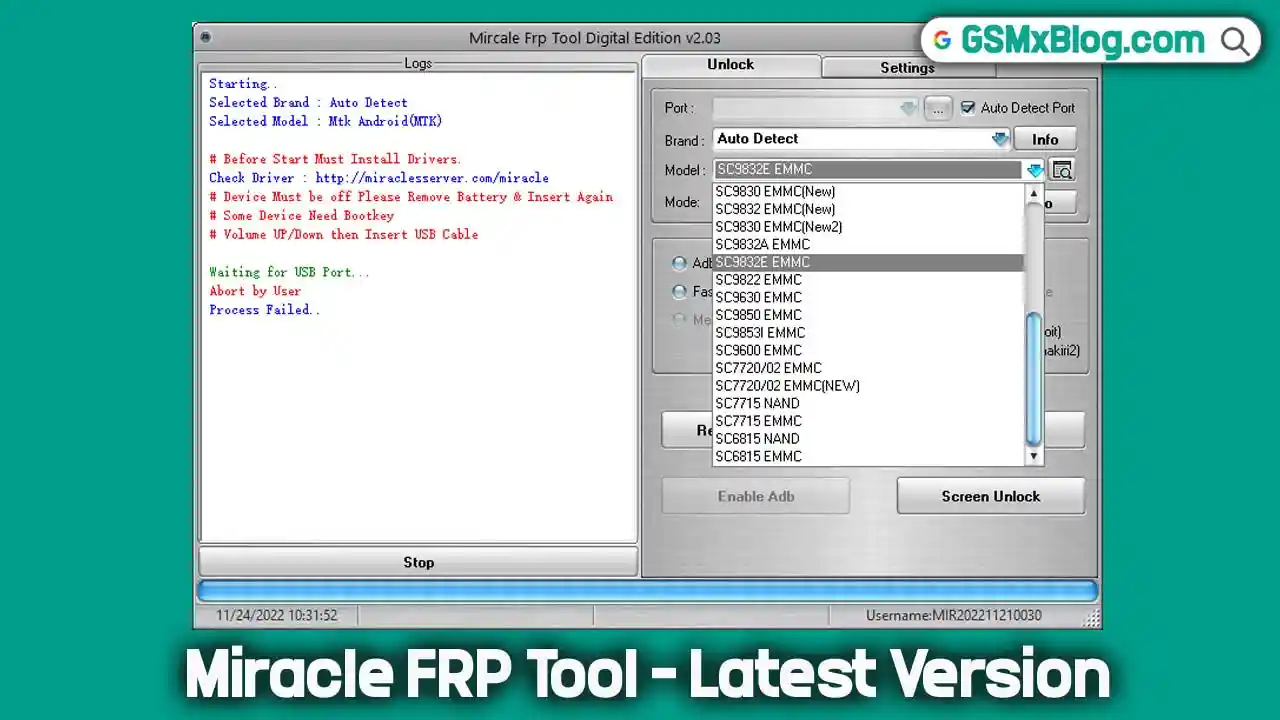
What is Miracle FRP Tool v2.03?
Miracle FRP Tool is a lightweight Windows application developed for removing Google Account verification (FRP) from Android smartphones. It is part of the Miracle Thunder Suite and supports multiple brands and CPU platforms, including legacy and newer devices.
Unlike other tools, Miracle FRP Tool doesn’t require premium authentication or online login. All you need is the tool setup and a USB cable.
Key Features of Miracle FRP Tool v2.03
| Feature | Description |
|---|---|
| Multi-Brand Support | Works on Xiaomi, Samsung, ASUS, Vivo, Oppo, Tecno, Huawei, etc. |
| Multi-Mode Operation | ADB, EDL, Fastboot, Meta, Diag, and Factory Modes supported |
| FRP Unlock | Bypass Google Account verification (FRP) within seconds |
| Screen Unlock | Also supports PIN/pattern/password removal in some modes |
| Meta Mode Read/Write | Useful for MediaTek devices for memory operations |
| Auto USB Driver Install | Bundled with Auto-Install UsbDk driver for seamless connectivity |
| User-Friendly Interface | Simple, clear GUI for both experts and beginners |
Download Miracle FRP Tool v2.03 (Latest Version) Free
- File Name: Miracle FRP Tool v2.03.zip
- Version: v2.03
- File Size: 267 MB
- Platform: Windows (32-bit and 64-bit)
Download Links:
- 🔽 Google Drive
- 🔽 AFH
How to Install & Use Miracle FRP Tool
Step 1: Download & Extract
- Click the download link above.
- Extract the ZIP file using WinRAR or 7-Zip.
Step 2: Install Drivers (If Needed)
- The tool may require USB drivers for your device.
- Enable USB Debugging on your phone (Settings > Developer Options).
Step 3: Launch the Tool
- Open Miracle FRP Tool.exe (Run as Admin).
- Select your device brand & model.
Step 4: Connect Device & Remove FRP
- For Samsung: Boot into Download Mode (Vol Down + Home + Power).
- For Xiaomi: Use EDL Mode (Vol Up + Vol Down + Power).
- For Others: Follow on-screen instructions.
Click “Reset FRP” and wait for completion.
Related Tools You May Need
- MTK USB Drivers for Windows
- QFIL Tool – Qualcomm Flash Tool
- Samsung Odin Flash Tool
- SP Flash Tool for MediaTek Devices
Conclusion
The Miracle FRP Tool v2.03 is one of the most effective and reliable FRP unlock tools for Android technicians and DIY users. With support for multiple brands, easy operation, and consistent performance, it’s a must-have utility in your mobile repair toolkit.