Adam Tool v2.3 (Latest Version) Download – Credit Tool for Xiaomi & More
If you’re looking for a reliable and advanced mobile servicing solution, Adam Tool v2.3 is one of the most trusted credit-based tools available today. Designed for professional technicians, it supports one-click authorization, Mi account reset, and advanced firmware operations on Qualcomm and MediaTek devices. With the latest v2.3 update, Adam Tool introduces expanded chipset support and critical data handling features. This guide covers everything you need to know about Adam Tool v2.3, including features, registration, and download details.
What Is Adam Tool Server Credits?
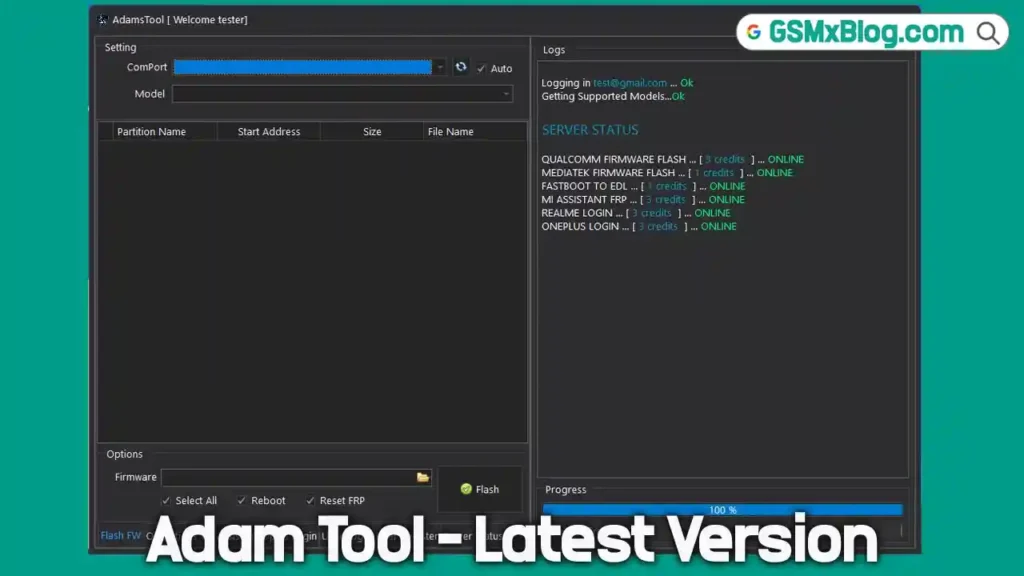
Adam Tool Server Credits enable advanced servicing operations through a secure server-based system. Once you have a registered account and active credits, you can perform complex tasks such as authorization, EFS reset, and firmware flashing with just one click.
Before placing an order, it’s essential to:
- Have an active Adam Tool account
- Verify supported models and features directly inside the software
This ensures compatibility with the devices you plan to service.
Key Features of Adam Tool v2.3
Adam Tool is widely used by mobile repair professionals due to its powerful and constantly updated feature set.
Core Features
- Write firmware in EDL mode (Qualcomm)
- Write firmware on MediaTek (MTK) devices
- Reset EFS
- MTK Authorization (Auth)
- Reset FRP on supported models
You can check the complete feature list, supported devices, and live server status directly within the software before purchasing credits.
Adam Tool v2.3 Download – Latest Version
Here are the official download details for the latest release:
- File Name: Adamtool_v2.3.exe
- Version: v2.3
- File Size: 67 MB
How to Register an Adam Tool Account
Follow these simple steps to create your Adam Tool account:
- Download the Adam Tool software
- Run the application on your PC
- Register your account directly inside the software
Once registered, you can log in, check supported models, and monitor server status before buying credits.
How to Buy Adam Tool Server Credits
When purchasing Adam Tool Server Credits, keep the following points in mind:
- Use the same email address you registered with in the software
- Ensure full payment is completed correctly
- After payment confirmation, you’ll receive a notification email
⚠️ The developer provides support only for officially supported models. Some features may not work on certain devices due to hardware or software limitations. Always verify compatibility first.
What’s New in Adam Tool v2.3.0 (Latest Update)
The Adam Tool v2.3.0 release brings major improvements and expanded chipset support:
- ✅ Added CPID Features
- ✅ Qualcomm: Read / Write Critical Data
- ✅ Qualcomm: Read / Write QCN
- ✅ MediaTek: Read / Write Critical Data via ETS Port & Meta Mode
- ✅ MICPID Server Integration
- ✅ New MTK CPU Auth Support:
- Malachite
- Rodin
Conclusion
Adam Tool v2.3 is a powerful, professional-grade credit tool built for advanced mobile servicing on Xiaomi, Qualcomm, and MediaTek devices. With its latest updates, improved chipset support, and critical data features, it remains a top choice for technicians worldwide.
👉 Download Adam Tool v2.3 today, register your account, and check supported models before purchasing credits to unlock its full potential.
Related Tools