Download Phoenix Service Tool V8.8.9 (Latest Version) Installer
The Phoenix Service Tool, developed by Nokia, is a powerful software for servicing, flashing, and maintaining Nokia mobile phones. Whether you’re troubleshooting software issues, updating firmware, or restoring a dead phone, this tool provides many functionalities to help technicians and users. This guide will explore its features, how to download and use it effectively, and why it is an essential tool for Nokia device maintenance.
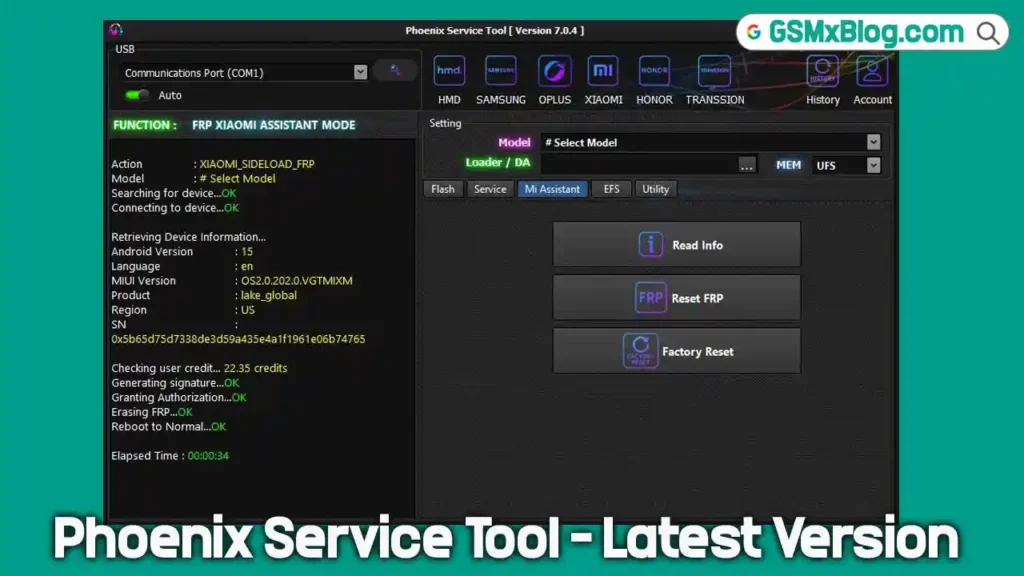
Key Features of Phoenix Service Tool V8.8.9
1. Firmware Flashing & Updates
Flash official stock ROMs or firmware packages to:
- Fix boot loops
- Remove software corruption
- Upgrade/downgrade firmware
- Improve system performance
- Restore Nokia devices to factory state
2. Product Code Changing
Modify Product Code (PC) to enable:
- Region-specific firmware access
- Localized features
- Operator variants
- Localization for multi-market sales
3. Dead Phone Flashing
A critical feature allowing users to revive bricked or non-responsive Nokia devices using emergency firmware loader protocols.
4. Phone Software Repair
Fix issues such as:
- Crashes
- Failed software updates
- Boot failures
- Application errors
5. Security Code Reset
Reset forgotten lock codes without affecting user data.
6. Backup & Restore
Perform secure data backups before flashing to prevent data loss.
7. Advanced Device Information Access
View details such as:
- Bootloader version
- Hardware ID
- IMEI configuration
- Firmware variant
8. Multi-Language Interface
Supports English, Hindi, Arabic, Spanish, Indonesian, and more—making it globally accessible.
Download Phoenix Service Tool V8.8.9 – Latest Updete
You can download the latest version of the Phoenix Service Tool directly from reliable sources like Google Drive or Mega.nz. Here are the details:
- File Name: Phoenix_Service_Tool V8.8.9.zip
- File Size: 78 MB
- Version: V8.8.9 (Latest)
- Platform: Windows (32-bit and 64-bit)
Download Links:
How to Use Phoenix Service Tool V8.8.9
1. Installation
- Download the Phoenix Service Tool using the links above.
- Extract the ZIP file and run the installer.
- Follow the on-screen prompts to install the software on a compatible Windows PC.
2. Setup and Preparation
- Ensure you have the required cables and adapters for your Nokia device.
- Obtain the appropriate firmware files for your phone model.
3. Flashing Firmware
- Launch the Phoenix Service Tool.
- Connect your powered-off Nokia phone to the computer.
- Select the Flashing or Firmware Update option within the software.
- Choose the desired firmware file and initiate the flashing process.
- Wait for the process to complete and avoid interruptions.
4. Changing Product Code (Optional)
- Navigate to the product code settings and input the desired code.
- Save the changes and proceed with flashing if required.
5. Resetting Security Code (Optional)
- Use the security code reset feature to unlock your device.
6. Data Backup and Restore (Optional)
- Perform a backup of your data before flashing to prevent data loss.
- Restore your backup once the process is complete.
Phoenix Service Tool V8.8.9 — What’s new
🌐 Server Updates
- Added support for new VIVO models
- Fixed minor server-related issues
- Server back online and fully operational
- Launched new official website
- Added Live Server Status on the main website
- Added new high-performance VPS servers
- Improved overall server stability and speed
🛠 Fixes
- Fixed Realme EFS Reset issue
- Fixed Realme Qualcomm Partition Manager backup issue
- Fixed bugs in V6 protocol
- Fixed “Check Your Internet Connection” error
- Fixed multiple minor bugs and stability problems
✨ New Features
- Added EROFS information support for MTK devices
- Added EROFS information support for Qualcomm devices
- Added refund ticket option in user panel
⚡ Improvements
- Faster overall performance
- Improved service stability
- Website improvements and optimizations
- Enhanced system performance
- Many small improvements and bug fixes
Conclusion
The Phoenix Service Tool V8.8.9 is indispensable for Nokia device maintenance, offering powerful features like firmware flashing, phone repair, and security code resets. Download it today to unlock its full potential and keep your Nokia phone in top condition.

![XTM GRT Dongle PRO v1.3.0 Setup Rebirth [Crack]](https://gsmxblog.com/wp-content/uploads/2025/07/xtm-grt-dongle-pro-v1-3-0-setup-rebirth-free-768x432.webp "Download XTM GRT Dongle PRO v1.3.0 Rebirth (Crack) Free – No Activation Required 4")