Download TWRP Recovery for All Xiaomi Devices – Redmi, POCO, Mi (2025/2026)
Looking for the official TWRP recovery download for your Xiaomi, Redmi, POCO, or Mi device? You’ve come to the right place. In this complete guide, we’ve compiled download links for TWRP, OrangeFox (OFRP), and PitchBlack Recovery (PBRP) for every supported Xiaomi device — along with a step-by-step installation guide for beginners and advanced users alike.
Whether you want to flash a custom ROM, root with Magisk, or take a full Nandroid backup, installing a custom recovery is your first step. Bookmark this page — we update it regularly as new devices and recovery builds are released.
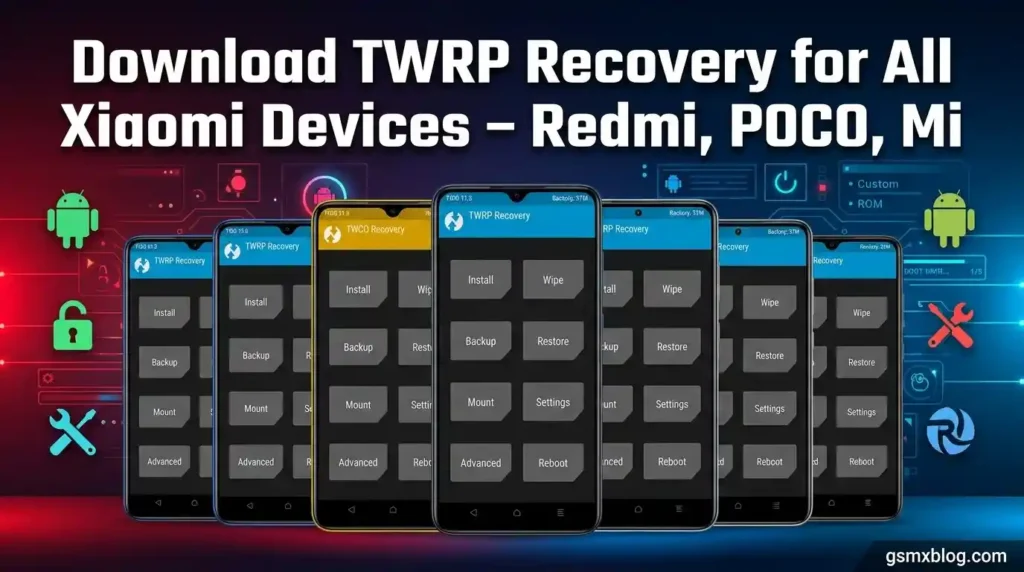
What Is TWRP Recovery?
TWRP (Team Win Recovery Project) is the world’s most popular open-source custom recovery for Android. It replaces the stock recovery partition on your Xiaomi phone, giving you full control over your device’s software.
Here’s what you can do once TWRP is installed:
- ✅ Flash custom ROMs — LineageOS, AOSP Extended, Pixel Experience, and more
- ✅ Root your phone with Magisk — get full superuser access
- ✅ Take Nandroid backups — a full snapshot of your entire system
- ✅ Restore backups quickly if something goes wrong
- ✅ Wipe partitions — cache, dalvik, data, and system
- ✅ Sideload updates via ADB from your PC
- ✅ Flash mods, kernels, and zip files with ease
If you own a Xiaomi device and want to explore the full potential of Android, TWRP is your starting point.
Types of Custom Recovery for Xiaomi
Not all custom recoveries are the same. Here’s a quick breakdown of the three most popular options for Xiaomi devices:
| Recovery | Short Name | Best For |
|---|---|---|
| Team Win Recovery Project | TWRP | Widest device support, most popular |
| OrangeFox Recovery | OFRP | Modern UI, best MIUI/HyperOS compatibility |
| PitchBlack Recovery | PBRP | Dark Material Design, feature-rich interface |
💡 Pro Tip: For Xiaomi devices launched in 2022 or later, we strongly recommend OrangeFox Recovery. It handles MIUI/HyperOS encryption far better and even supports MIUI OTA updates — something TWRP cannot do.
Requirements Before You Begin
Before flashing any custom recovery on your Xiaomi phone, make sure you have everything ready:
- 🔓 Unlocked Bootloader — You must unlock your bootloader using the official Mi Unlock Tool. This is mandatory — no workarounds exist.
- 💻 ADB & Fastboot Installed — Download Android Platform Tools for Windows, Mac, or Linux.
- 🛠️ USB Debugging Enabled — Go to Settings → About Phone → tap MIUI Version 7 times → enable USB Debugging in Developer Options.
- 🔋 Battery at 60% or above — Never flash on a low battery.
- 🔌 Quality USB Cable — A faulty cable can cause failed flashes or bricking.
⚠️ Important Warning: Unlocking your bootloader will wipe all data on your device. Back up everything before proceeding. gsmxblog.com is not responsible for any damage to your device.
Official Download Sources
Always download custom recovery from trusted, official sources only. Avoid random third-party sites.
| Source | Description | Link |
|---|---|---|
| TWRP Official | Official TWRP builds for all supported Xiaomi devices | Download TWRP for Xiaomi – twrp.me |
| OrangeFox Official | Official OrangeFox builds, Xiaomi-optimized | Download OrangeFox Recovery – orangefox.download |
| SourceForge | Community archive for TWRP, OFRP & PBRP | Xiaomi Recovery Archive – SourceForge |
| XDA Developers | Unofficial & community builds for all Xiaomi models | Xiaomi Custom Recovery – XDA Forums |
POCO Devices – TWRP Download Table
| Device Name | Codename | Recovery | Download Link |
|---|---|---|---|
| POCO F1 (PocoPhone) | beryllium | TWRP | Download TWRP for POCO F1 |
| POCO X2 / Redmi K30 | phoenix | TWRP | Download TWRP for POCO X2 |
| POCO X3 NFC | surya | TWRP / OFRP | Download TWRP for POCO X3 NFC – XDA |
| POCO X3 Pro | vayu | TWRP / OFRP | Download TWRP for POCO X3 Pro |
| POCO X3 GT / Redmi Note 10 Pro 5G | chopin | TWRP | Download TWRP for POCO X3 GT |
| POCO F3 / Redmi K40 / Mi 11X | alioth | TWRP / OFRP | Download TWRP for POCO F3 |
| POCO F3 GT | ares | TWRP | Download TWRP for POCO F3 GT – XDA |
| POCO M2 Pro | gram | PBRP | Download OrangeFox for POCO M2 Pro |
| POCO M3 | citrus | TWRP | Download TWRP for POCO M3 – XDA |
| POCO M3 Pro 5G | camellian | TWRP | Download TWRP for POCO M3 Pro 5G – XDA |
| POCO F4 / Redmi K40S | munch | TWRP / OFRP | Download TWRP for POCO F4 |
| POCO F4 GT / Redmi K50 Gaming | ingres | TWRP | Download TWRP for POCO F4 GT – XDA |
| POCO M4 Pro 4G / Redmi Note 11S | fleur | TWRP | Download TWRP for POCO M4 Pro |
| POCO M4 Pro 5G | evergreen | TWRP | Download TWRP for POCO M4 Pro 5G – XDA |
| POCO M5 / Redmi 11 Prime | rock | TWRP | Download TWRP for POCO M5 – XDA |
| POCO M5s | rosemary_p | OFRP | Download OrangeFox for POCO M5s – XDA |
| POCO X4 Pro 5G | veux | TWRP | Download TWRP for POCO X4 Pro 5G – XDA |
| POCO X4 GT / Redmi Note 11T Pro | xaga | TWRP | Download TWRP for POCO X4 GT – XDA |
| POCO X5 5G / Redmi Note 12 5G | moonstone / sunstone | TWRP | Download TWRP for POCO X5 5G |
| POCO X5 Pro 5G | redwood | TWRP | Download TWRP for POCO X5 Pro – XDA |
| POCO X6 / Redmi Note 13 Pro 5G | garnet | OFRP | Download OrangeFox for POCO X6 |
| POCO X6 Pro | duchamp | TWRP | Download TWRP for POCO X6 Pro – XDA |
| POCO F5 / Redmi Note 12 Turbo | marble | OFRP | Download OrangeFox for POCO F5 – XDA |
| POCO F5 Pro | mondrian | OFRP | Download OrangeFox for POCO F5 Pro |
| POCO F6 | peridot | OFRP | Download OrangeFox for POCO F6 |
| POCO C75 5G / Redmi A4 5G | warm | TWRP | Download TWRP for POCO C75 5G |
Redmi Number Series – TWRP Download
Redmi K Series – TWRP Download
Redmi Note Series – TWRP Download
Mi / Xiaomi Number Series – TWRP Download
Mi Special & MIX Series – TWRP Download
| Device Name | Codename | Recovery | Download Link |
|---|---|---|---|
| Mi Note 2 | scorpio | TWRP | Download TWRP for Mi Note 2 |
| Mi Note 3 | jason | TWRP | Download TWRP for Mi Note 3 |
| Mi Note 10 | tucana | TWRP | Download TWRP for Mi Note 10 |
| Mi A1 | tissot | TWRP / OFRP | Download TWRP for Mi A1 |
| Mi A2 | jasmine_sprout | TWRP / OFRP | Download TWRP for Mi A2 |
| Mi A2 Lite | daisy | TWRP / OFRP | Download TWRP for Mi A2 Lite |
| Mi A3 | laurel_sprout | TWRP / OFRP | Download TWRP for Mi A3 |
| Mi Max | hydrogen | TWRP | Download TWRP for Mi Max |
| Mi Max 2 | oxygen | TWRP / OFRP | Download TWRP for Mi Max 2 |
| Mi Max 3 | nitrogen | TWRP / OFRP | Download TWRP for Mi Max 3 |
| Mi MIX | lithium | TWRP | Download TWRP for Mi MIX |
| Mi MIX 2 | chiron | TWRP / OFRP | Download TWRP for Mi MIX 2 |
| Mi MIX 2S | polaris | TWRP | Download TWRP for Mi MIX 2S |
| Mi MIX 3 | perseus | TWRP | Download TWRP for Mi MIX 3 |
| Mi MIX 3 5G | andromeda | TWRP | Download TWRP for Mi MIX 3 5G |
| Mi MIX 4 | odin | TWRP | Download TWRP for Mi MIX 4 |
| Mi Pad 4 / Plus | clover | TWRP | Download TWRP for Mi Pad 4 |
How to Install TWRP on Any Xiaomi Device
Follow these steps carefully. Skipping any step may result in a failed flash or soft brick.
Step 1 — Unlock Your Bootloader
Go to Settings → About Phone → MIUI Version and tap it 7 times to enable Developer Options. Then go to Settings → Additional Settings → Developer Options and enable OEM Unlocking and USB Debugging.
Download the official Mi Unlock Tool, log in with your Mi Account, connect your phone via USB in Fastboot mode, and click Unlock. Note: Xiaomi enforces a waiting period of 72 hours to 30 days before the unlock is allowed.
⚠️ Bootloader unlock will erase all data on your device.
Step 2 — Download the Correct TWRP / OFRP File
Find your device in the tables above and download the correct .img file. Save it inside your Platform Tools folder on your PC for easy access. Download Android Platform Tools if you haven’t already.
Step 3 — Boot Into Fastboot Mode
Power off your phone completely, then hold Volume Down + Power simultaneously for 5–10 seconds. The Fastboot screen will appear. Connect your phone to the PC with a USB cable.
Step 4 — Flash Recovery via Fastboot
Open Command Prompt (Windows) or Terminal (Mac/Linux) inside your Platform Tools folder and run the appropriate command:
# For non-A/B partition devices (older Redmi, Note series)
fastboot flash recovery twrp.img
fastboot reboot recovery

# For A/B partition devices (Mi A series, most devices from 2019+)
fastboot boot twrp.img

# For vendor_boot partition devices (Xiaomi 12, 13, 14 series)
fastboot flash vendor_boot twrp.img
fastboot reboot recovery
Step 5 — Make TWRP Permanent (A/B Devices Only)
If you used fastboot boot twrp.img (A/B devices), TWRP is only temporarily loaded. To make it permanent, once inside TWRP go to:
Install → Install Recovery Ramdisk → Select your TWRP .img → Swipe to confirm
💡 Tip: Once TWRP boots, tap Keep Read Only on the prompt — this prevents TWRP from accidentally modifying your system partition before you’re ready.
OrangeFox vs TWRP – Which Is Better for Xiaomi?
| Feature | TWRP | OrangeFox (OFRP) |
|---|---|---|
| UI Design | Basic | Modern Material Design ✅ |
| Xiaomi / POCO Device Support | Good | Excellent ✅ |
| MIUI / HyperOS Decryption | Average | Superior ✅ |
| MIUI OTA Update Support | ❌ Not supported | ✅ Supported |
| Built-in File Manager | Basic | Advanced ✅ |
| Theme & Customization | Limited | Full support ✅ |
| Active Development (2025/2026) | Slowing down | Actively maintained ✅ |
| Broadest Device Coverage | ✅ Wider overall | Xiaomi-focused |
Our Verdict: If your Xiaomi device was released in 2022 or later, go with OrangeFox. It’s actively developed, handles HyperOS/MIUI encryption reliably, and supports MIUI OTA updates — a major advantage over TWRP. For older devices where OrangeFox isn’t available, TWRP remains the most reliable choice.
Frequently Asked Questions (FAQ)
Can I install TWRP without unlocking the bootloader?
No. An unlocked bootloader is an absolute requirement. There is no workaround or bypass for this step on Xiaomi devices. Attempting to flash without an unlocked bootloader will fail.
Will installing TWRP delete my data?
Flashing TWRP itself will not delete your data. However, unlocking the bootloader (which you must do first) will wipe your device completely. Back up everything before unlocking.
TWRP booted once but now MIUI loads directly — why?
This happens on A/B partition devices. MIUI automatically restores the stock recovery on the next reboot. The solution is to boot TWRP temporarily with fastboot boot twrp.img and then permanently install it from inside TWRP via Install Recovery Ramdisk.
My Xiaomi device isn’t in the list — where can I find TWRP for it?
Head to XDA Developers and search for your exact device model. Nearly every Xiaomi device has a dedicated forum thread where developers post custom recovery builds. Also check OrangeFox for newer devices.
How long does the Xiaomi bootloader unlock waiting period take?
The waiting period varies by region and account. Most users report 72 hours, but Xiaomi can extend this to 360 hours (15 days) or even 30 days for new Mi Accounts or accounts without sufficient usage history.
Can I use TWRP to install Magisk and root my Xiaomi phone?
Yes. After installing TWRP, download the latest Magisk APK, rename it to Magisk.zip, boot into TWRP, tap Install, select the zip, and swipe to flash. Reboot system and open the Magisk app to complete setup.
Final Thoughts
Installing a custom recovery like TWRP or OrangeFox is the gateway to unlocking your Xiaomi device’s full potential — from flashing custom ROMs and rooting with Magisk to taking complete system backups. With this guide and the comprehensive download tables above, you have everything you need to get started safely.
