G-ST Samsung Unlock V7.8 (Latest Version) With Free Login – Best Samsung FRP Tool
Are you struggling with a locked Samsung device? G-ST Samsung Unlock V7.8 is the latest and most powerful tool for bypassing FRP (Factory Reset Protection), unlocking Samsung phones, and performing advanced operations like factory reset, Knox removal, and MTP bypass.
Developed by Gorontalo Android Tool, this software supports Qualcomm, Exynos, and MediaTek chipsets, making it a versatile solution for Samsung users worldwide.

What is G-ST Samsung Unlock V7.8?
G-ST Sam Unlock Tool V7.8 is an advanced software developed specifically for unlocking and repairing Samsung smartphones. It allows users to bypass locks, remove FRP, factory reset devices, and even flash firmware—all without needing technical expertise.
Key Features of G-ST Samsung Unlock Tool
1️⃣ Test Mode Functions
- Read device info
- Remove FRP (Android 5-13)
- Factory reset & reboot
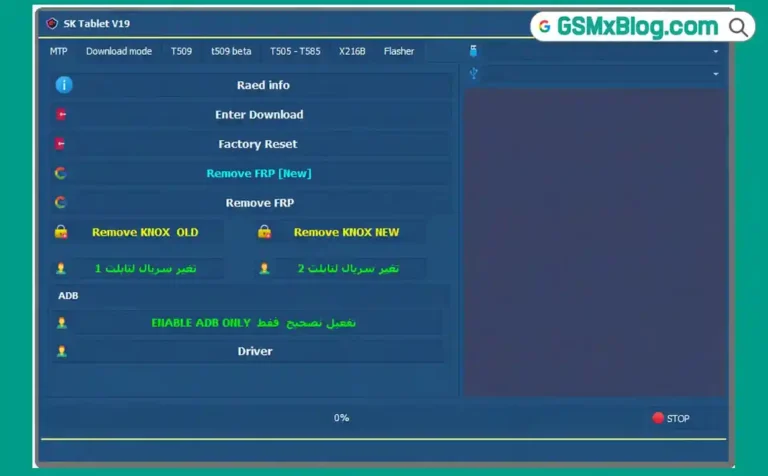
- Disable Knox & Factory Mode
2️⃣ Download Mode Features
- Exit Download Mode
- Fix soft brick issues
- FRP bypass for Android 5/6 (A1 & B variants)
3️⃣ MTP & ADB Mode
- Run YouTube & browser
- Remove screen lock
- Install APK/XAPK files
- Disable OTA updates
4️⃣ Qualcomm & MediaTek Support
- Boot via Test Point (Qualcomm)
- BROM Mode (MediaTek)
- Preloader & EDL Mode support
Download & Install G-ST Samsung Unlock V7.8
- File Name: G-ST_Samunlock_V7.8.7z
- File Size: 218 MB
- Developer: Gorontalo Android Tool
- Operating System: Windows 7–11
- Extraction Password: gsmxblog
How to Install G-ST SamUnlock V7.8
- ✅ Download G-ST V7.8 Tool
- ✅ Extract
.7zfile using WinRAR or 7Zip. - ✅ Install the setup file.
- ✅ Launch from desktop shortcut G-ST SamUnIock V7.0.
- ✅ Login Password: INDONESIA
- ✅ Connect your Samsung device and start unlocking!
🔧 Required USB Drivers
Supported Chipsets and Devices
Qualcomm Devices
- Samsung SM-A115F
- Samsung SM-A115M
- Samsung SM-A115U1
- Samsung SM-M115F
- Samsung SM-A705F
- Samsung SM-A015A Series (AZ, G, M, U1, V)
- And many more…
MediaTek (MTK) Devices
- Supports Format FRP
- Compatible with BROM Mode
- Test Point Mode support
- Softbrick recovery
Exynos Devices
- Support for older versions
- Download mode operations
How to Bypass FRP on Samsung Using G-ST V7.8
Test Point (Qualcomm)
- Power off the device.
- Open the back cover and locate Test Points.
- Short-circuit the Test Points and connect USB.
- Select “Remove FRP” in the tool.
BROM Mode (MediaTek)
- Hold Volume Up + Down while connecting USB.
- If failed, use Test Point method.
- Run FRP bypass from the tool.
Download Mode (Exynos)
- Boot into Download Mode (Vol Down + Power + Home).
- Select “FRP Android 5/6” in the tool.
How to Bypass FRP on Samsung Using G-ST V7.8
Test Point (Qualcomm)
- Power off the device.
- Open the back cover and locate Test Points.
- Short-circuit the Test Points and connect USB.
- Select “Remove FRP” in the tool.
BROM Mode (MediaTek)
- Hold Volume Up + Down while connecting USB.
- If failed, use Test Point method.
- Run FRP bypass from the tool.
Download Mode (Exynos)
- Boot into Download Mode (Vol Down + Power + Home).
- Select “FRP Android 5/6” in the tool.
Related Post
- SUT Tool v.120 (SamUnisocTool)
- MWorker Tool v5 Rev6 (Latest Version)
- TSM Tool Pro V2.0.5 (Latest Version)
- UnlockTool 2025.04.22.0 (Latest Version)
Conclusion
The G-ST Samsung Unlock Tool V7.8 is an essential utility for mobile technicians and enthusiasts alike. With broad chipset support, free login access, and multi-mode FRP bypass features, it’s built to handle almost any Samsung unlocking challenge in 2024.
Whether you’re a mobile repair pro or someone trying to fix a locked device at home, this tool saves time, money, and hassle.
⚠️ Disclaimer: This tool is intended for educational and repair purposes. Always ensure you have legal ownership of the device you’re unlocking. The developers or authors are not responsible for any misuse or damage caused during the process.
Have questions? Drop a comment below! 🚀