Download Kirin-Tool v2.2 Free for Huawei Kirin Devices
If your Huawei phone is stuck on the logo, facing update errors, or locked after a reset, you need a reliable repair solution. Kirin-Tool v2.2 is a lightweight Windows program designed specifically for Huawei devices powered by HiSilicon Kirin processors.
It helps technicians and advanced users fix software-related problems such as boot loops, FRP lock issues, and firmware errors. If your device is not working properly due to software corruption, this tool can help restore it.
The latest available version in 2026 continues to support multiple Kirin chipsets and offers essential flashing and unlocking functions.
What is Kirin-Tool v2.2?
Kirin-Tool is a free Windows utility built for Huawei smartphones that use Kirin CPUs. Many Huawei devices use custom firmware structures, which makes regular flashing tools unreliable.
This tool provides deeper access through VCOM Mode and Fastboot Mode, giving you better control during repair operations.
It is not meant for daily use. It is mainly used when a device has serious software problems.
Key Features of Kirin-Tool v2.2
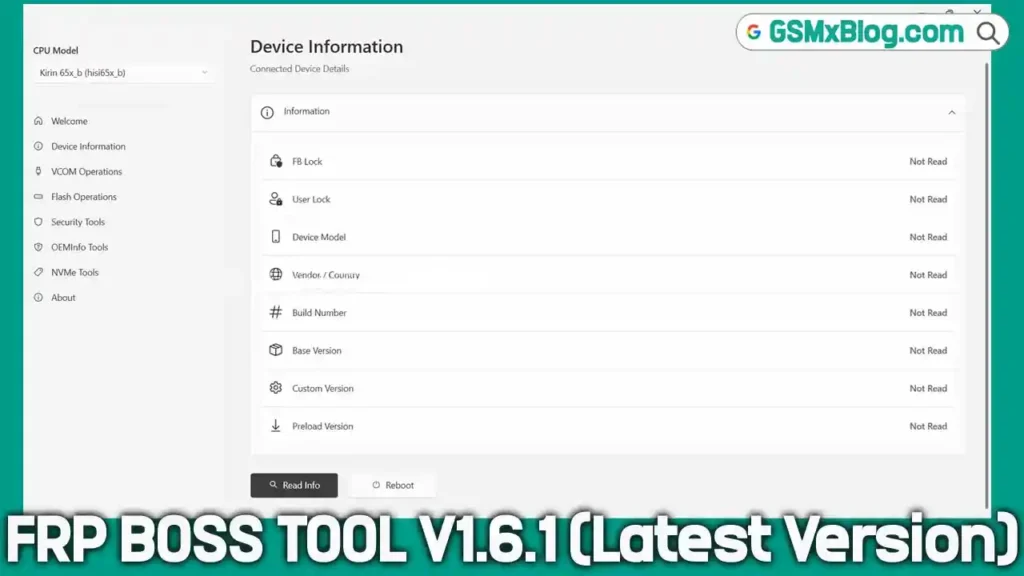
1. Device Information Reader
You can check important phone details such as:
- FB Lock status
- User Lock status
- Device model
- Vendor & country
- Build number
- Base version
- Custom version
This helps you understand the current state of the device before performing any action.
2. VCOM Operations
- Unlock Fastboot
This allows your device to enter an unlocked fastboot state for advanced operations.
3. Flash Operations
Full OTA Flash
- Flash base files
- Flash update files
- Flash custom files
- Flash preload files
Fastboot Flasher
- Dump partitions
- Flash partitions
These options help fix boot loops, stuck logo issues, or corrupted firmware.
4. FRP Lock Removal
You can remove Factory Reset Protection (FRP) in supported cases. This feature is useful when a device is locked after a factory reset.
5. OEMInfo Tools
- Convert OEMInfo
- Get OEMInfo from device
These options help when changing firmware regions or fixing compatibility problems.
6. NVMe Tools
- Read Serial Number
- Write Serial Number
These tools are mainly for advanced repair technicians.
Download Kirin-Tool v2.2 Free – Latest Updete
Follow these steps to download safely:
- File Name: Kirin-Tool-v2.2.zip
- Version: v2.2
- File Size: 53.96MB
How to Install Kirin-Tool on Windows
- Extract the downloaded file.
- Install required USB drivers (VCOM / Fastboot drivers).
- Disable antivirus temporarily if needed (some tools trigger false positives).
- Run the tool as Administrator.
No complex installation is required since it is a lightweight Windows utility.
How to Use Kirin-Tool (Basic Guide)
- Open Kirin-Tool v2.2 on your PC.
- Select the correct Kirin CPU model.
- Boot your Huawei phone into VCOM or Fastboot mode.
- Connect the phone using a USB cable.
- Choose the required function (Flash, FRP, OEMInfo, etc.).
- Click Start or Execute.
- Wait until the process completes.
Do not disconnect the cable during flashing.
Supported Kirin CPU Models
Before using the tool, you must select the correct processor. Kirin-Tool v2.2 supports:
- Kirin 65x_a (hisi65x_a)
- Kirin 65x_b (hisi65x_b)
- Kirin 620 (hisi620)
- Kirin 620c (hisi620c)
- Kirin 925 (hisi925)
- Kirin 935 (hisi935)
- Kirin 950 (hisi950)
- Kirin 955 (hisi955)
- Kirin 960 (hisi960)
- Kirin 970 (hisi970)
- Kirin 980 (hisi980)
- Kirin 710 (hisi710)
- Kirin 710a (hisi710a)
- Kirin K3v2 (hisik3v2)
Selecting the wrong CPU may cause flashing errors or device damage.
Conclusion
Kirin-Tool v2.2 is a powerful and practical solution for repairing Huawei devices powered by Kirin processors. Whether your phone is stuck in a boot loop, facing firmware errors, or locked by FRP, this tool provides essential repair features in a simple interface.
If you work with Huawei smartphones or need to fix software problems in 2026, Kirin-Tool v2.2 is a useful addition to your repair toolkit. Always use it carefully and follow proper flashing procedures for safe results.