Download HSPro Tool V2.2.1 Latest Version – MDM Bypass
If you are looking for a reliable and secure way to bypass MDM locks, remove FRP, and unlock Android devices, the HSPro Tool V2.2.1 is the perfect solution. This latest version delivers fast, stable, and effective performance for technicians, mobile repair experts, and individual users. With features like KG Bypass for Samsung and HXD online editing, it has become one of the most trusted tools in the mobile servicing community.
In this guide, we will explain the key features, supported functions, installation steps, and provide a direct download link for HSPro Tool V2.2.1.
Key Features of HSPro Tool V2.2.1
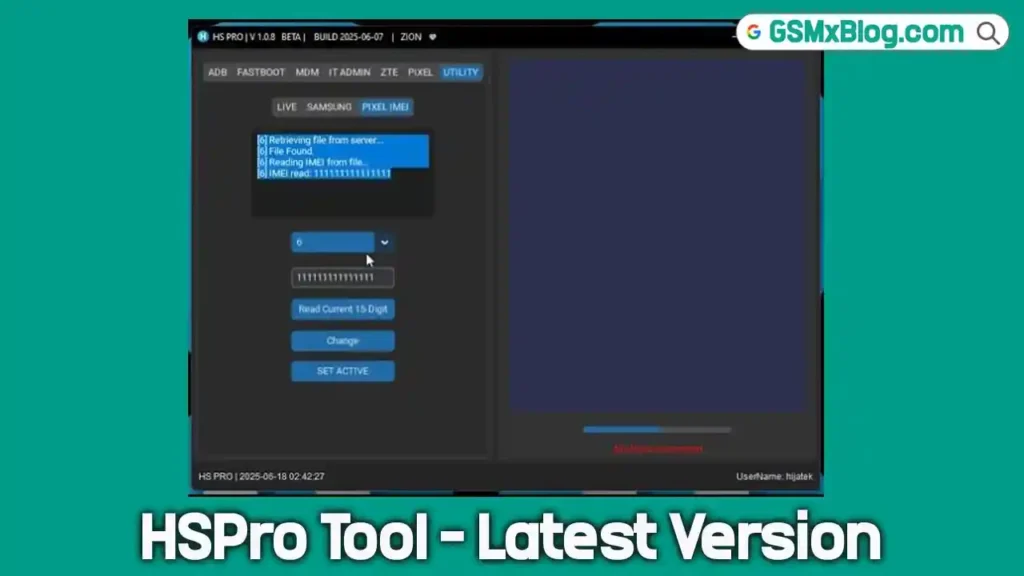
The HSPro Tool is a sophisticated software utility for advanced users. Its latest version, V2.2.1, includes several powerful features designed to address various device locks.
- MDM Bypass: Its primary function is to remove or bypass Mobile Device Management profiles from iOS and Android devices.
- FRP Removal: It can bypass Factory Reset Protection (FRP) on Android devices, which is useful if you’ve forgotten the original Google account credentials.
- No Relock Guarantee: A significant feature ensures that devices, once unlocked, will not relock after a future update or reset.
- Wide Device Support: The tool supports a broad range of device models from major manufacturers.
- KG Bypass Function: This specifically targets the Knox Guard (KG) lock on Samsung devices.
- HXD Online Editing Feature: This allows for advanced hexadecimal editing for deep-level system modifications.
How to Download HSPro Tool V2.2.1
- File Name: HSPro Tool V2.2.1.zip
- File Size: 80 MB
- Version: V2.2.1 (Latest)
- Platform: Windows (32-bit and 64-bit)
Download HSPro Tool V2.2.1 from MEGA
How to Install HSPro Tool V2.2.1
Follow these steps to download and install the tool correctly:
- Download the Setup File
- Use the MEGA link.
- Alternatively, use Google Drive if available.
- Disable Antivirus or Windows Defender
- Temporarily turn off security software to avoid installation errors.
- Run as Administrator
- Right-click the setup file and choose Run as administrator.
- Follow the Installation Wizard
- Select your location → Next
- Choose Start Menu folder → Next
- Click Install and wait for completion.
- Login
- Enter your username and password to start using the tool.
How to Use HSPro Tool for MDM Bypass
The process is simple and beginner-friendly:
- Connect your device via USB.
- Launch the tool and log in.
- Choose the desired option (MDM Bypass / FRP / Unlock).
- Start the process and wait until it completes.
- Restart the device to confirm the unlock was successful.
Conclusion
The HSPro Tool V2.2.1 (Latest Version) is a powerful and reliable solution for MDM bypass, FRP removal, and Android device unlocking. With its no-relock guarantee, fast processing speed, and wide compatibility, it is an essential utility for technicians and advanced users alike.