iDescriptor V0.5.0 Tool Free Download (Open-Source)
If you’ve ever tried managing your iPhone or iPad from a Windows PC, you know how limited most tools feel. That’s where iDescriptor V0.5.0 stands out. It’s lightweight, open-source, and packed with practical features—from installing IPA files to screen mirroring and even virtual GPS control.
This latest version improves stability and fixes key issues, making it a reliable choice for both casual users and advanced technicians. Here’s everything you need to know before downloading and using it.
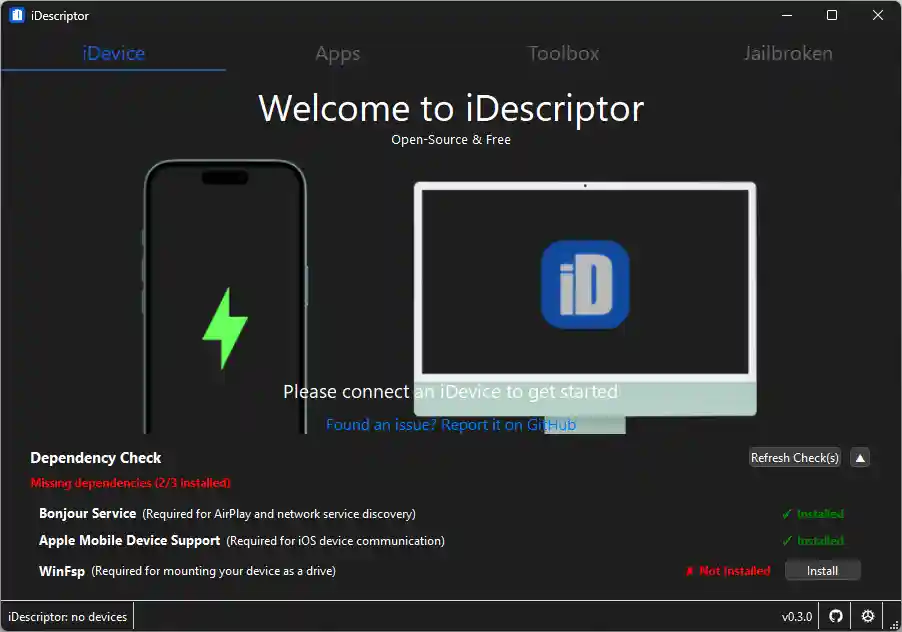
What is iDescriptor V0.5.0?
iDescriptor is an open-source desktop tool that allows you to manage iOS devices directly from your computer. Unlike heavy or paid alternatives, it focuses on simplicity while still offering advanced functionality.
Whether you want to install apps manually, view device information, or mirror your screen, this tool brings everything into one place.
Key Features of iDescriptor
iDevice Management
Managing device connections is smooth and automatic. The tool detects your device instantly and allows switching between multiple devices without manual setup.
- Device connection management
- Dependency check
- Auto device switching
- Connection timeout control
Apps & IPA Management
One of the strongest features is app control. You can install IPA files without complicated steps.
- App library access
- One-click IPA install
- IPA download support
- Apple ID sign-in support
This makes it useful for developers and users who prefer manual app installation.
Toolbox Features
The toolbox section adds powerful utilities that go beyond basic device management.
- AirPlay screen casting
- Live screen view
- Virtual GPS location
- Device hardware info check
- Developer disk image management
- Wireless gallery import
- iFuse mount
- Network device detection
- Wireless file server
These features are especially helpful for testing apps, troubleshooting, or managing files without cables.
Jailbreak Support
For jailbroken devices, iDescriptor includes SSH access.
- Full SSH terminal access
This allows advanced users to control their device at a deeper level.
Settings Customization
The tool keeps things simple but flexible with essential settings:
- Custom download path
- Update checker
- Theme selection
Download iDescriptor V0.5.0
- File Name: iDescriptor-v0.5.0-Windows_x86_64.msi
- Version: v0.5.0
- File Size: 152 MB
How to Install and Open iDescriptor on Windows
Follow these simple steps:
Step 1: Download the File
Download the MSI or ZIP file from the link above.
Step 2: Extract (if needed)
If you downloaded a ZIP file, extract it using WinRAR or 7-Zip.
Step 3: Open the Folder
Go to the extracted folder location.
Step 4: Run the Tool
Find iDescriptor.exe, right-click, and select Run as administrator.
Step 5: Install Required Components
If prompted, allow the tool to install dependencies.
Step 6: Start Using
Once opened, connect your iPhone or iPad and start using all features.
What’s New in iDescriptor V0.5.0
Bug Fixes
- Fixed issue where exporting more than 240 files would fail
Improvements
- AirPlay now uses legacy ports by default on Linux
Previous Fix (v0.3.0)
- Resolved App Store (ipatool) issue caused by Apple server changes
These updates improve stability and ensure smoother performance across different systems.
Conclusion
iDescriptor V0.5.0 delivers a practical mix of simplicity and advanced features. It covers everything from app installation to device monitoring without overwhelming the user.
If you want a clean, open-source tool to manage your iOS device from Windows, this version is worth trying.