ADB SMART DETECTOR v1.0.2026 (Latest Version) Download Free
Managing Android apps and monitoring what runs inside your phone doesn’t have to be complicated. ADB SMART DETECTOR v1.0.2026 is a lightweight yet powerful tool created for Android technicians, learners, and advanced users. With only USB debugging enabled, it allows you to view installed apps, detect active background apps, and check device information easily. The tool is fast, simple, and safe—making ADB tasks effortless.
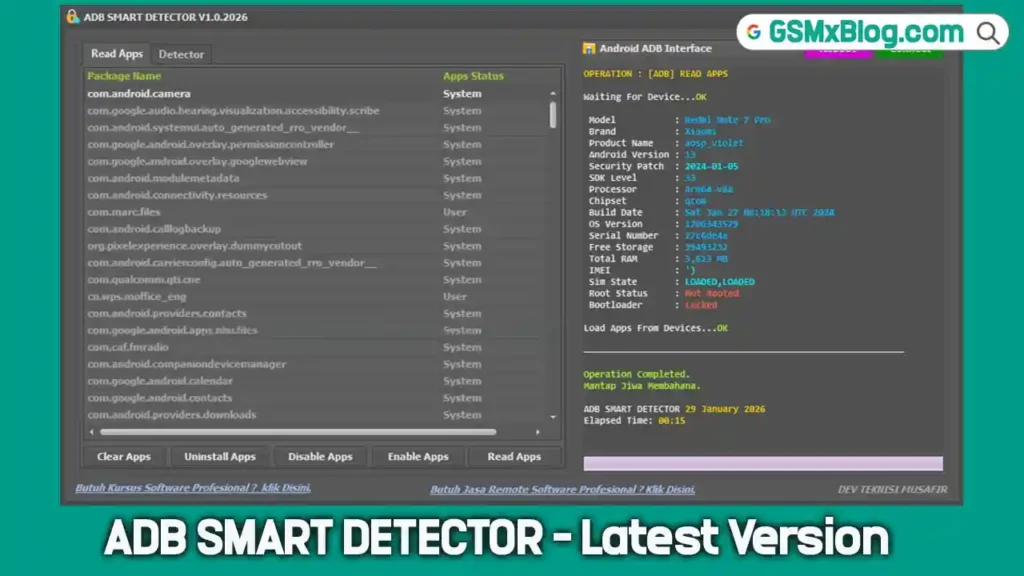
What’s New in ADB SMART DETECTOR v1.0.2026
The latest version focuses on better speed, clarity, and accuracy. App loading is faster, and detection results are more reliable.
New Improvements
- Faster and smoother app reading
- Clear separation between system apps and user apps
- Real-time detection of active apps
- Complete device details shown in one place
- Improved detector with zero delay
These improvements make Android diagnostics quicker and more efficient.
ADB SMART DETECTOR v1.0.2026 Download Free
- File Name: Adb_Smart_Detector_Teksir_pass_1111.zip
- Version: v1.0.2026
- File Size: 40.68 MB
- Password: 1111
How to Use ADB SMART DETECTOR (Step-by-Step)
- Enable USB Debugging on your Android phone
- Connect your phone to the computer using a USB cable
- Open ADB SMART DETECTOR
- Click Connect
- Click Read Apps to view installed applications
- Click Detect Active Apps to see running apps
- Select any app to disable, enable, or uninstall
That’s it—no commands and no confusion.
Conclusion
ADB SMART DETECTOR v1.0.2026 is a highly useful tool for anyone working with Android devices. Its simple interface, fast performance, and no-root requirement make it ideal for both beginners and professionals. If you want an easy way to manage Android apps and monitor device activity without using commands, this tool is an excellent choice.