Download LibUSB Win32 Driver v1.2.6.0 (Latest Version) For Windows
If you work with MediaTek-powered smartphones and tablets, you’ve probably run into situations where your flash tool just won’t detect the device. Most of the time, the fix is simple — you need the LibUSB Win32 Driver installed on your PC. In this guide, you’ll find the direct download link for LibUSB Win32 Driver v1.2.6.0, along with a clean step-by-step installation guide so you can get back to flashing and unlocking devices without any hassle.
What is the LibUSB Win32 Driver?
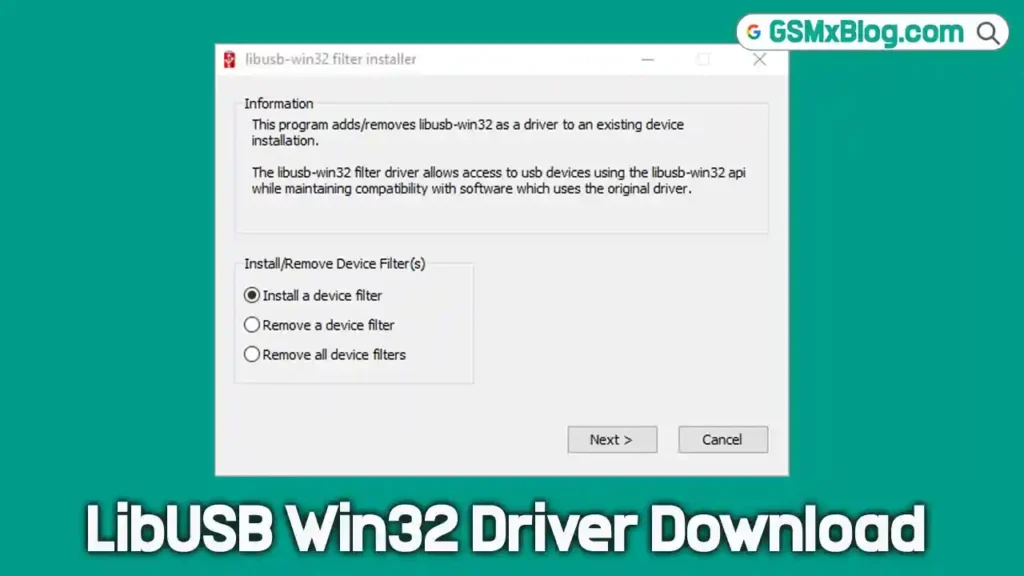
The LibUSB Win32 Driver is also known as the MediaTek filter driver. It acts as a bridge between your Windows PC and any device running a MediaTek (MTK) chipset. Without this driver, tools like SP Flash Tool won’t be able to communicate with your device properly.
Here’s what you can do once it’s installed:
- Flash firmware on MediaTek-powered phones and tablets
- Bypass authentication during the flashing process
- Unlock devices that run on MediaTek SoCs
- Ensure compatibility with the latest MediaTek chipsets
This driver is a must-have for any technician who regularly works on MTK devices. If you’re also dealing with other chipsets, check out the MTK USB Driver and SPD USB Driver available on GSMxBlog.
Download LibUSB Win32 Driver v1.2.6.0 (Latest Version)
The current stable version is v1.2.6.0, which supports Windows 10, Windows 8, Windows 7, and other older Windows versions, both 32-bit and 64-bit.
Driver Details:
- Driver Name: libusb-win32-devel-filter-1.2.6.0.zip
- Version: v1.2.6.0
- Driver Size: 603 KB
- Credit: MediaTek Inc.
How to Install LibUSB Win32 Driver on Windows
Installing this driver takes only a few minutes. Follow the steps below carefully:
Step 1: Download the Driver
Click the download link above and save the libusb-win32-devel-filter-1.2.6.0.zip file to your computer.
Step 2: Extract the Zip File
Use WinRAR or 7Zip to extract the zip package. After extraction, you’ll find the driver installer file inside the folder.
Step 3: Install the Driver
- Right-click on the driver installer file and select Install.
- Click Next to proceed.
- Accept the terms by clicking I Accept, then click Next.
- Click Next once more, then click Finish to complete the installation.
That’s it. The LibUSB Win32 Driver is now installed on your PC and ready to use.
Troubleshooting Common Issues
Having trouble? Here are a few quick fixes:
- Flash tool still not detecting the device — Make sure you extracted the zip file completely before installing. Running the installer directly from the zip can cause issues.
- Installation blocked by antivirus — Temporarily disable your antivirus before installing. The driver file has been scanned with Virustotal and is safe to use.
- Driver not working on newer chipsets — Always use the latest version (v1.2.6.0). Older versions don’t support the latest MediaTek SoCs.
- Windows won’t install the driver — Right-click the installer and choose Run as Administrator to give it the required permissions.
Conclusion
The LibUSB Win32 Driver v1.2.6.0 is an essential tool for every mobile technician working with MediaTek devices. Whether you’re flashing stock firmware or unlocking a device, this small driver makes a big difference. Download it, install it once, and your MTK flash tools will work smoothly every time.
If you found this guide helpful, also check out the Qualcomm USB Driver for Qualcomm-based devices available on GSMxBlog.
Credit: Full credit goes to MediaTek Inc. for developing and distributing this driver for free.