Download GAPro Login Tool V2.2 (Latest Version) Setup File
Flashing Oppo, Realme, or OnePlus smartphones often requires authorized login access, which can be a major obstacle for technicians and advanced users. The GAPRO Login Tool V2.2 OTP is designed to overcome this limitation by bypassing authentication in official flashing tools. With wide device and chipset support, it offers a reliable and professional solution for firmware flashing. In this article, you’ll find complete details, features, download information, and step-by-step usage instructions.
What Is GAPRO Login Tool V2.2?
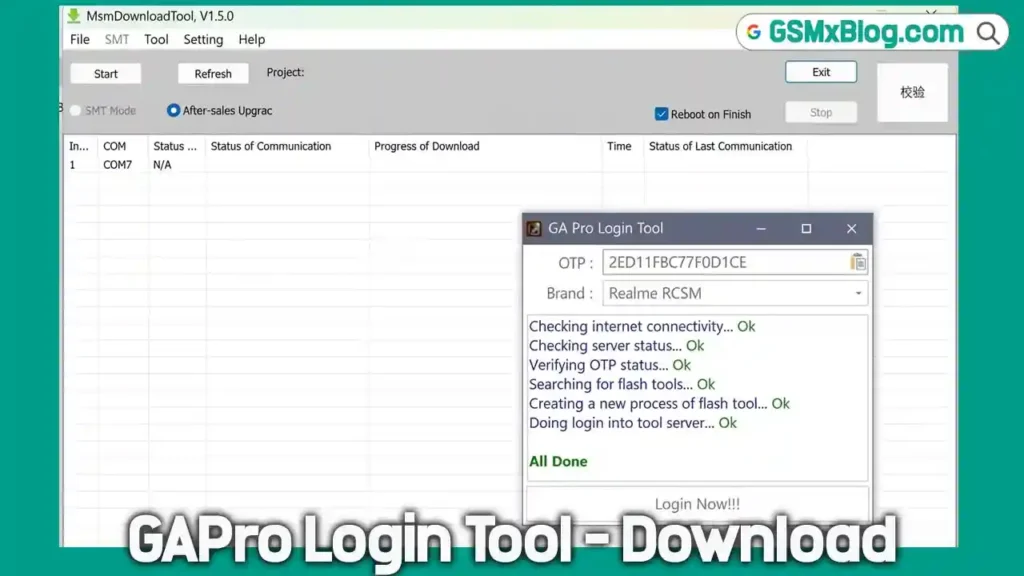
The GAPRO Login Tool V2.2 OTP (One-Time Password) is a premium authentication tool developed for professional mobile repair and flashing purposes. It allows users to bypass authorized login protection in official tools such as MSM Download Tool, Oplus Flash Tool, and other chipset-based utilities.
To use the tool, users must purchase a valid OTP from an authorized reseller. Once authenticated, the GAPRO tool automatically launches the required flashing software, allowing you to load firmware files and begin the flashing process without login restrictions.
Key Features of GAPRO Login Tool V2.2
- Bypasses authorized login in official flashing tools
- Secure OTP-based authentication system
- Automatically launches compatible flashing utilities
- Simple drag-and-drop support for
.ofpfirmware files - Supports Oppo, Realme, and OnePlus devices
- Works with Qualcomm, MTK, and Unisoc chipsets
- Stable and professional-grade performance
Download GAPRO Login Tool V2.2 – Latest Version
- File Name: GAProLogin_Tool_v2.2.zip
- Version: v2.2
- File Size: 442.14 MB
How to Use GAPRO Login Tool V2.2
Step 1: Download and Prepare
- Download the GAPRO Login Tool V2.2.
- Download the required flashing tool for your device.
- Download and extract the stock firmware for your phone.
- Copy the GAPRO Tool, Flash Tool, and firmware files into the same folder.
Step 2: Launch the Tool
- Extract the GAPRO Login Tool files.
- Run Meow.exe as administrator.
Step 3: Purchase an OTP
- Buy a valid OTP from an official reseller listed on the GAPRO website:
https://www.gaprologin.com/resellers
Step 4: Log In
- Paste the purchased OTP into the GAPRO tool.
- Click Login.
- The appropriate flashing tool will open automatically.
Step 5: Flash Your Device
- Drag and drop the
.ofpfirmware file into the flashing tool. - Click Start to begin the flashing process.
- Power off your phone and connect it to the PC using a USB cable.
- The tool will detect your device and start flashing.
- Do not close the GAPRO OTP Tool during flashing.
Step 6: Finish
- Once flashing is complete, disconnect your phone.
- Power it on and complete the initial setup.
Conclusion
The GAPRO Login Tool V2.2 OTP is a powerful and essential utility for technicians and advanced users working with Oppo, Realme, and OnePlus devices. Its wide chipset support, secure OTP authentication, and smooth flashing process make it a dependable choice for professional firmware installation.
Related Tools