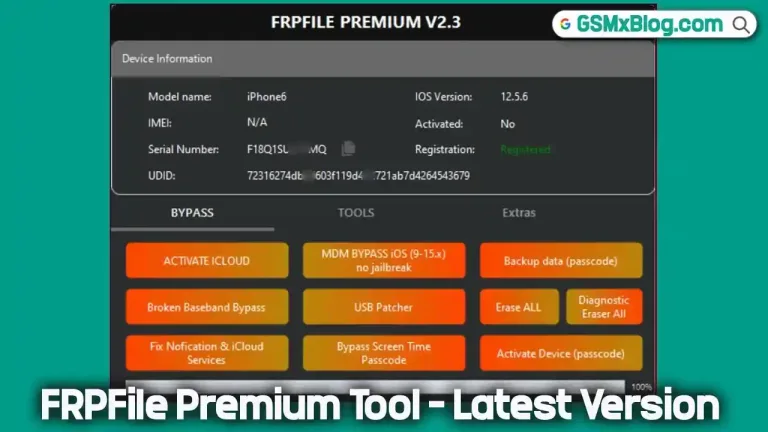
FRPFile AIO V2.8.6 (Latest Version) Free – iCloud Bypass Tool
If your iPhone is locked by iCloud or showing the “iPhone is Disabled” message, don’t worry — you’re not alone. The FRPFile AIO V2.8.6 iCloud Bypass Tool is a powerful and reliable software designed to remove iCloud locks and reactivate disabled iPhones. Supporting models from iPhone 5S to iPhone X, this latest version offers fast, safe, and user-friendly unlocking directly from your Windows PC.
This guide, written by a mobile repair expert, will walk you through everything you need to know about the FRPFile AIO Tool, including features, installation steps, and safety recommendations.
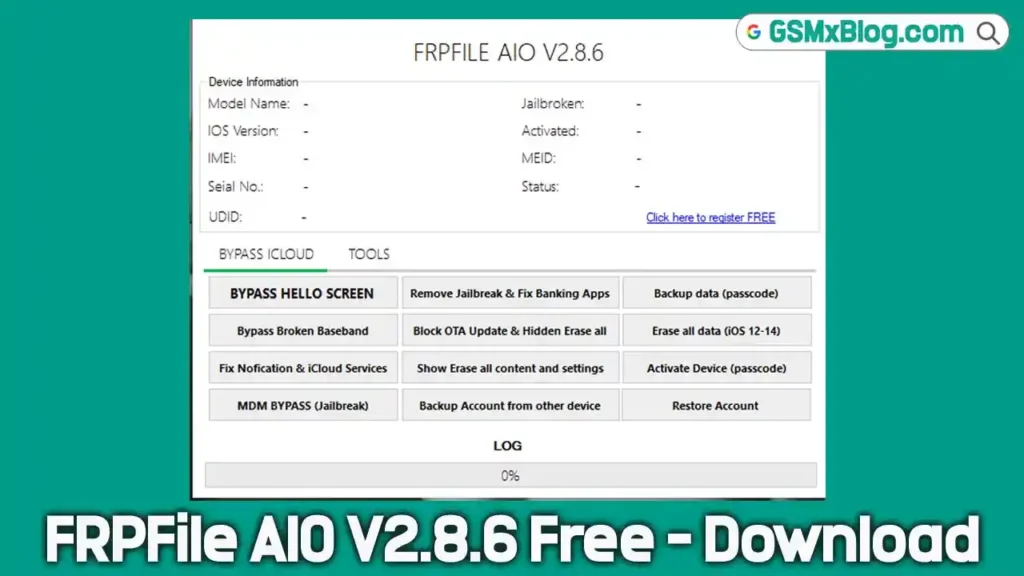
What is FRPFile AIO V2.8.6?
FRPFile AIO (iFRPFile AIO) is an advanced iCloud activation lock removal tool built for iPhone devices. It helps users bypass iCloud locks and unlock disabled iPhones with network support. The latest version, V2.8.6, brings enhanced performance, broader model compatibility, and a more stable bypass process.
Compatible with iPhone 5S through iPhone X, the tool supports iCloud bypass with network, letting you regain partial functionality like Wi-Fi and Apple ID-free usage. Before running FRPFile AIO, ensure your device is jailbroken using Checkra1n or Palera1n for full compatibility.
Key Features of FRPFile AIO V2.8.6
- ✅ iCloud Bypass with Network: Bypass the activation lock while retaining Wi-Fi and limited network functionality.
- ✅ Supports Multiple iPhone Models: Fully compatible with iPhone 5S, 6, 6 Plus, 6S, 6S Plus, 7, 7 Plus, 8, 8 Plus, and iPhone X.
- ✅ Unlock Disabled Devices: Removes the “iPhone is Disabled” screen and re-enables full device access.
- ✅ Windows PC Support: Works seamlessly on Windows 7/8/10/11 for easy desktop-based iCloud bypass.
- ✅ Lightweight & Fast: At just 35MB, FRPFile AIO installs quickly and performs bypass operations efficiently.
- ✅ Free iCloud Bypass Tool: Completely free to use with no activation required, ideal for repair shops and personal use.
Download FRPFile AIO V2.8.6 (Latest Version)
- File Name: iFRPFile-AIO-v2.8.6
- Version: v2.8.6
- File Size: 35 MB
- Supported Devices: iPhone 5S – iPhone X
- Platform: Windows 7/8/10/11
- Requirement: Jailbreak required before using the tool
👉 Download FRPFile AIO V2.8.6 (Free)
How to Install and Use FRPFile AIO V2.8.6 Tool
Follow these easy steps to install and run FRPFile AIO on your Windows PC:
- Download the latest FRPFile AIO V2.8.6 package from the official or trusted source.
- Extract the ZIP file using WinRAR or 7-Zip.
- Run the FRPFile AIO setup as Administrator on your Windows computer.
- Jailbreak your iPhone using Checkra1n or Palera1n before proceeding.
- Connect your iPhone to the PC via a USB cable.
- Open the FRPFile AIO tool and select iCloud Bypass with Network.
- Wait for the process to complete — once finished, your iPhone will reboot and the iCloud lock will be removed.
⚠️ Note: The tool will not work on non-jailbroken devices. Always complete the jailbreak process first.
System Requirements
- Windows 7, 8, 10, or 11 (32-bit/64-bit)
- Minimum 2GB RAM
- iTunes or Apple USB drivers installed
- Checkra1n or Palera1n Jailbreak completed
- USB connection cable
✅ Pros and Cons
Pros
- 100% Free iCloud bypass tool
- Simple user interface, ideal for beginners
- Works on a wide range of older iPhones
- Lightweight and easy to install
- Supports disabled devices and activation locks
Cons
- Requires jailbreak before bypass
- Limited support for iPhone 11 and newer models
- Some network functions may not fully work
- Antivirus may flag it (false positive)
Troubleshooting & Tips
- Tool not detecting iPhone? Reinstall Apple Mobile USB drivers.
- Bypass failed? Ensure jailbreak is complete and device is properly connected.
- “No Service” issue after bypass? Try running the latest FRPFile AIO update or use a network patch.
- Antivirus alert? Temporarily disable antivirus software during installation (optional).
Security & Legal Disclaimer
The FRPFile AIO iCloud Bypass Tool is intended only for authorized device repair or recovery. Using it on stolen or non-owned iPhones is illegal and unethical.
Always back up your data before performing any bypass operation. For genuine iCloud account recovery, visit Apple iCloud Support.
Conclusion
The FRPFile AIO V2.8.6 iCloud Bypass Tool remains one of the most effective and trusted solutions for iCloud lock removal on older iPhones. With its fast performance, free availability, and simple interface, it’s an excellent choice for both professionals and DIY users.
Related Tools
- Download iHello HFZ AIO Premium v5.0.8 Free
- Download iEZ Pro Bypass Tool V3.1.0
- Download HaaFedk iCloud Free (Latest Version)
Frequently Asked Questions (FAQ)
What is FRPFile AIO Tool used for?
It’s a free Windows-based tool to bypass iCloud locks and unlock disabled iPhones (5S–X).
Do I need to jailbreak my iPhone before using this tool?
Yes, jailbreak is mandatory. Without it, FRPFile AIO will not detect or unlock your device.
Does FRPFile AIO work on iPhone 11 or newer models?
No. The current version supports iPhone 5S through iPhone X only.
Is FRPFile AIO safe to use?
Yes, when downloaded from a trusted source and used on your own devices.