Download GSMSirnuTool v1.0.5 (Latest Version) Free – KG, MDM & IT Admin
Unlocking advanced security features on Android devices often requires specialized software. GSMSirnuTool v1.0.5 (Latest Version) is a lightweight yet powerful solution that helps users bypass KG locks, MDM locks, and IT Admin restrictions on supported devices.
With its simple interface and essential functions, this tool has become a preferred choice for technicians and mobile repair professionals. In this article, you’ll find the GSMSirnuTool free download link, installation guide, and key features, ensuring you can use it safely and effectively.
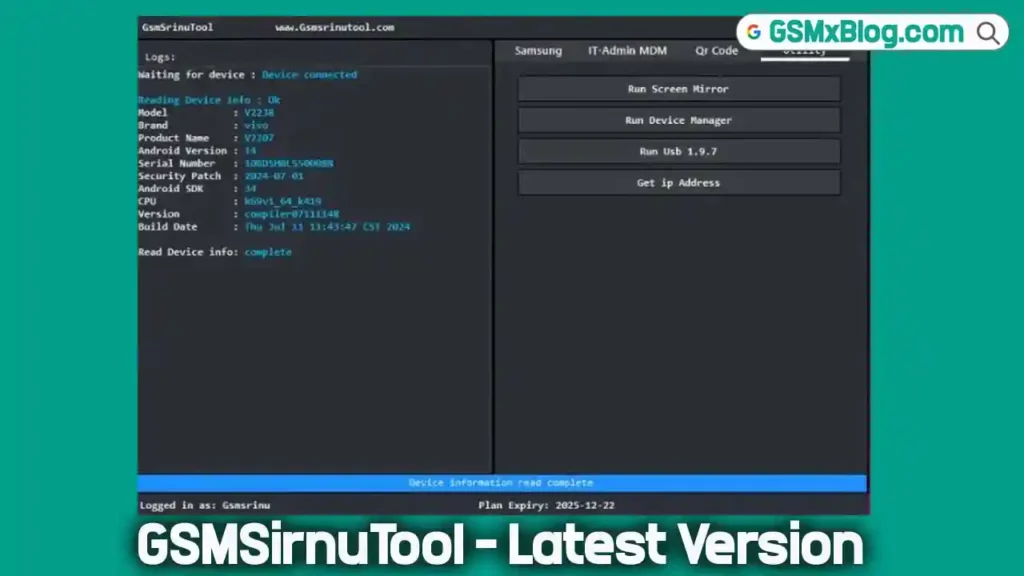
What is GSMSirnuTool v1.0.5?
GSMSirnuTool is a professional mobile service tool for Windows. It helps bypass restrictions such as:
- KG Unlocking for Samsung phones.
- MDM Unlocking for Android devices.
- IT Admin Removal for enterprise-managed smartphones.
This makes the tool particularly useful for technicians, mobile repair shops, and advanced users looking for a one-stop solution to common Android lock issues.
Key Features of GSMSirnuTool v1.0.5
- ✅ Samsung KG Lock Bypass – Unlock Samsung devices stuck in KG lock.
- ✅ MDM Unlocking – Remove Mobile Device Management restrictions from Android phones.
- ✅ IT Admin Removal – Safely remove enterprise or IT admin profiles.
- ✅ Lightweight Software – Only 33 MB, works smoothly on most PCs.
- ✅ User-Friendly Interface – Designed for both beginners and professionals.
- ✅ Free Access – Available to download free from trusted sources.
Download GSMSirnuTool v1.0.5 (Latest Version) Free
You can download the official latest version using the links below. The tool works on Windows 32-bit and 64-bit systems.
- File Name: Gsmsrinutool_v1.0.5.zip
- File Size: 33 MB
- Version: v1.0.5 (Latest)
- Platform: Windows
🔗 Download via Google Drive
🔗 Download via MEGA
How to Install GSMSirnuTool on Windows
Follow these simple steps to install and use the tool safely:
- Download & Extract
- Download the ZIP file and extract it using WinRAR or 7-Zip.
- Get the Password
- Register on the official GSMSirnuTool website to receive the extraction password.
- Turn Off Windows Defender
- Temporarily disable antivirus to prevent false alerts.
- Run as Administrator
- Right-click the tool and choose Run as Administrator.
- Login
- Enter your username and password to sign in.
- Install Required Drivers
- Make sure you have the latest USB drivers installed for Samsung/Android devices.
After completing these steps, you can start unlocking devices with GSMSirnuTool v1.0.5.
Conclusion
GSMSirnuTool v1.0.5 (Latest Version) is a must-have utility for mobile technicians and advanced Android users. With KG unlocking, MDM removal, and IT Admin bypass, it simplifies some of the most common smartphone repair challenges.
Always remember to use the tool ethically and legally, respecting device ownership and data privacy.
Related Tools